LiteFinance Register Account: Steps and Requirements
Writen By

Online Trading Platform Researcher and Guide Writer
Researches broker platforms and trading account Systems.
Many new traders stall at the first step: creating a live account while meeting identity and compliance checks. This overview highlights what information and documents you should prepare, common sign-up pitfalls to avoid, and the simple configuration steps that move an account from registration to active status so you can access trading platforms without delay.
Following the checklist for LiteFinance helps reduce verification holds and speeds first login to desktop, mobile, or MetaTrader platforms once approved. Expect an email activation, a brief identity review, and occasional residency or tax questions depending on jurisdiction. If documents are unclear or verification stalls, contacting support with clear scans and your application ID usually resolves issues faster and unlocks funding options needed to start trading.
Following the checklist for LiteFinance helps reduce verification holds and speeds first login to desktop, mobile, or MetaTrader platforms once approved. Expect an email activation, a brief identity review, and occasional residency or tax questions depending on jurisdiction. If documents are unclear or verification stalls, contacting support with clear scans and your application ID usually resolves issues faster and unlocks funding options needed to start trading.

How to Register LiteFinance Account on the Web app
How to Register an account
First, you’ll need to enter the LiteFinance homepage. After that, on the homepage, click the "Registration" button in the upper right corner of the screen.
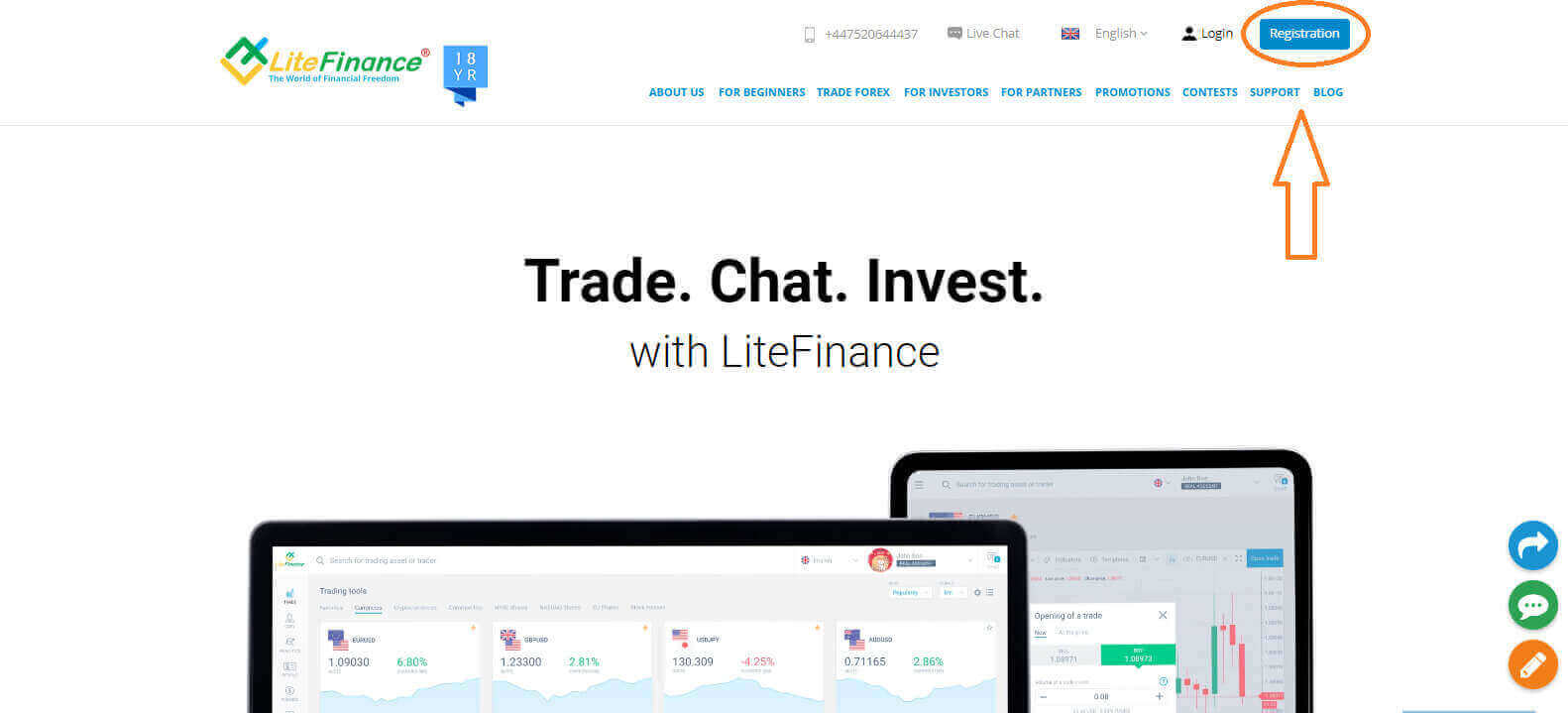
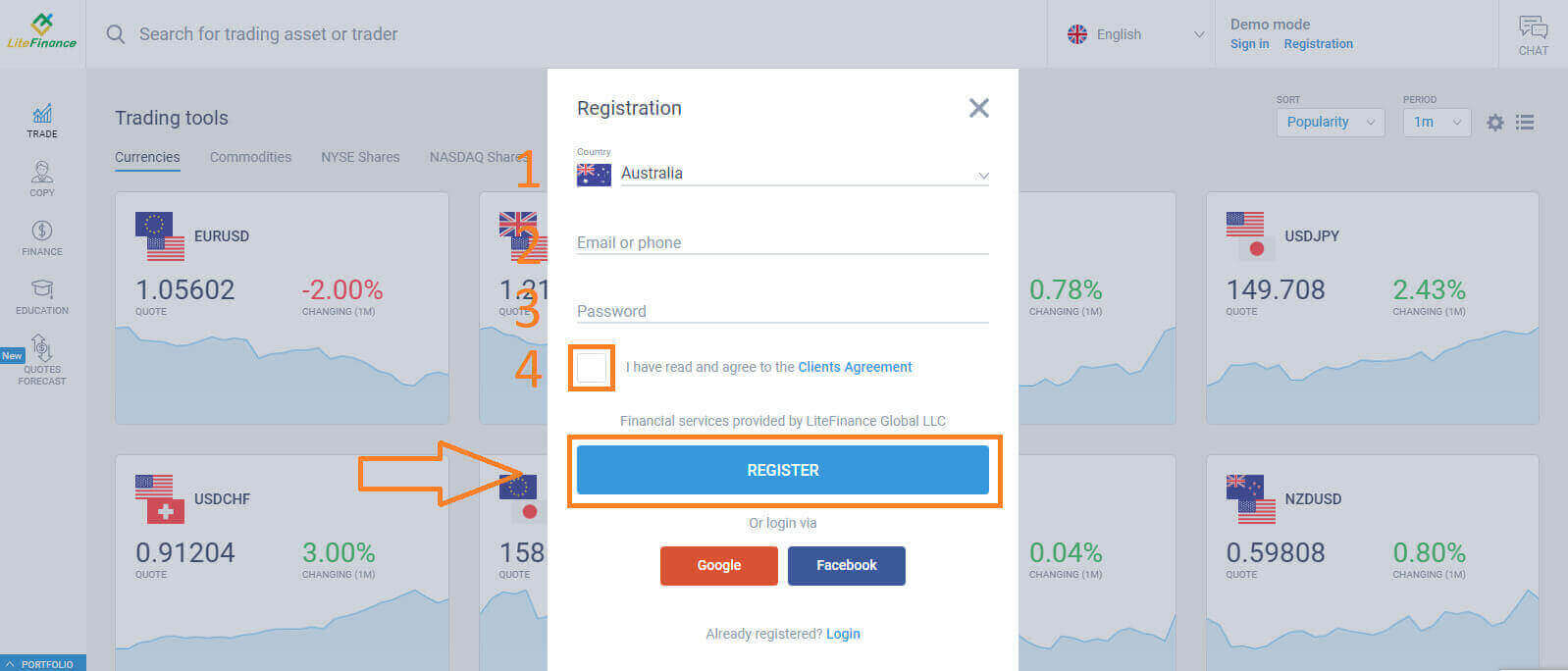
At the registration page, please complete the following actions:
- Choose your residence nation.
- Enter your email address or phone number.
- Create a strong and secure password.
- Please select the checkbox indicating that you have read and agreed to LiteFinance’s Clients Agreement.
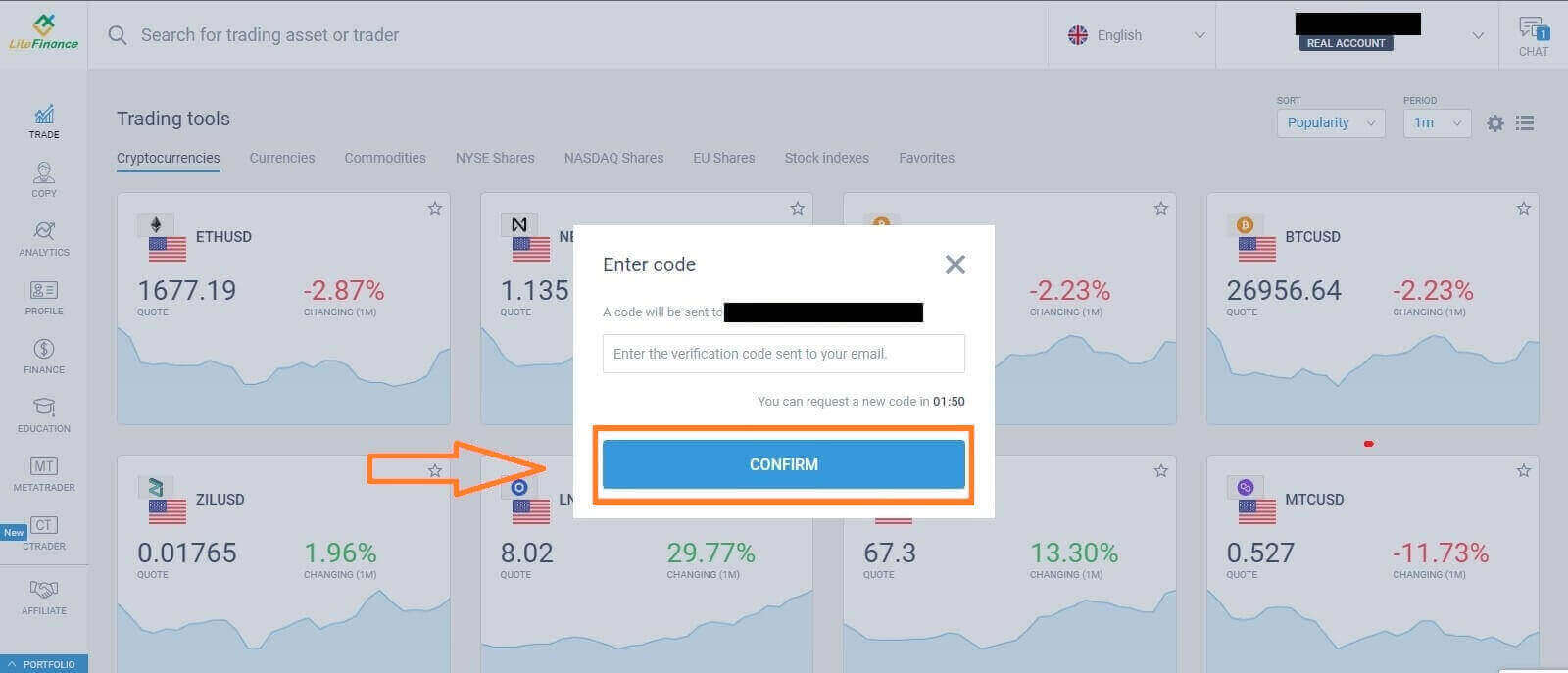
Within a minute, you will receive a verification code, please check your email/ phone number. Then fill in the "Enter code" form and click the "CONFIRM" button.
You can request a new code every 2 minutes if you haven’t received it.
Congratulations! You have successfully registered for a new LiteFinance Account. You will now be directed to the LiteFinance Terminal.
LiteFinance profile verification
When you create a LiteFinance account, the user interface appears next to the chat box in the upper right corner. Move your mouse to "My profile" and click on it.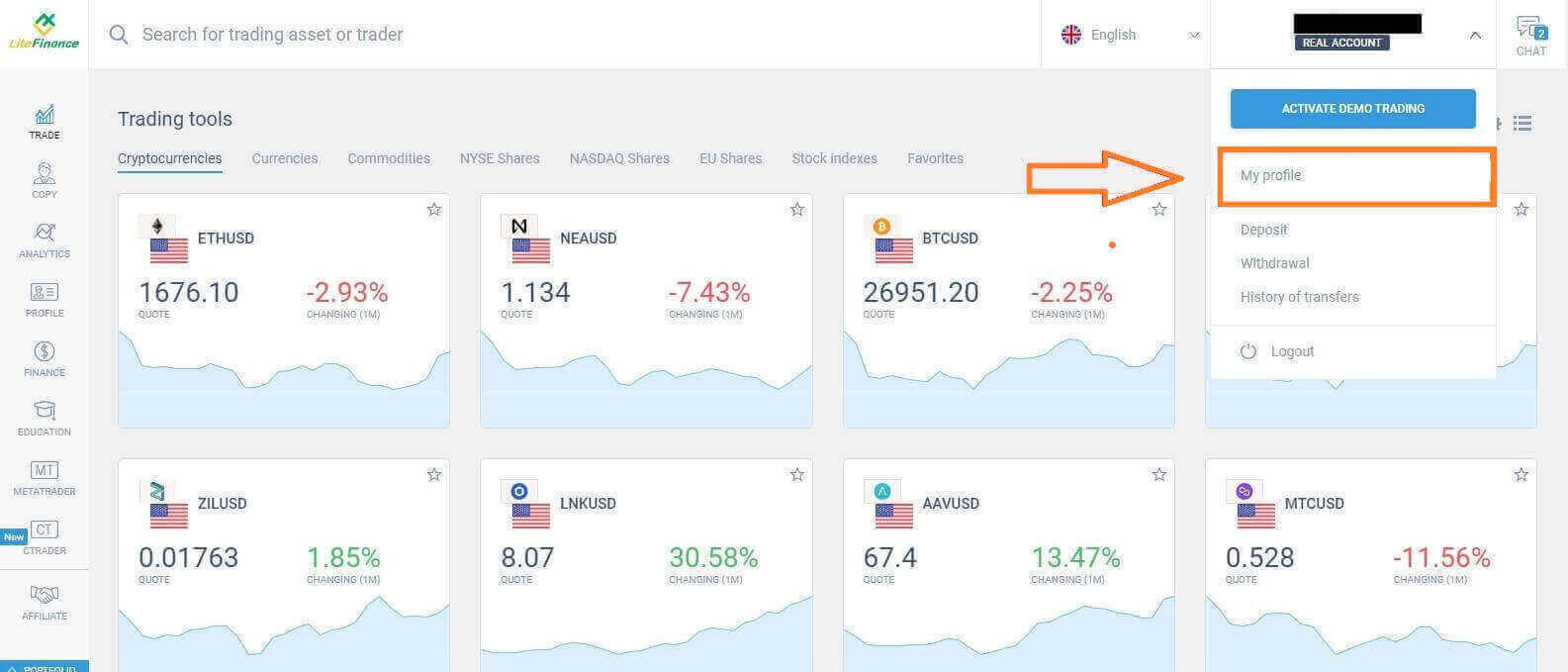 On the next page, click "Verification".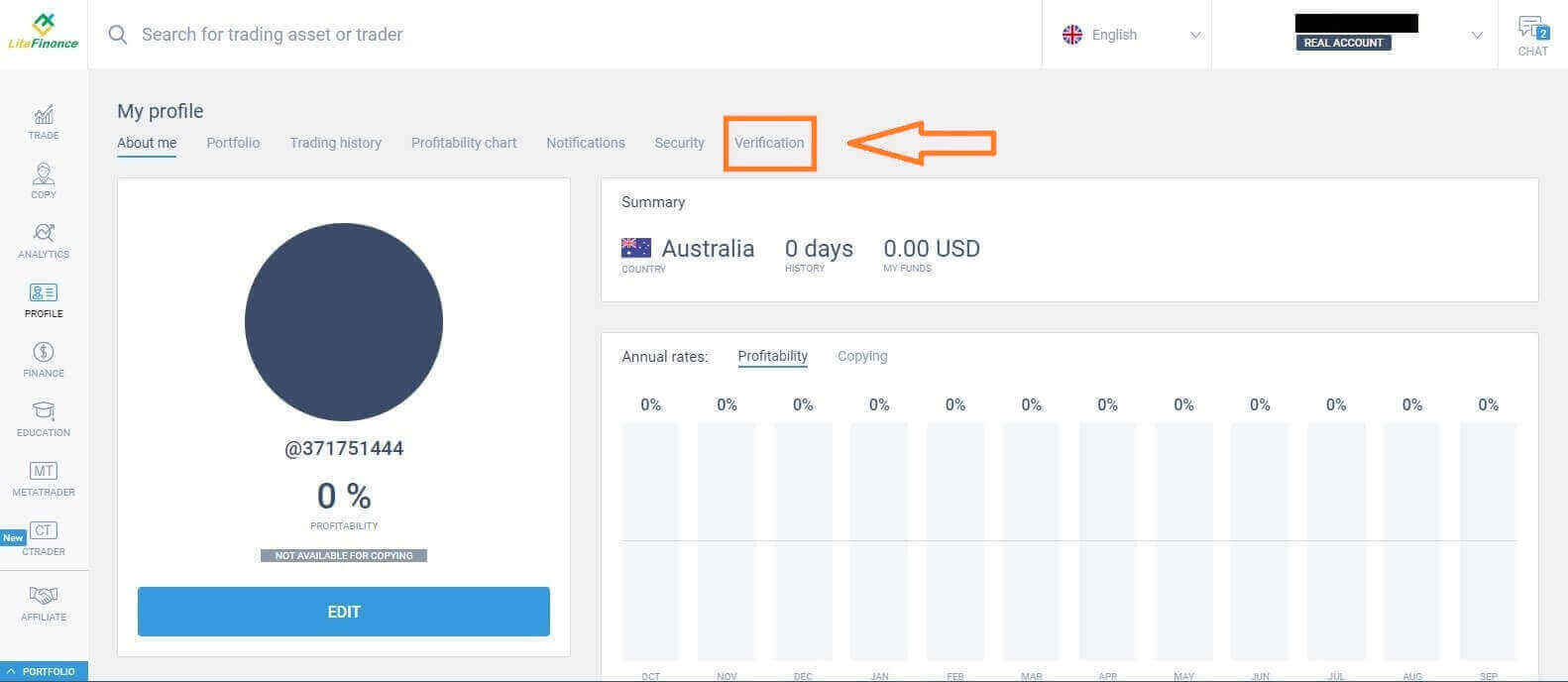
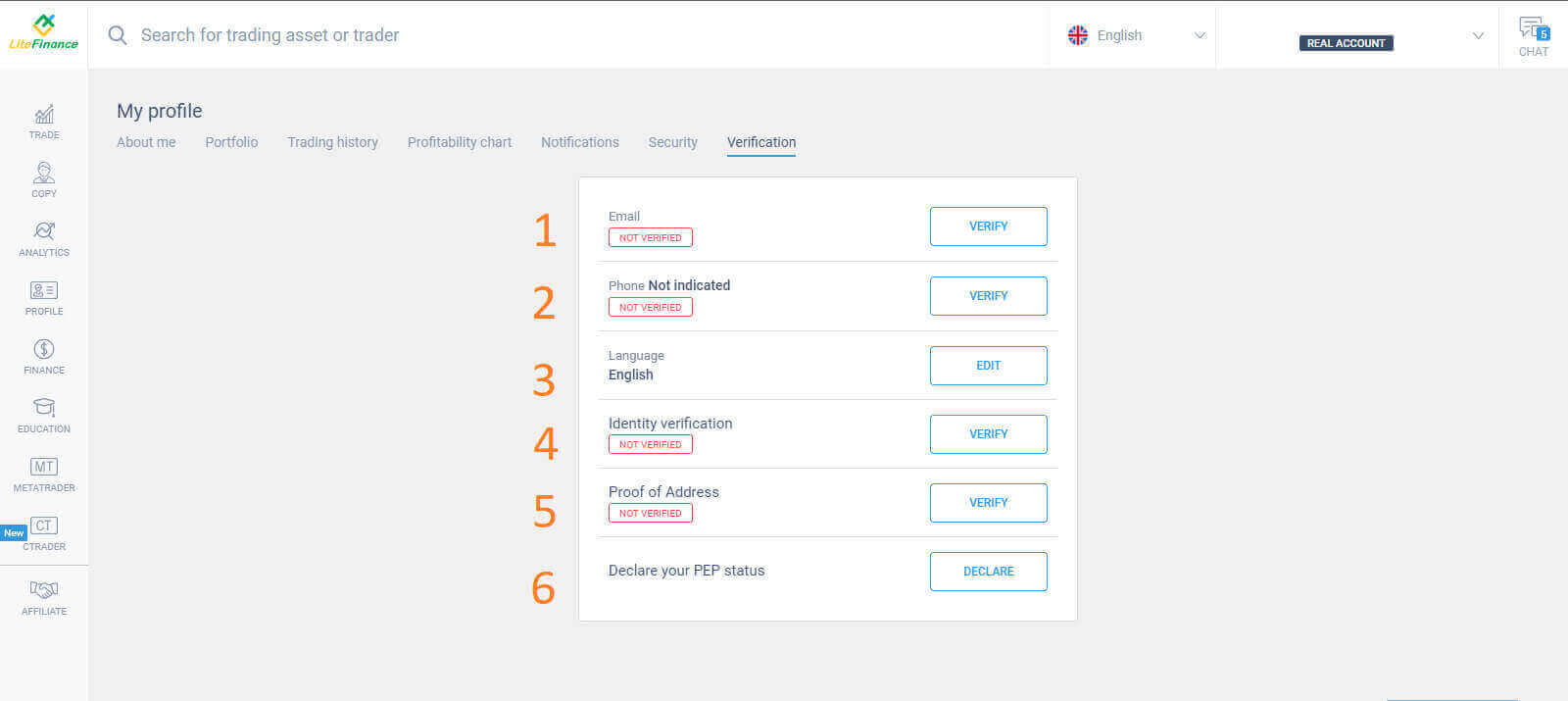
There will be a form on the screen for you to fill out to verify your information, such as:
- Email.
- Phone number.
- Language.
- Name, gender, and date of birth verification.
- Proof of Address (Country, region, city, address, and postcode).
- Your PEP status ( you just need to tick the box declaring you a PEP - Politically Exposed Person).
How to create a trading account
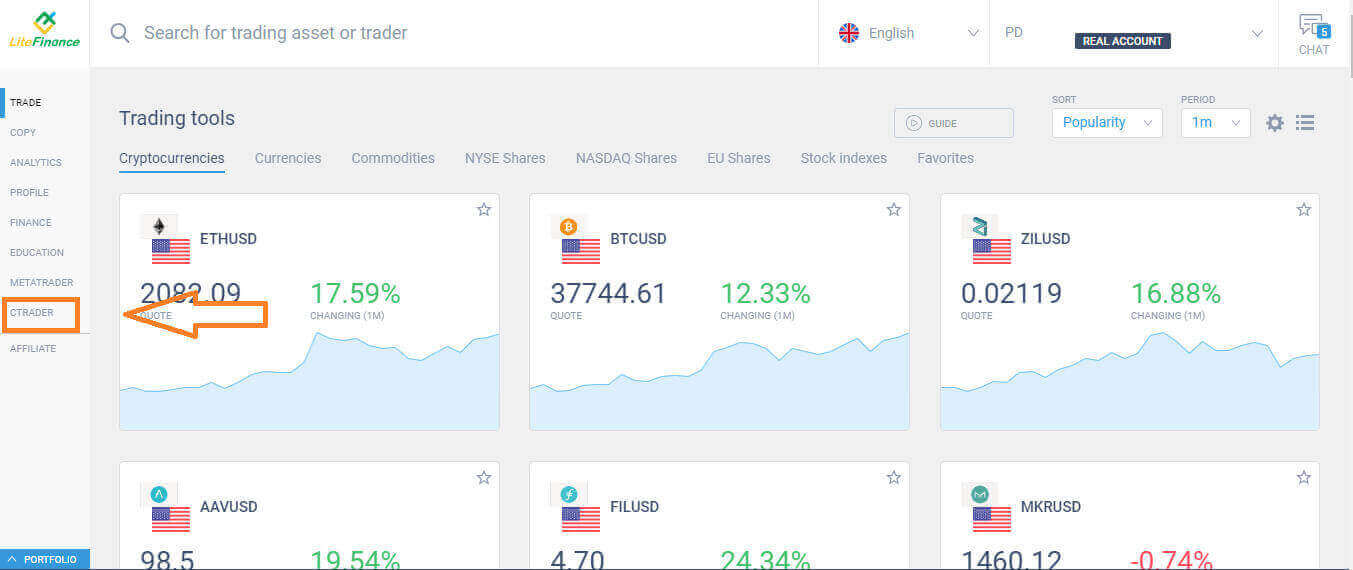
Please choose the "CTRADER" icon on the left side of the screen.
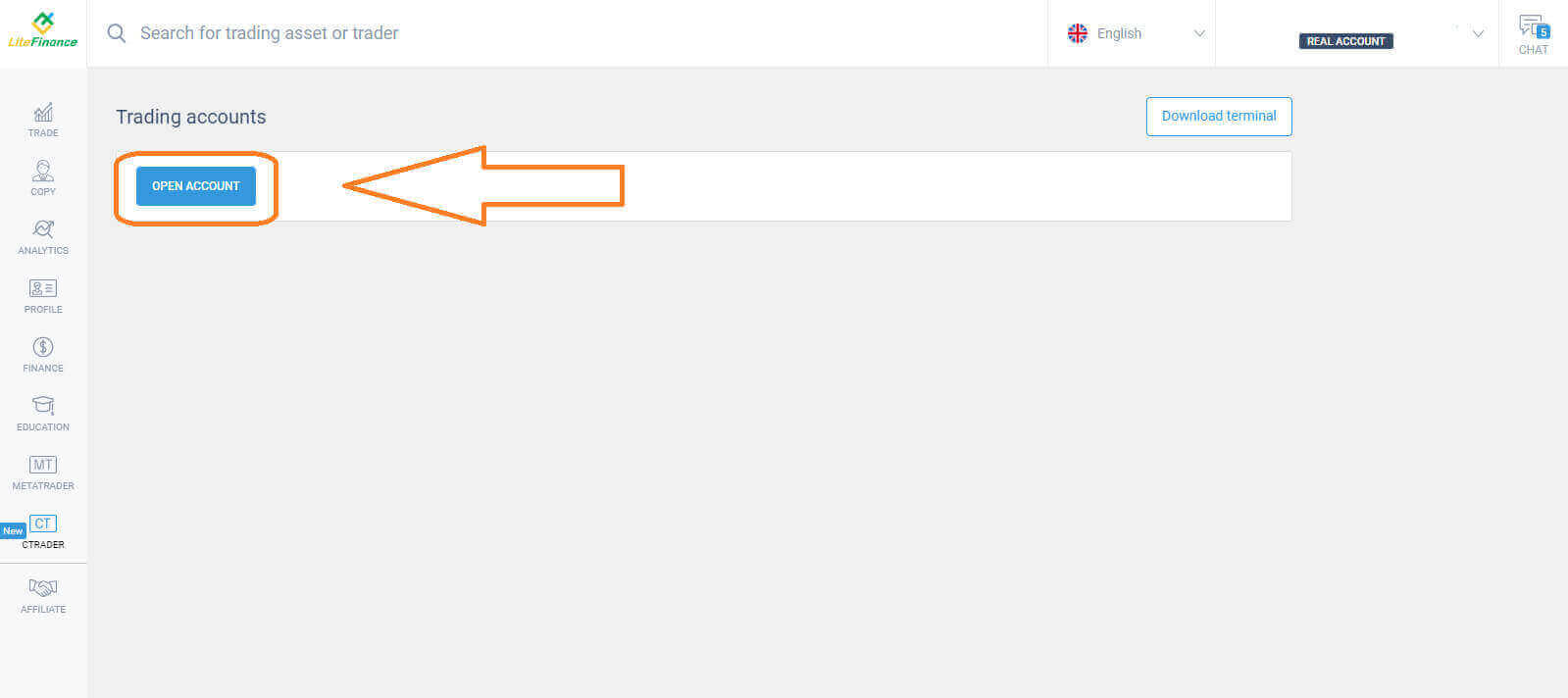
 To proceed, please choose "OPEN ACCOUNT".
 On the "Open Trading Account" form, select your leverage and currency, then choose "OPEN TRADING ACCOUNT".
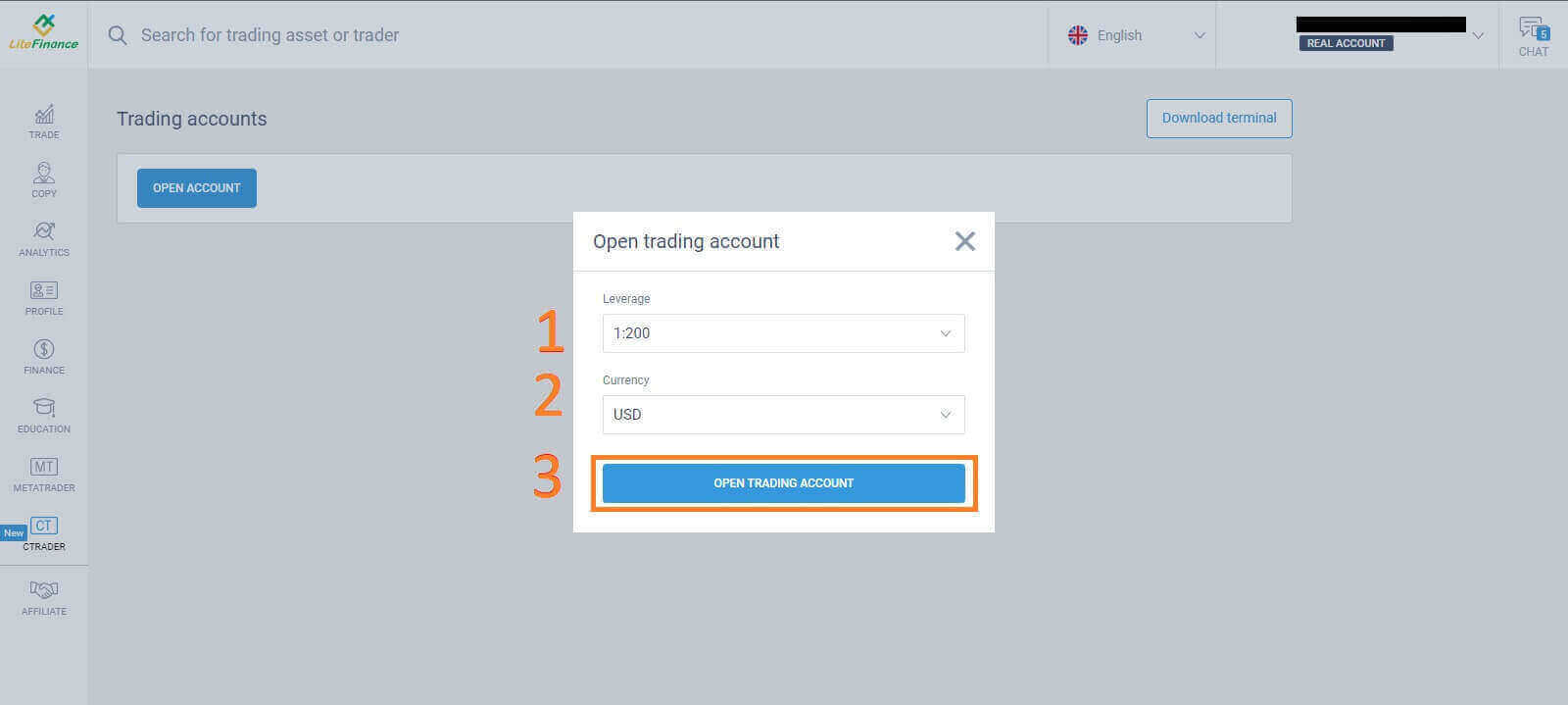 Congratulations! Your trading account has been created successfully.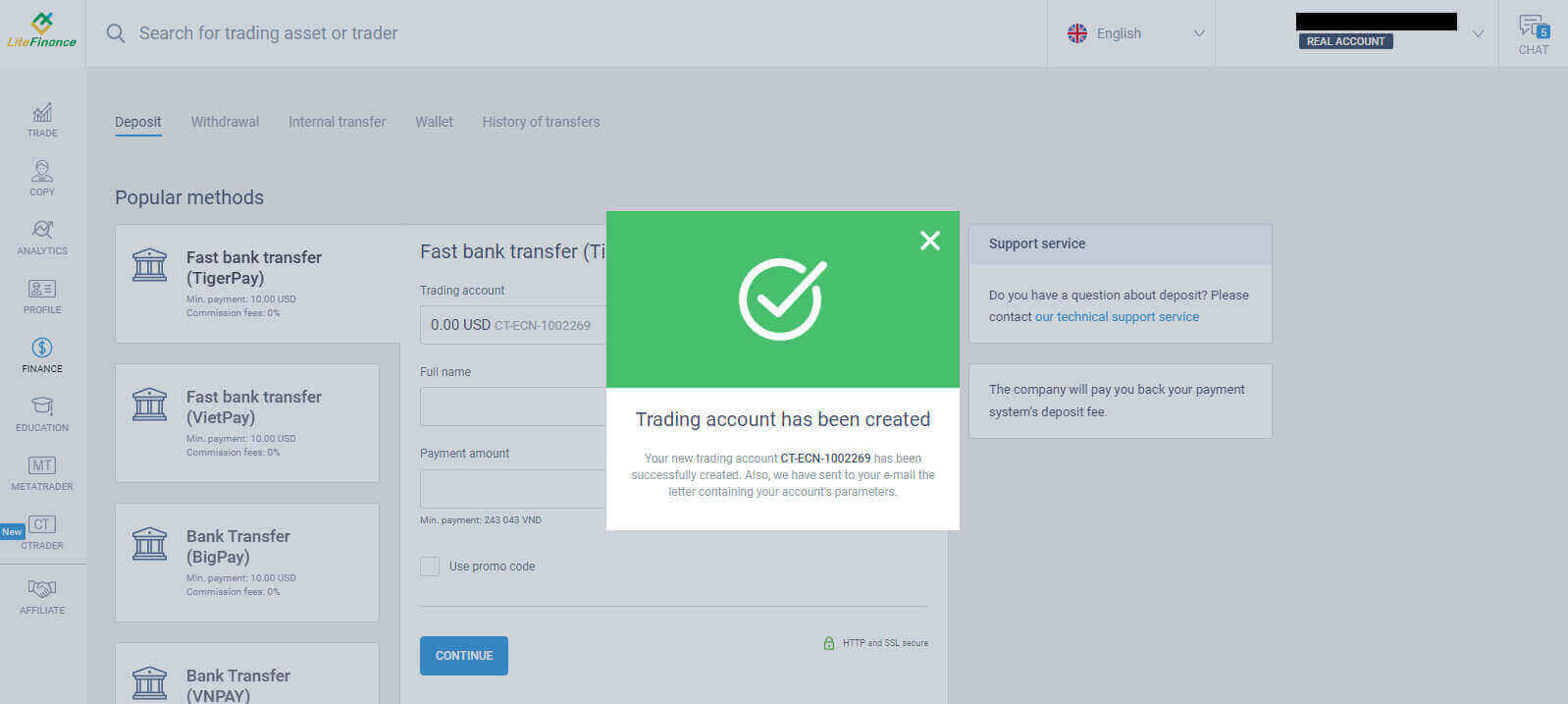
How to Register LiteFinance Account on the Mobile app
Set up and Register an account
Install the LiteFinance Mobile Trading App from the App Store as well as Google Play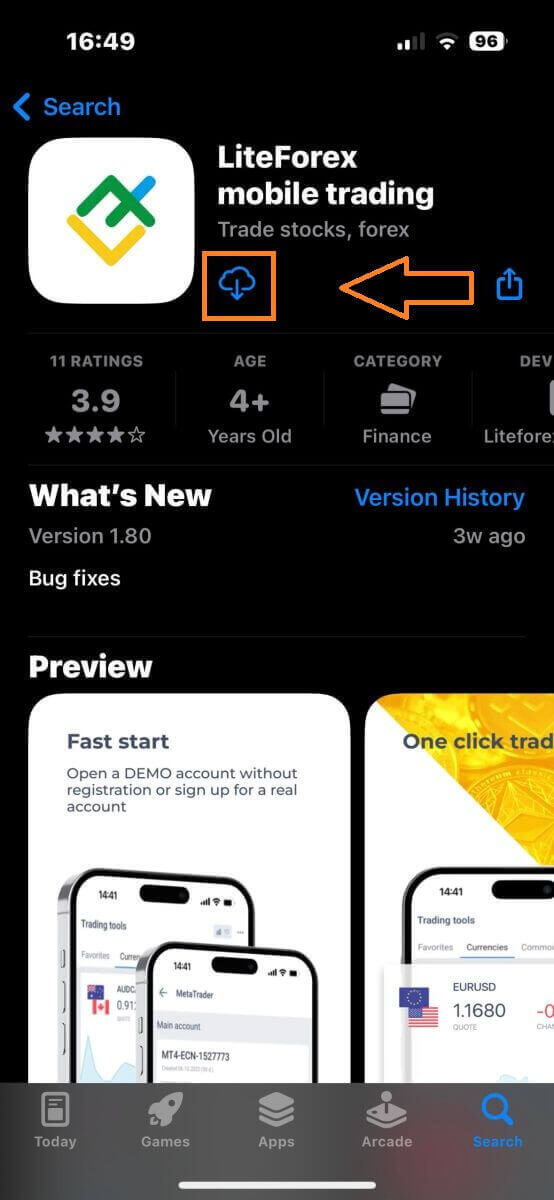
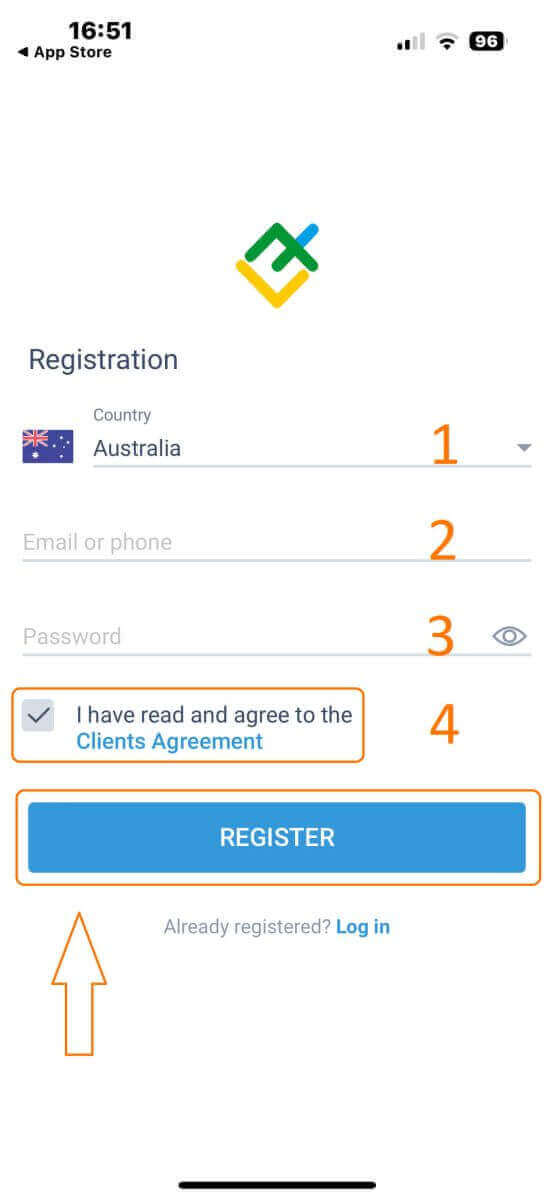
Run the LiteFinance Trading App on your mobile device, then select "Registration".
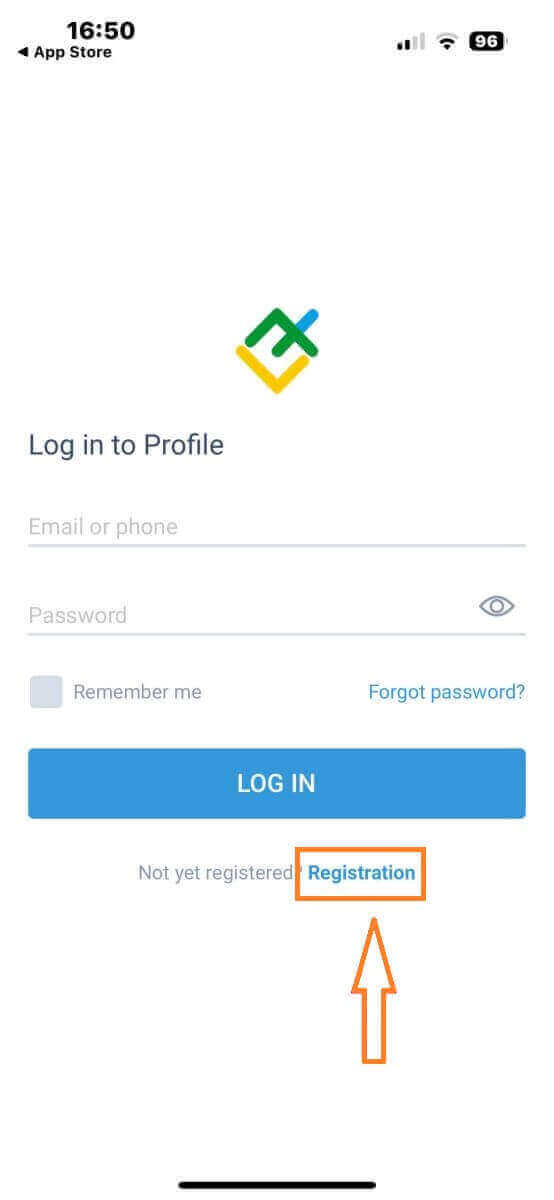
To proceed, you’ll need to complete the registration form by providing specific information:
- Select your country of residence.
- Provide your email address or phone number.
- Establish a secure password.
- Tick the box declaring you have read and agree to the LiteFinance’s Clients Agreement.
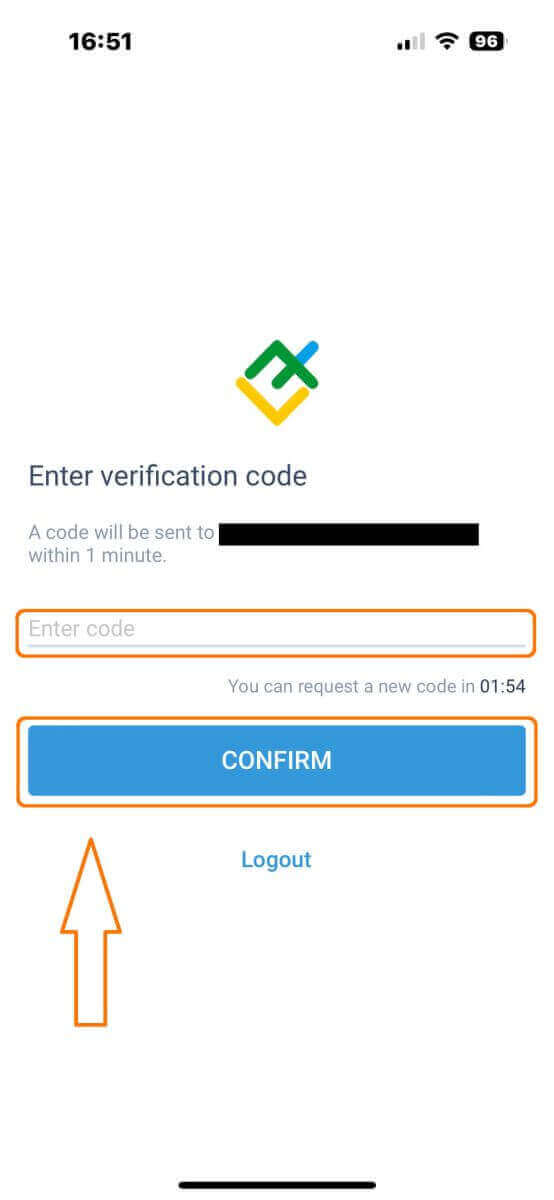
After one minute, you will receive a 6-digit verification code via phone or email. Check your inbox and input the code.
In addition, if you have not received the code within two minutes, touch "RESEND". Otherwise, choose "CONFIRM".
You can construct your own PIN number, which is a 6-digit code. This step is optional; however, you must complete it before accessing the trading interface.
Congratulations! You have successfully set up and are now ready to use the LiteFinance Mobile Trading App.
LiteFinance profile verification
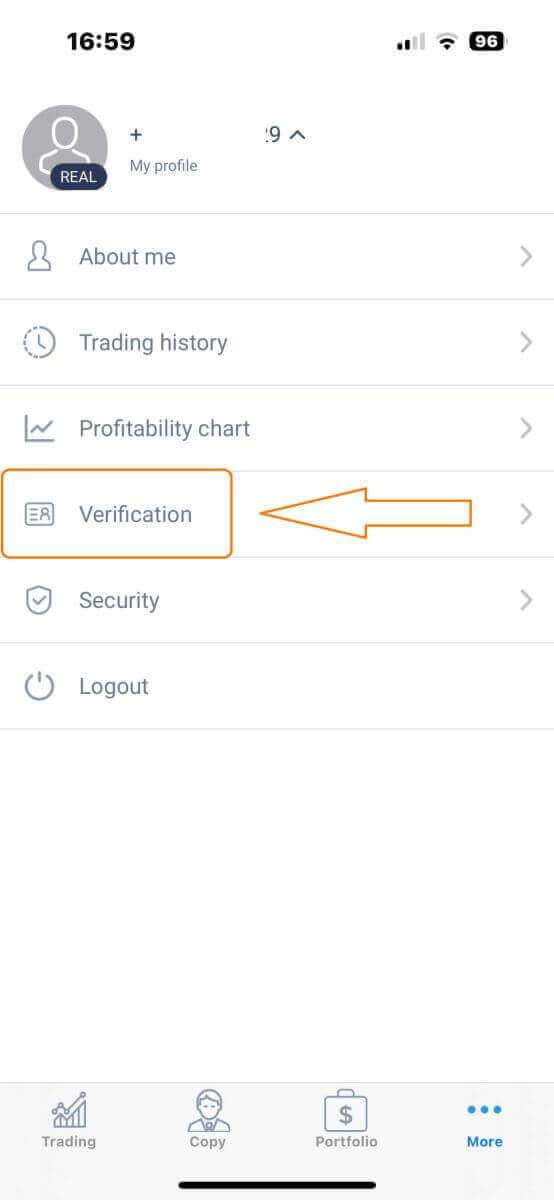
Tap "More" in the bottom right corner of the homepage.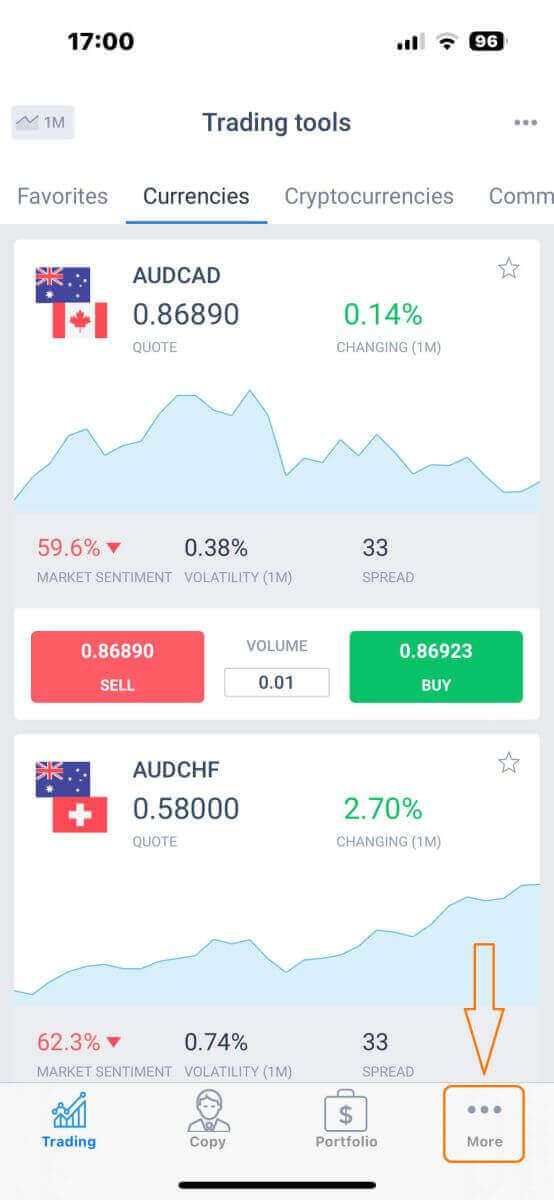
On the first tab, look next to your phone number/ email address and click the dropdown arrow.
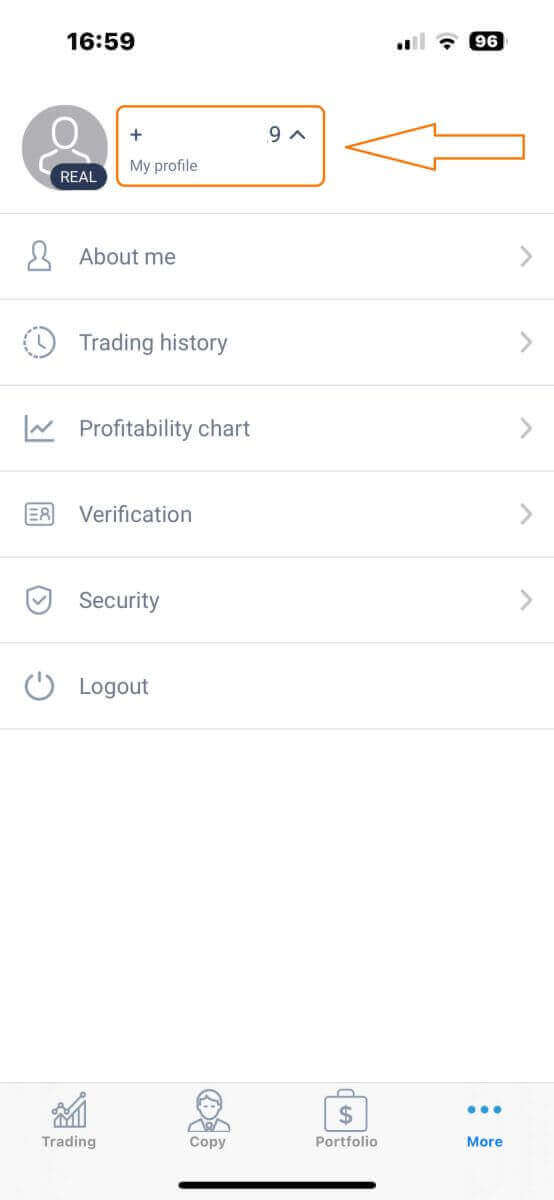
Choose "Verification".
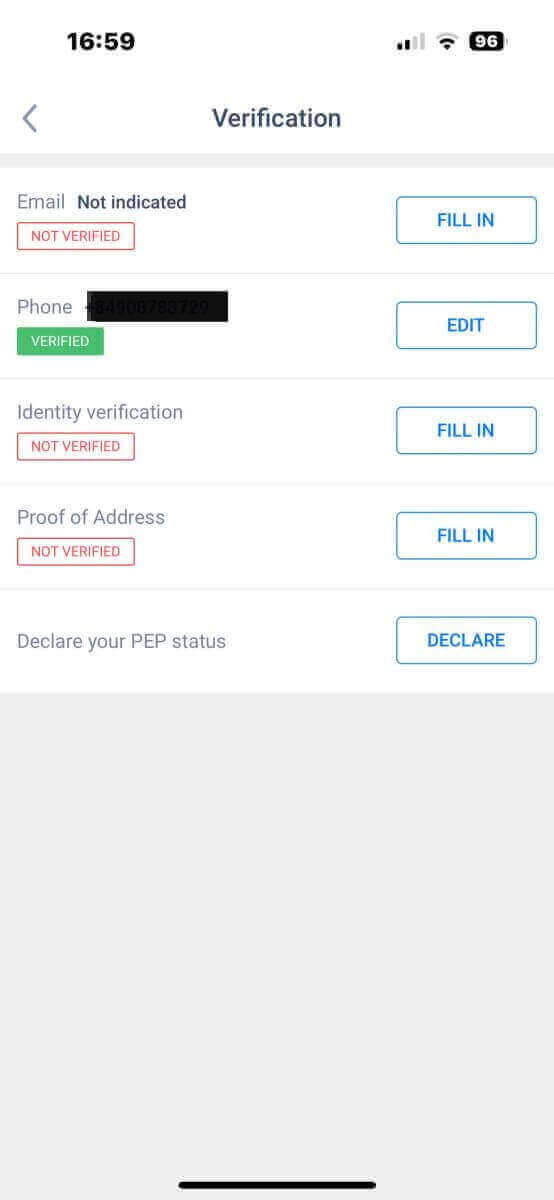
Please ensure that you fill out and authenticate all required details on the verification page:
- Email address.
- Phone number.
- Identity verification.
- Proof of Address.
- Declare your PEP status.
How to create a new trading account
To access MetaTrader, return to the "More" screen and select its corresponding icon.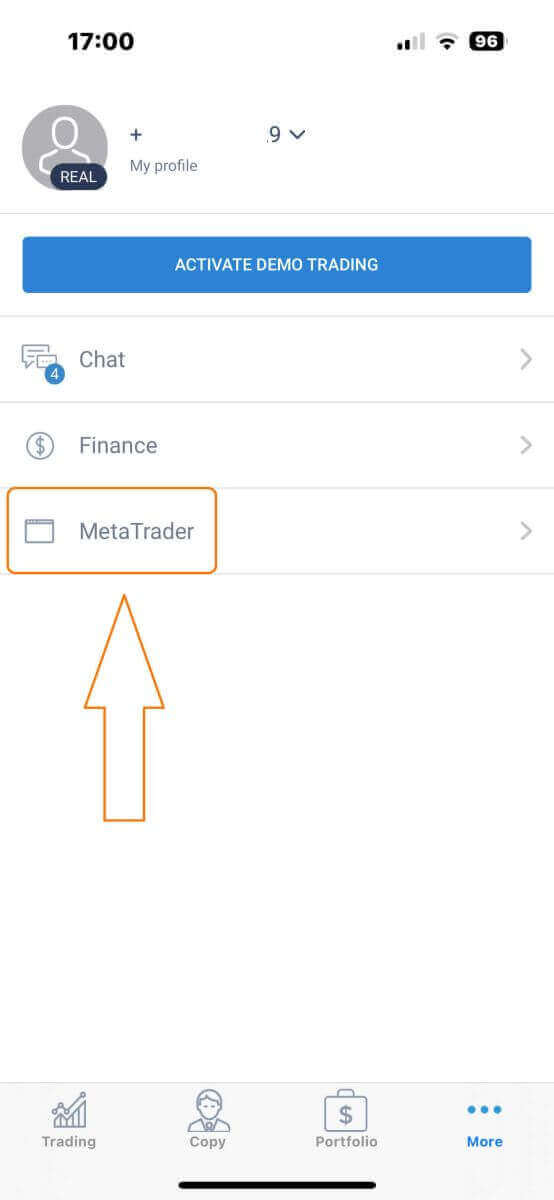
Please scroll down until you locate the "OPEN ACCOUNT" button, and then tap on it.
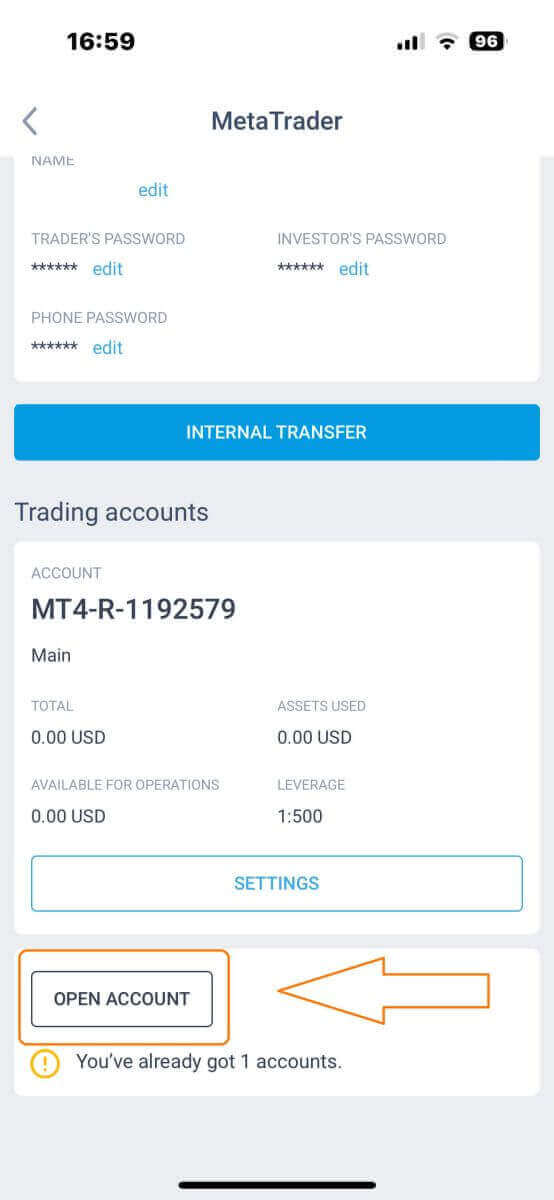
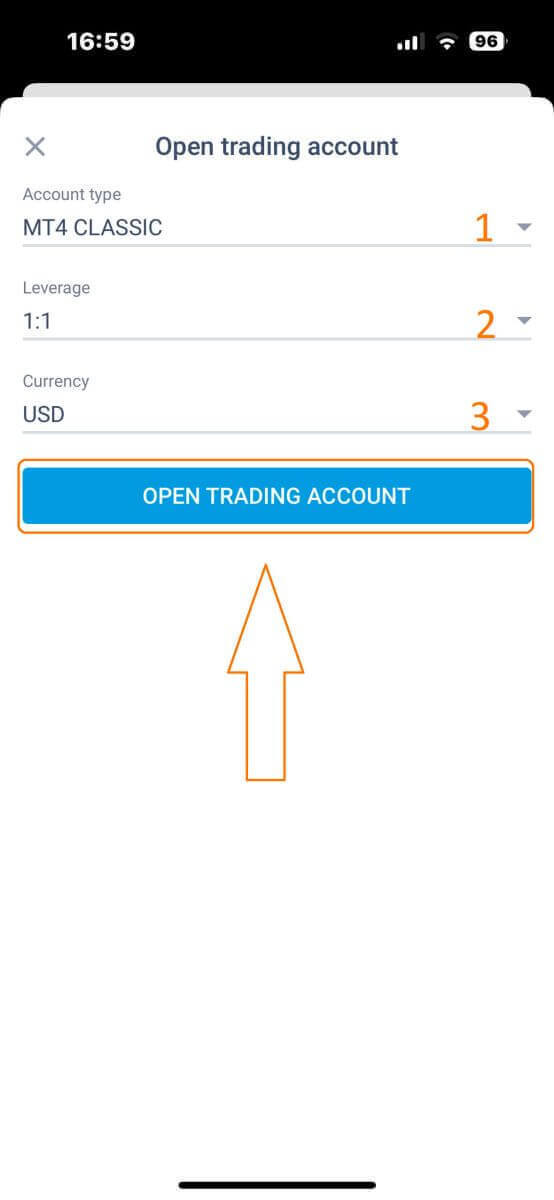
Please enter your account type, leverage, and currency in the "Open Trading Account" box and click "OPEN TRADING ACCOUNT" to complete.
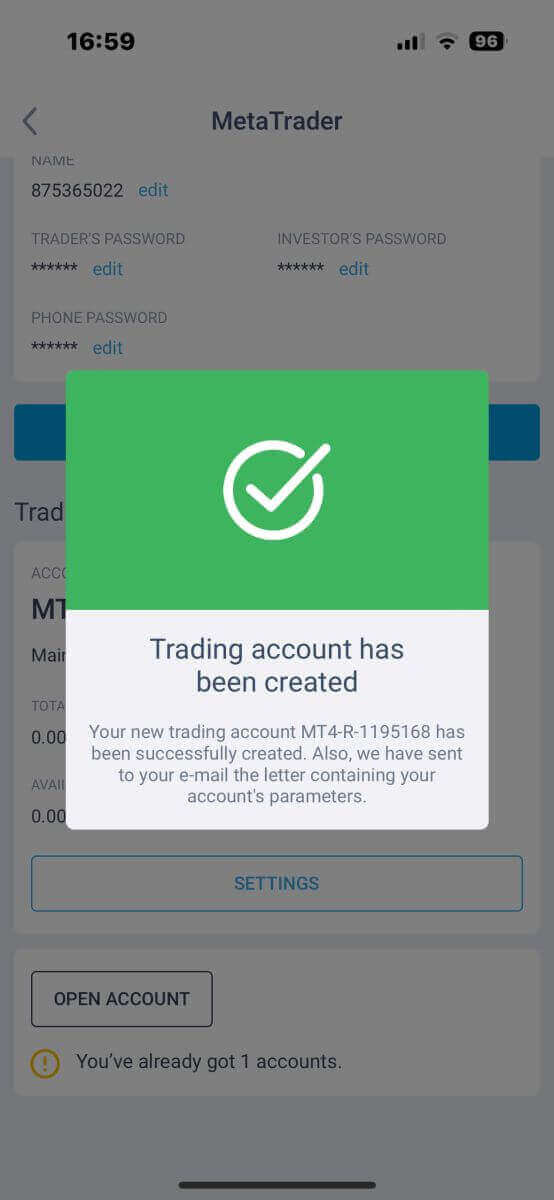
You have successfully created a trading account! Your new trading account will show up below and remember to set one of them to be your main account.
LiteFinance: Simply Your Gateway to Trading
Creating a trading account on LiteFinance is a straightforward process that allows you to access the world of financial markets with ease. By following a few simple steps, you can open an account, deposit funds, and start trading various assets. LiteFinance’s user-friendly interface and robust features make it an excellent choice for both novice and experienced traders looking to participate in the exciting world of online trading. So, if you’re ready to embark on your trading journey, LiteFinance provides a user-friendly platform to get started quickly and efficiently. FAQs
You typically need a government‑issued photo ID (passport, national ID card, or driver’s license) and a recent proof of address such as a utility bill or bank statement. Additional tax, residency, or source‑of‑fund documents may be requested depending on your country.
Creating the account and confirming your email takes a few minutes; document verification commonly completes within a few business days but can vary by workload and document quality. If verification is delayed, check that files are clear, fully visible, and match your submitted personal details, then contact support with your application ID.
During registration you pick a trading account type and base currency. LiteFinance typically offers micro/cent, standard and ECN‑style accounts that vary by minimum deposit, lot sizes, spreads and commission structure. Choose based on capital, trading style and leverage needs; you can add more accounts later from the client area.
First check spam/junk folders and confirm you entered the correct email. Request a resend from the registration page, whitelist the broker email domain, or try a different browser/device. If still missing, ensure your provider didn’t block the message and contact support with your registration email and screenshots so they can resend or manually activate your account.
You must meet minimum legal requirements such as being of adult age and passing KYC checks. Residents of jurisdictions with local restrictions or sanctions may be unable to open an account; some payment methods are also restricted by country. Corporate accounts and certain residency statuses require extra documentation and review.