LiteFinance Sign Up
Writen By

Online Trading Platform Researcher and Guide Writer
Researches broker platforms and trading account Systems.
Want to join LiteFinance but not sure what the sign‑up process looks like or which account type to choose? This walkthrough focuses on the practical steps to create your trading profile: entering contact and identity details, creating a secure password, selecting demo or live access, and confirming email or phone so you can access the platform interface and basic features. You’ll also choose a base currency and preferred trading platform during setup.
Expect basic registration to take only minutes while identity checks can add extra time; this introduction flags common signup errors, required documents, and quick fixes. It also covers two‑factor setup and where to find account settings in web and mobile apps so you complete onboarding, proceed to verification if needed, and prepare your account for deposits and trading with greater confidence.
Expect basic registration to take only minutes while identity checks can add extra time; this introduction flags common signup errors, required documents, and quick fixes. It also covers two‑factor setup and where to find account settings in web and mobile apps so you complete onboarding, proceed to verification if needed, and prepare your account for deposits and trading with greater confidence.

How to Sign up for a LiteFinance Account on the Web app
How to Sign up
First, you’ll need to enter the LiteFinance homepage. After that, on the homepage, click the "Registration" button in the upper right corner of the screen.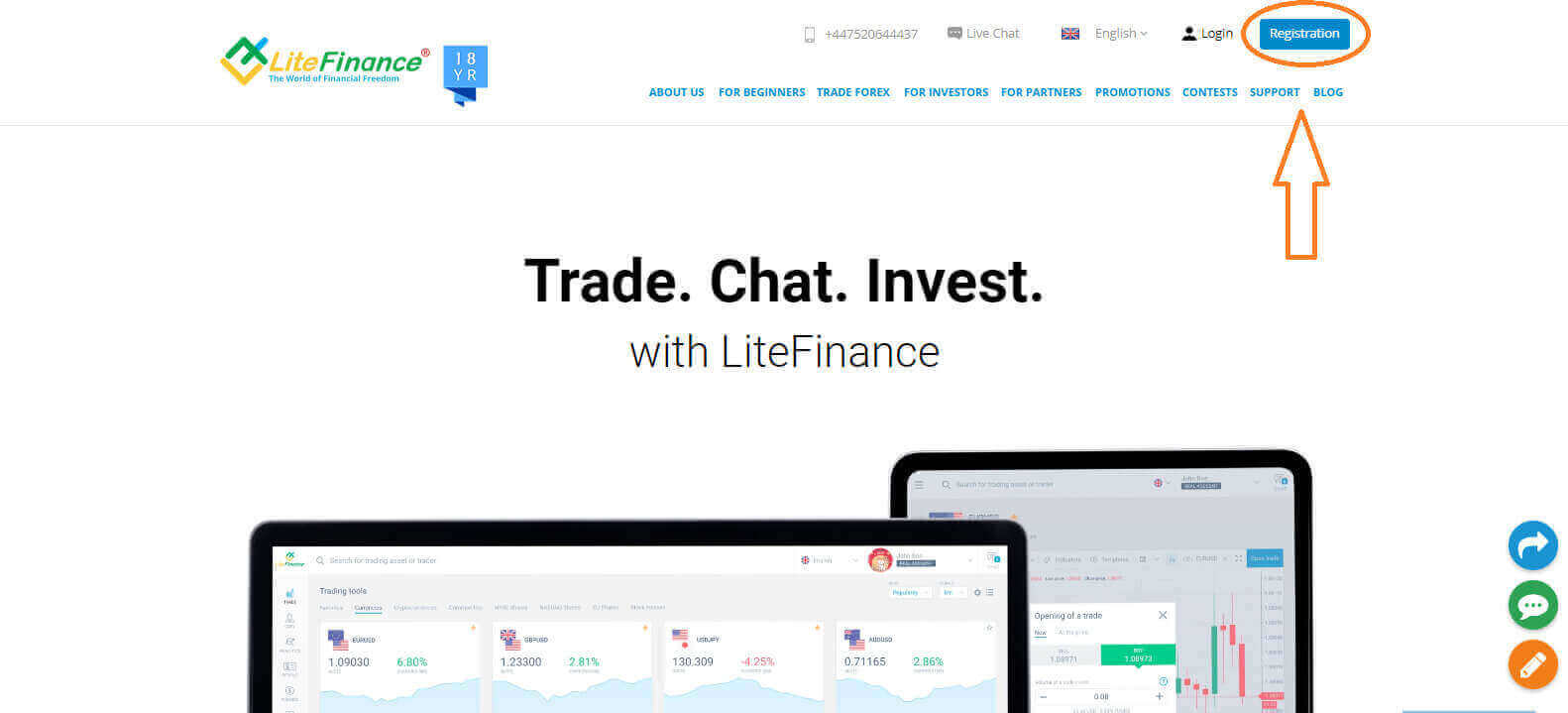
At the registration page, please complete the following actions:
- Choose your residence nation.
- Enter your email address or phone number.
- Create a strong and secure password.
- Please select the checkbox indicating that you have read and agreed to LiteFinance’s Clients Agreement.
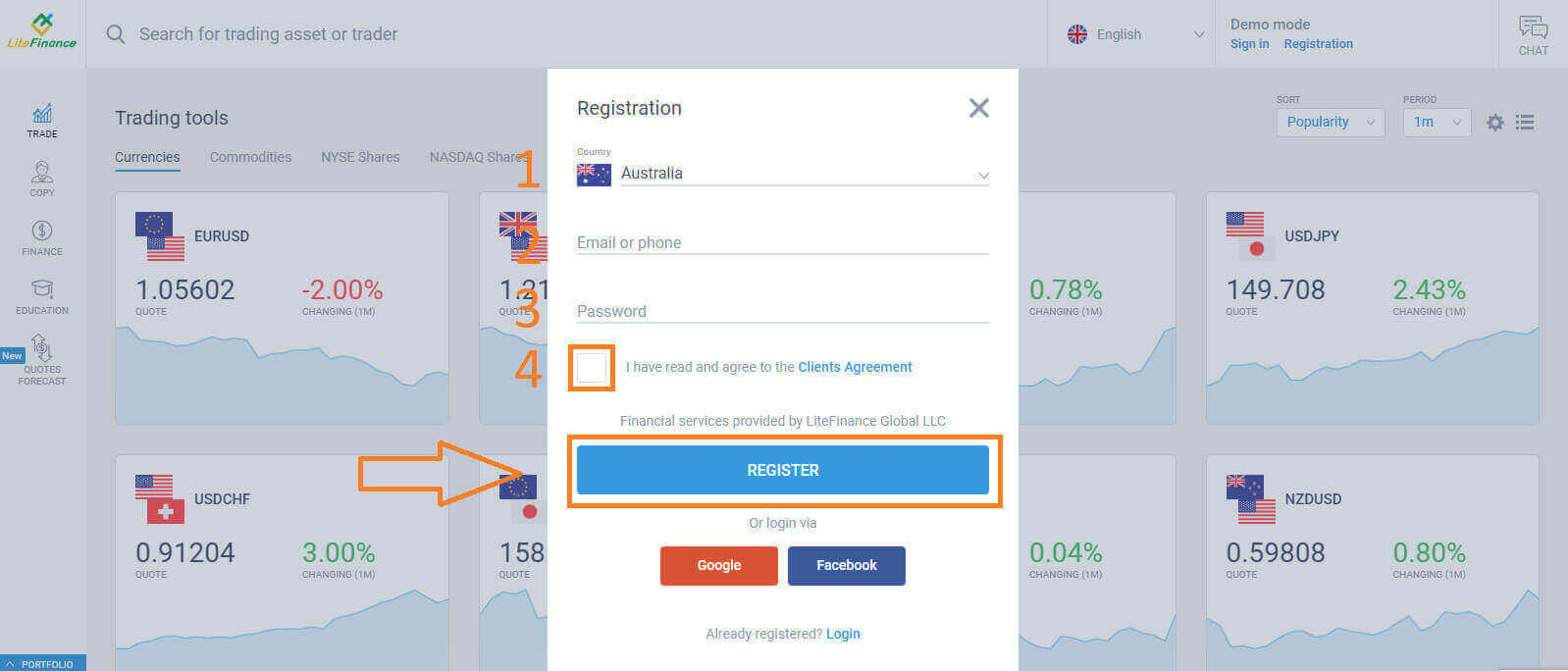
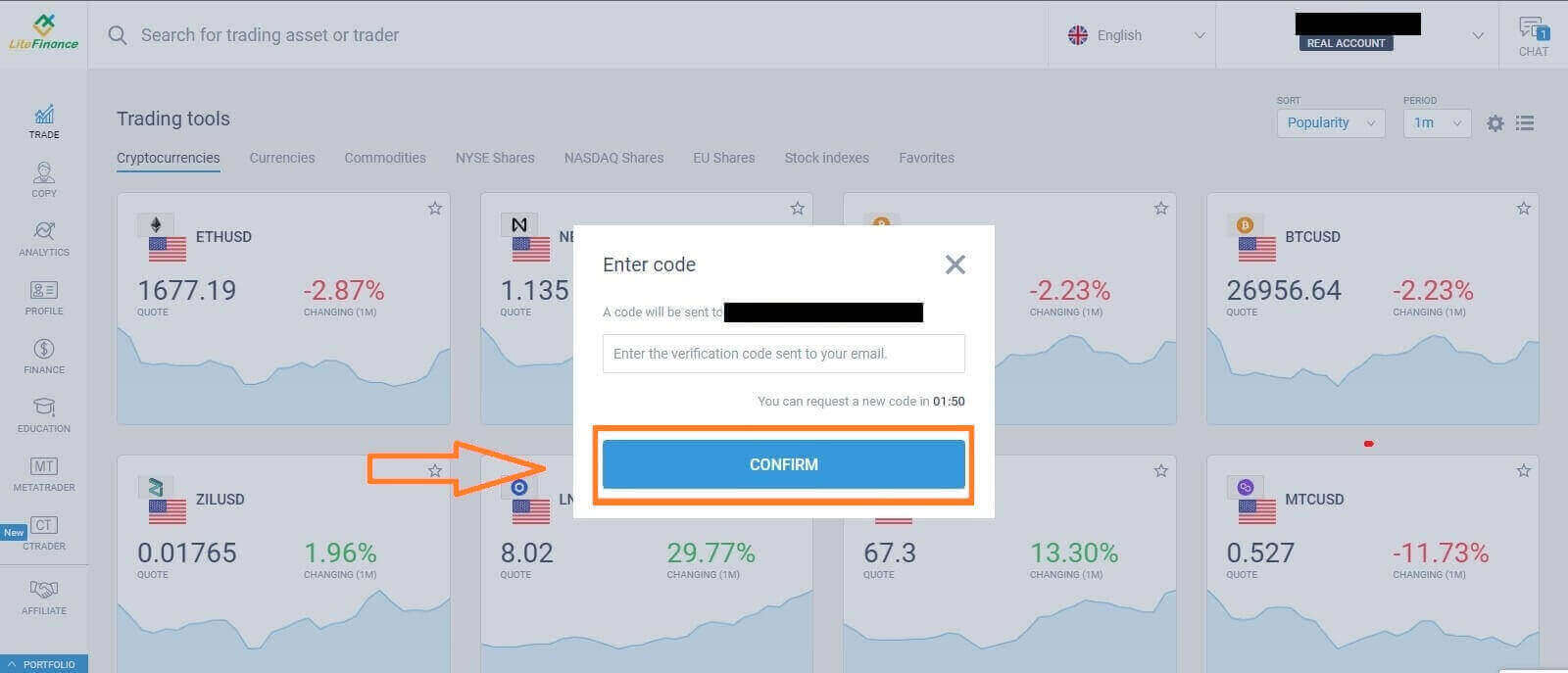
Within a minute, you will receive a verification code, please check your email/ phone number. Then fill in the "Enter code" form and click the "CONFIRM" button.
You can request a new code every 2 minutes if you haven’t received it.
Congratulations! You have successfully registered for a new LiteFinance Account. You will now be directed to the LiteFinance Terminal.
LiteFinance profile verification
When you create a LiteFinance account, the user interface appears next to the chat box in the upper right corner. Move your mouse to "My profile" and click on it.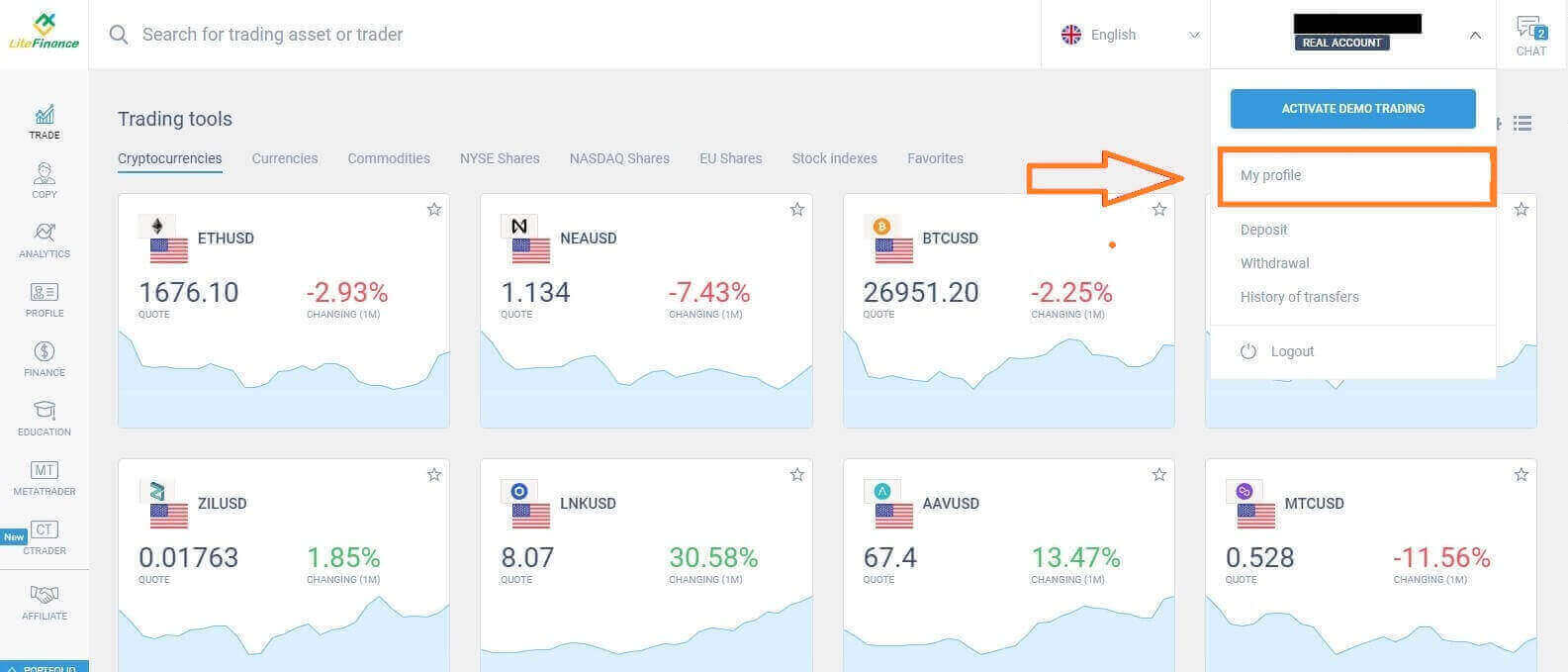 On the next page, click "Verification".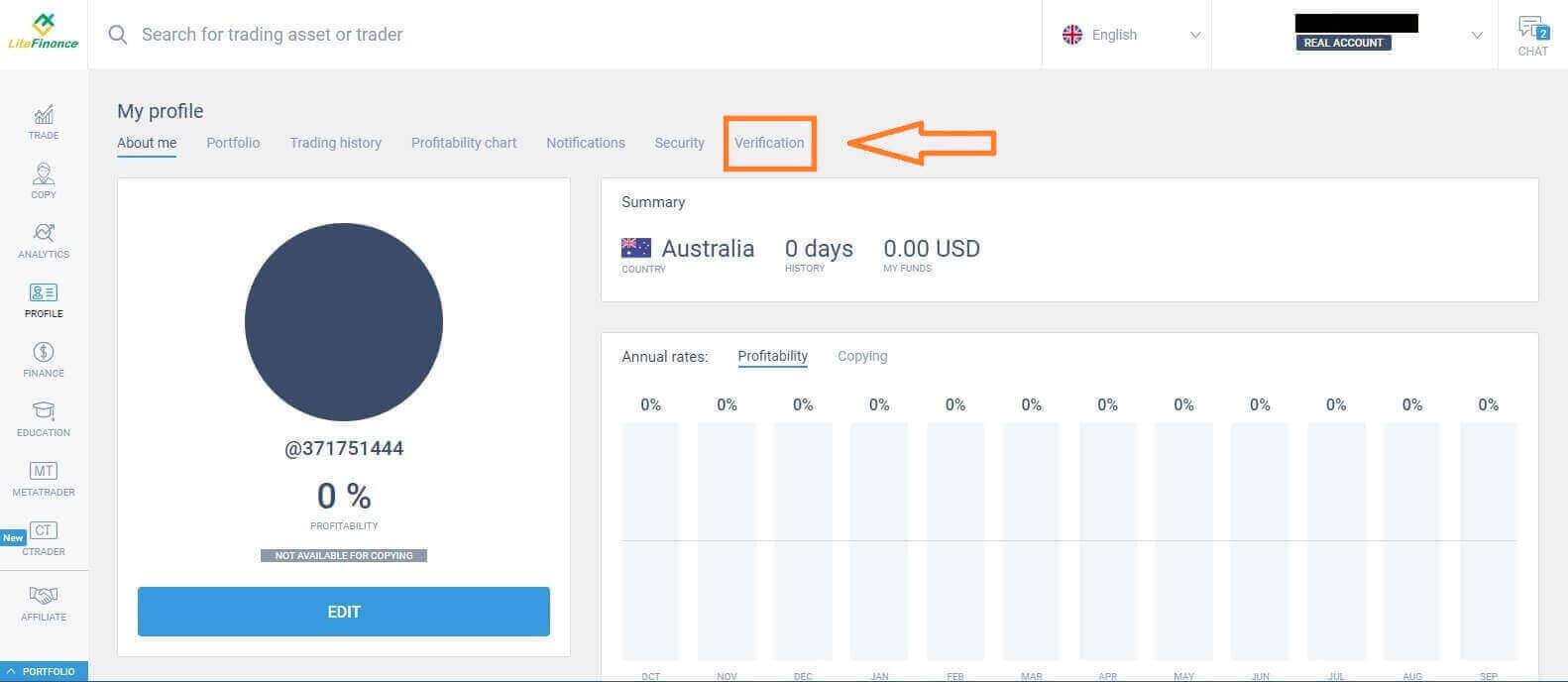
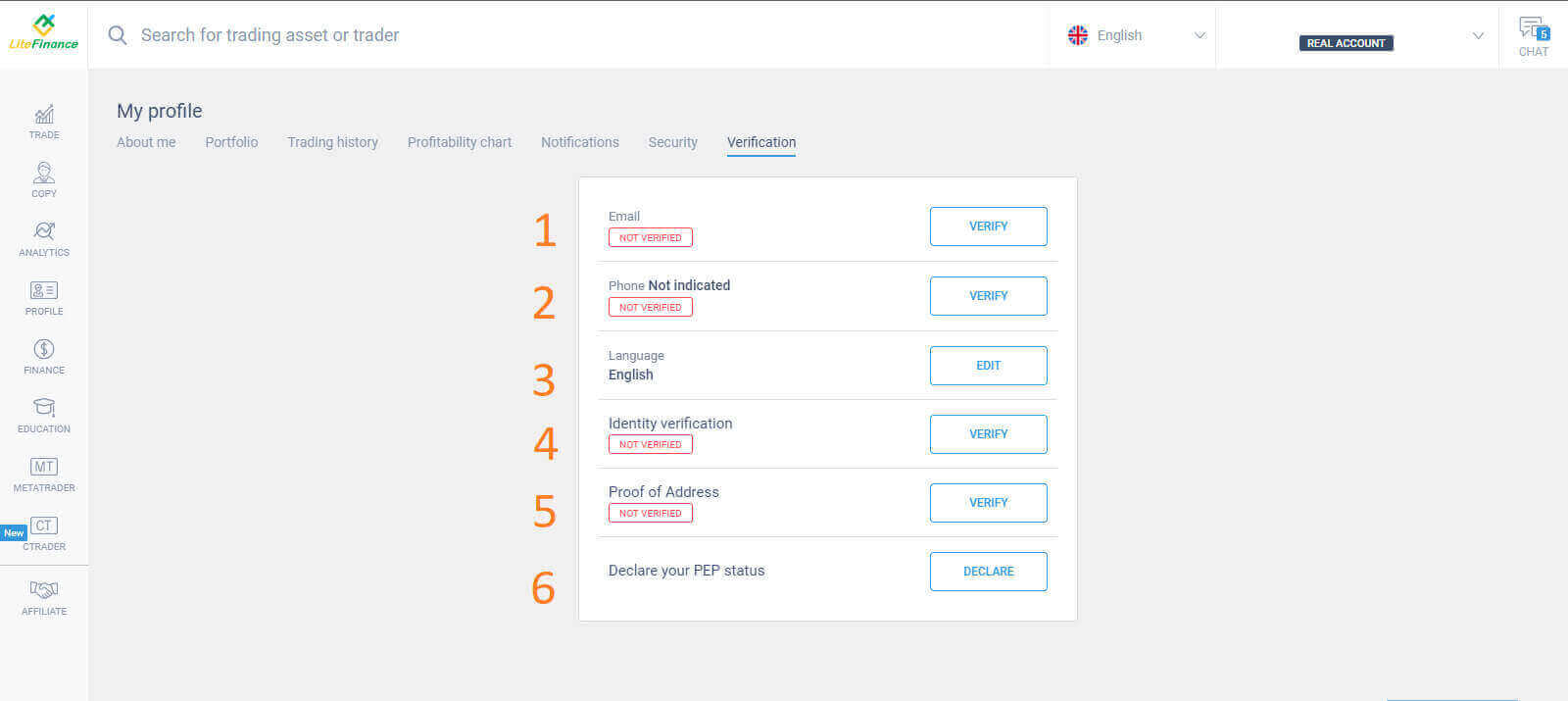
There will be a form on the screen for you to fill out to verify your information, such as:
- Email.
- Phone number.
- Language.
- Name, gender, and date of birth verification.
- Proof of Address (Country, region, city, address, and postcode).
- Your PEP status ( you just need to tick the box declaring you a PEP - Politically Exposed Person).
How to create a new trading account
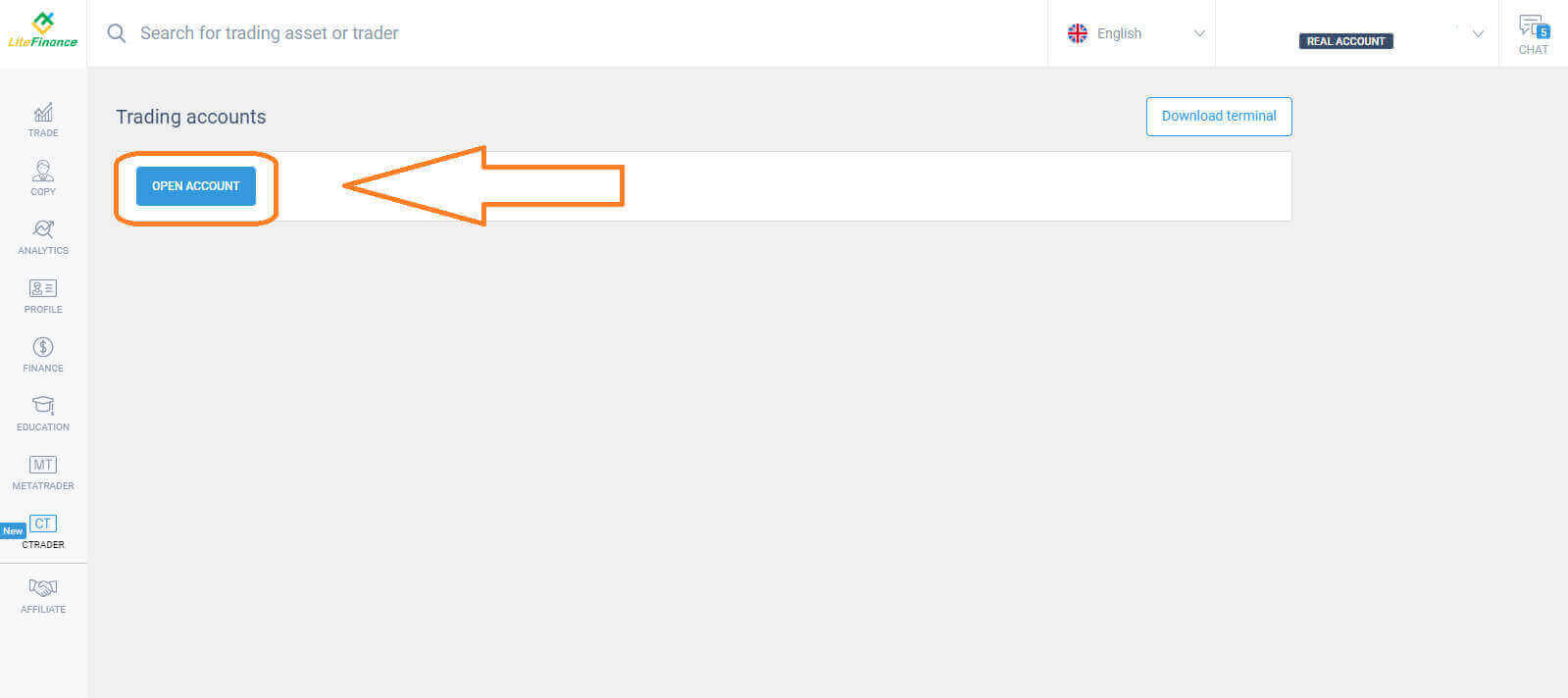
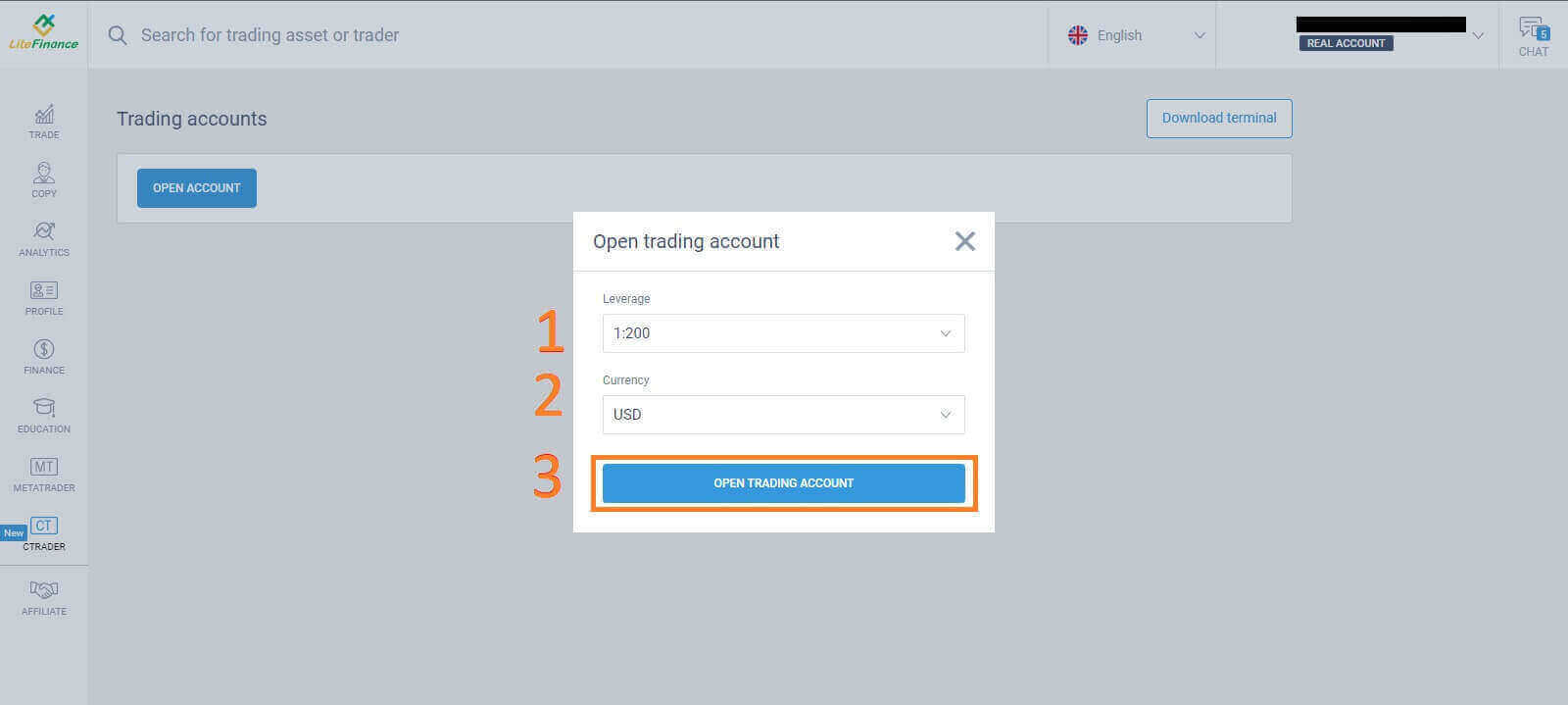
Please choose the "CTRADER" icon on the left side of the screen.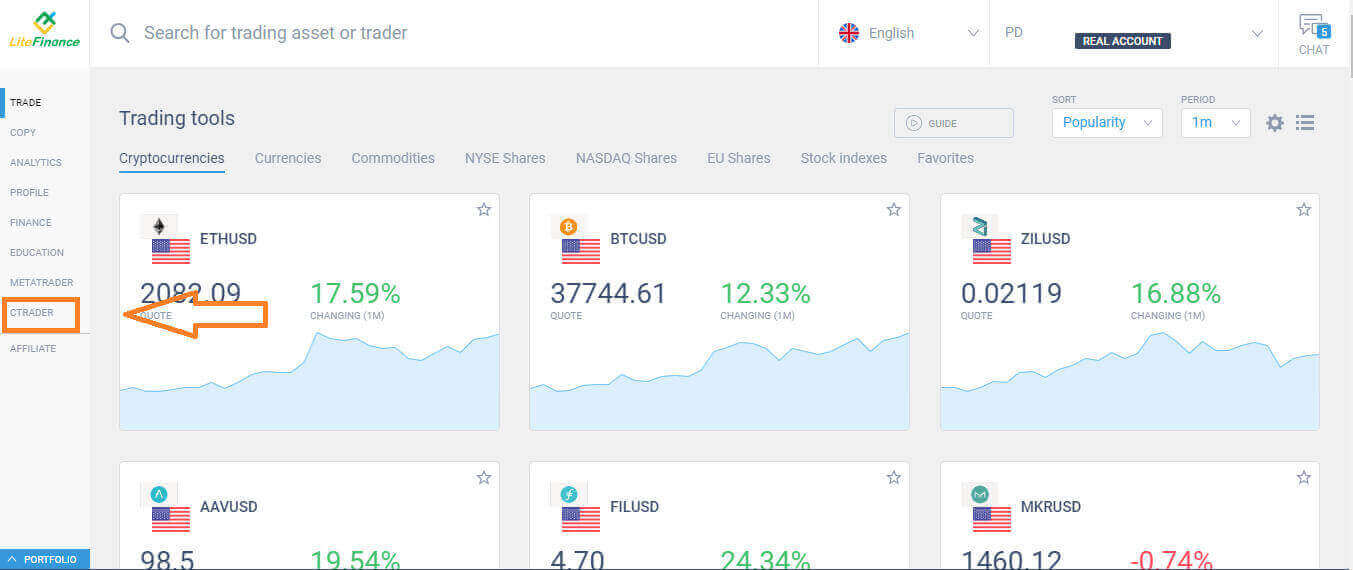 To proceed, please choose "OPEN ACCOUNT".
 On the "Open Trading Account" form, select your leverage and currency, then choose "OPEN TRADING ACCOUNT".
 Congratulations! Your trading account has been created successfully.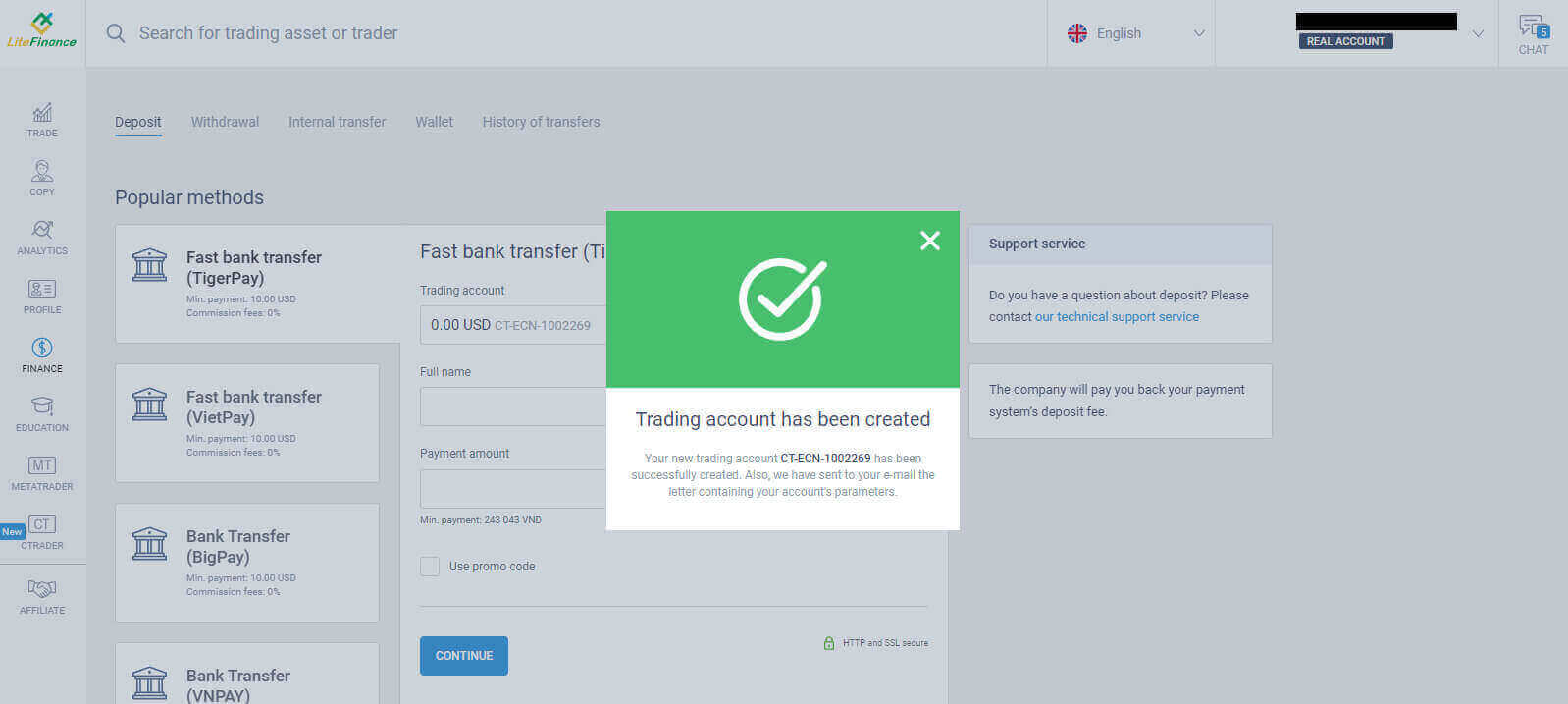
How to Sign up for a LiteFinance Account on the Mobile app
Set up and Sign up
Install the LiteFinance Mobile Trading App from the App Store as well as Google Play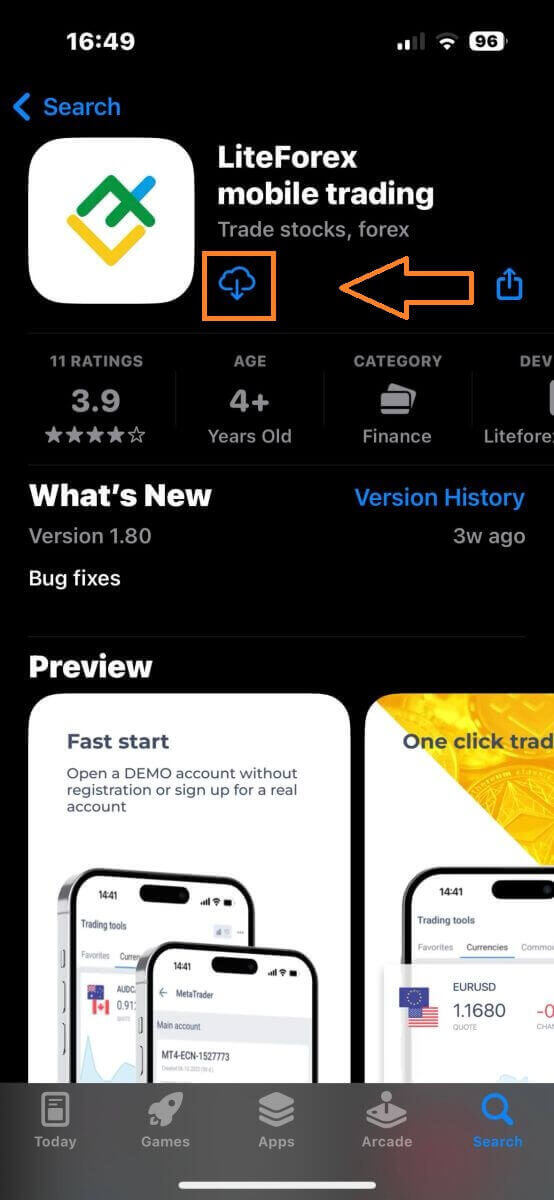
Run the LiteFinance Trading App on your mobile device, then select "Registration".
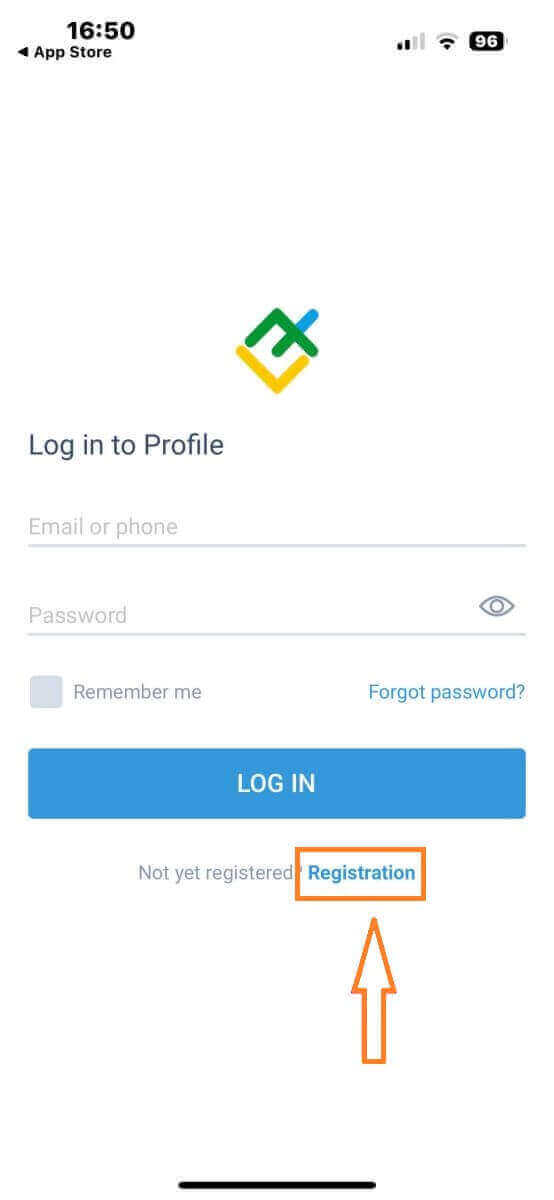
To proceed, you’ll need to complete the registration form by providing specific information:
- Select your country of residence.
- Provide your email address or phone number.
- Establish a secure password.
- Tick the box declaring you have read and agree to the LiteFinance’s Clients Agreement.
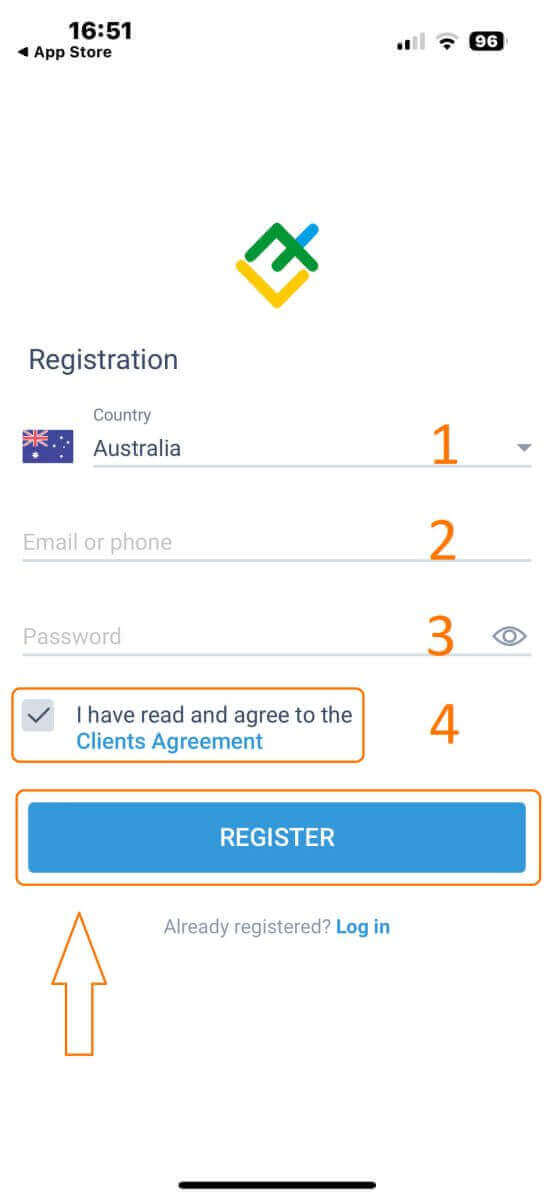
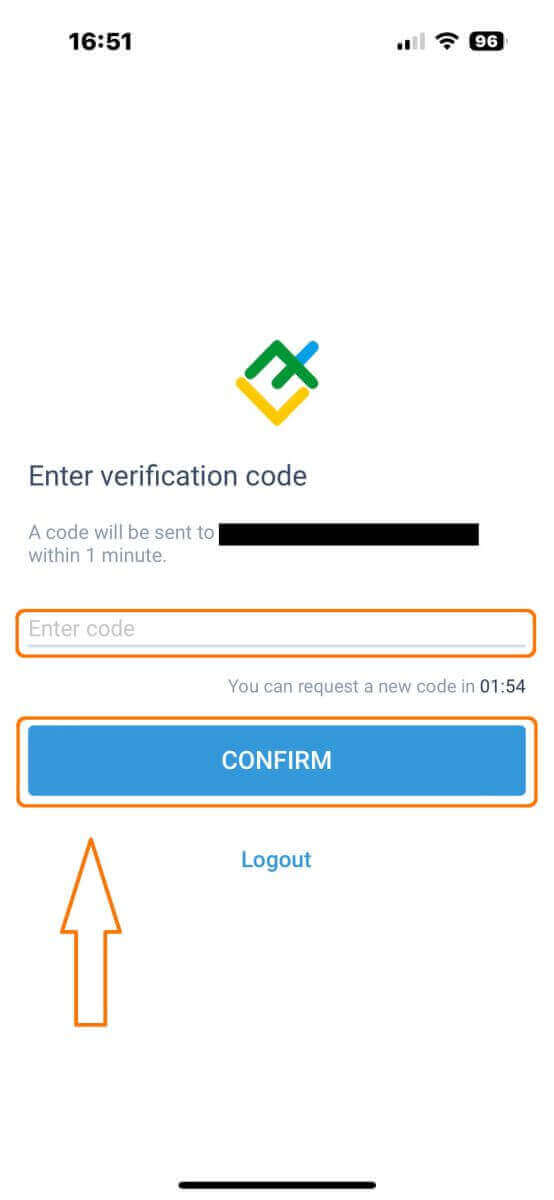
After one minute, you will receive a 6-digit verification code via phone or email. Check your inbox and input the code.
In addition, if you have not received the code within two minutes, touch "RESEND". Otherwise, choose "CONFIRM".
You can construct your own PIN number, which is a 6-digit code. This step is optional; however, you must complete it before accessing the trading interface.
Congratulations! You have successfully set up and are now ready to use the LiteFinance Mobile Trading App.
LiteFinance profile verification
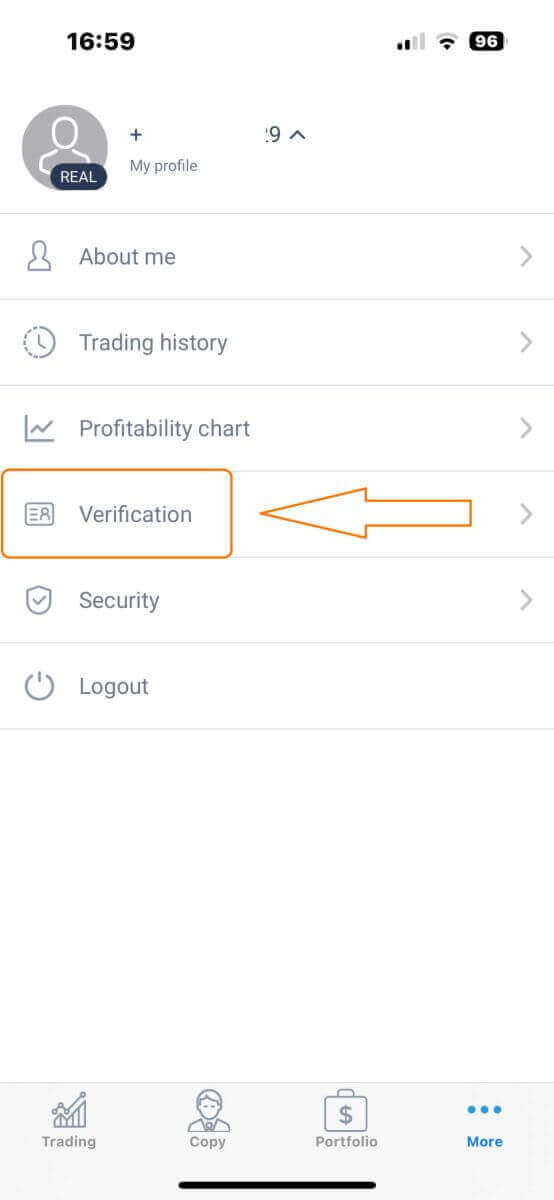
Tap "More" in the bottom right corner of the homepage.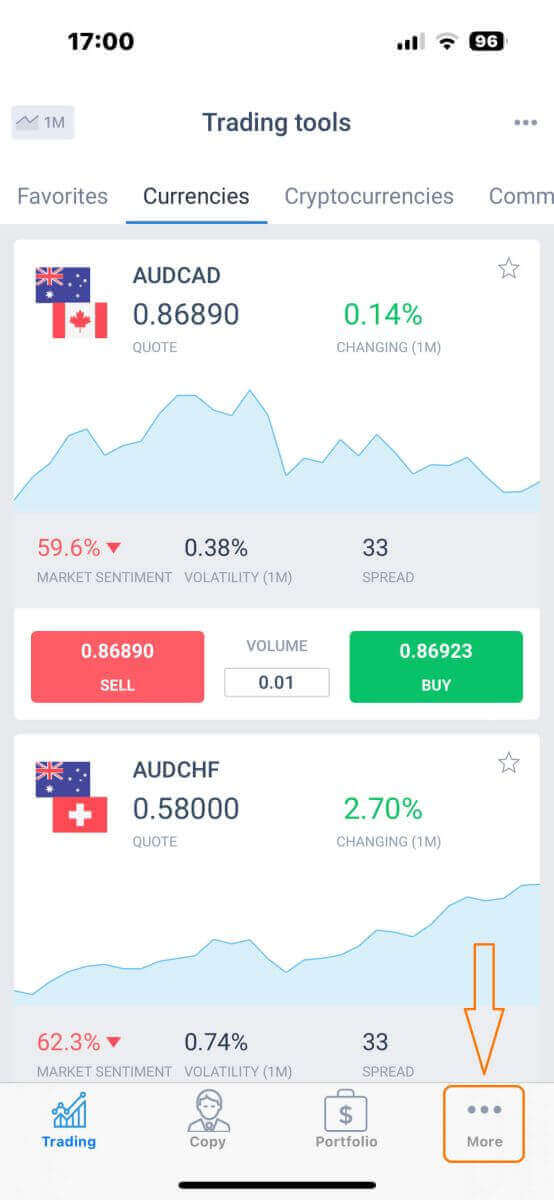
On the first tab, look next to your phone number/ email address and click the dropdown arrow.
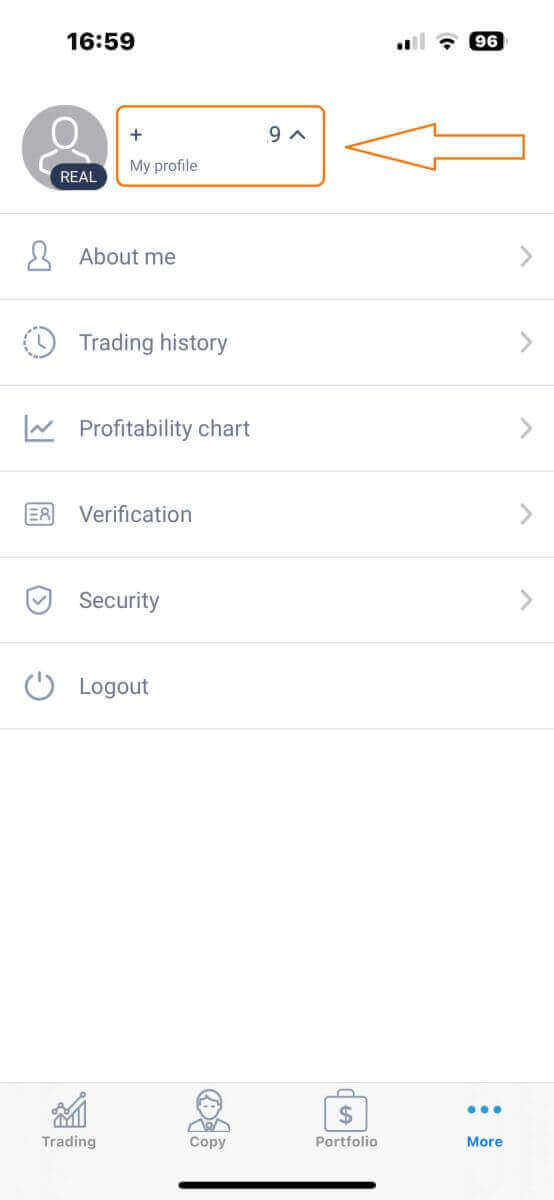
Choose "Verification".
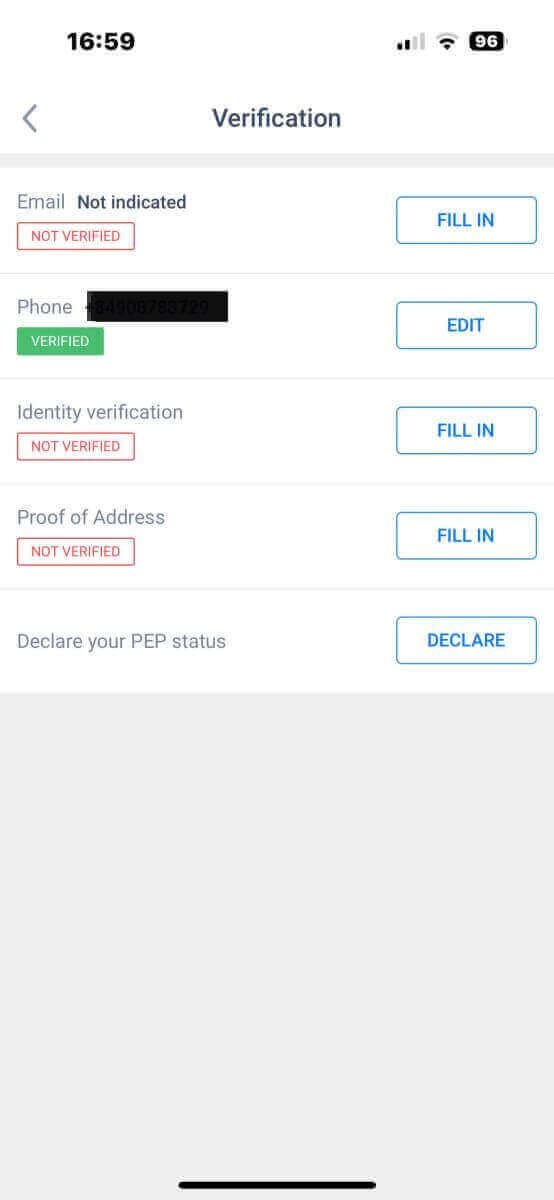
Please ensure that you fill out and authenticate all required details on the verification page:
- Email address.
- Phone number.
- Identity verification.
- Proof of Address.
- Declare your PEP status.
How to create a new trading account
To access MetaTrader, return to the "More" screen and select its corresponding icon.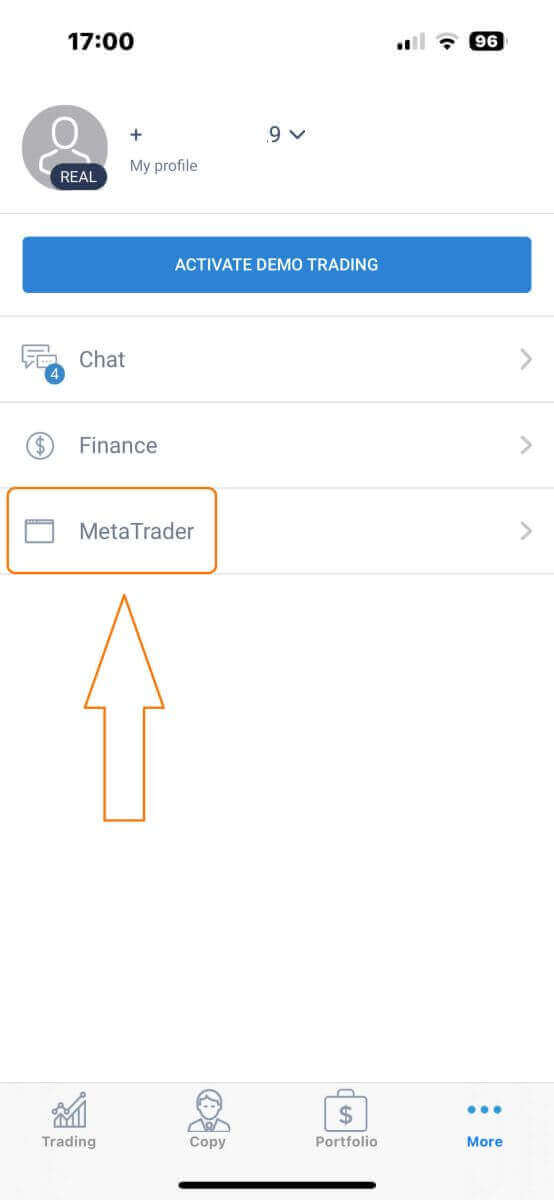
Please scroll down until you locate the "OPEN ACCOUNT" button, and then tap on it.
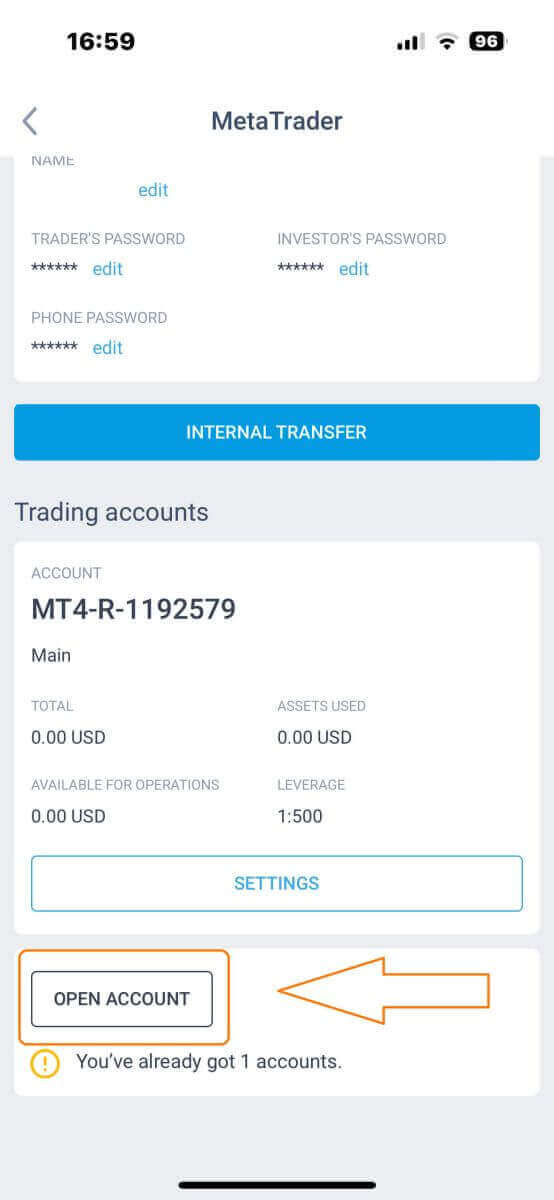
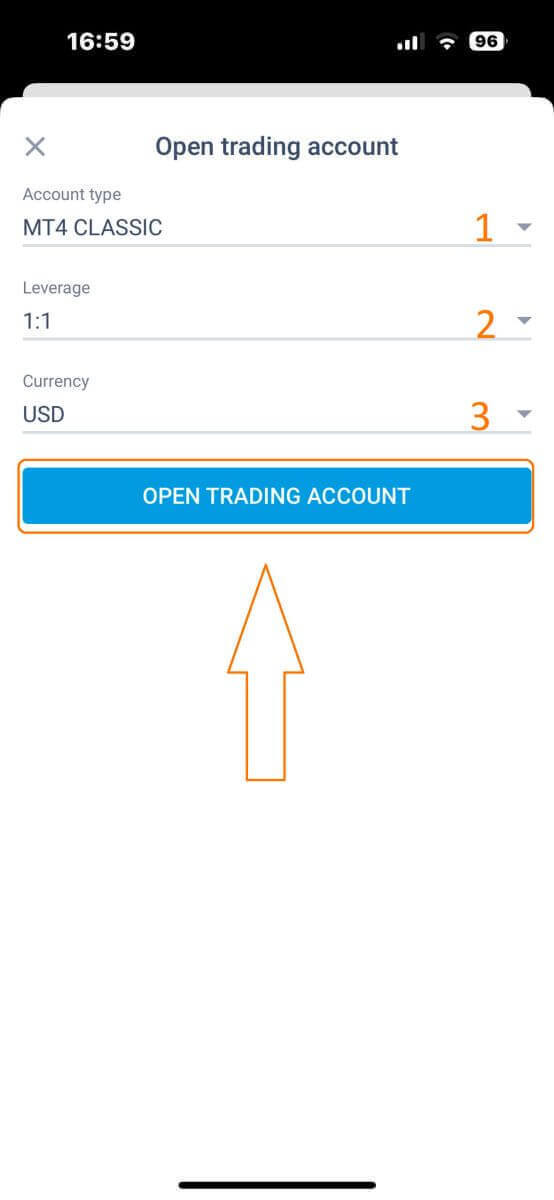
Please enter your account type, leverage, and currency in the "Open Trading Account" box and click "OPEN TRADING ACCOUNT" to complete.
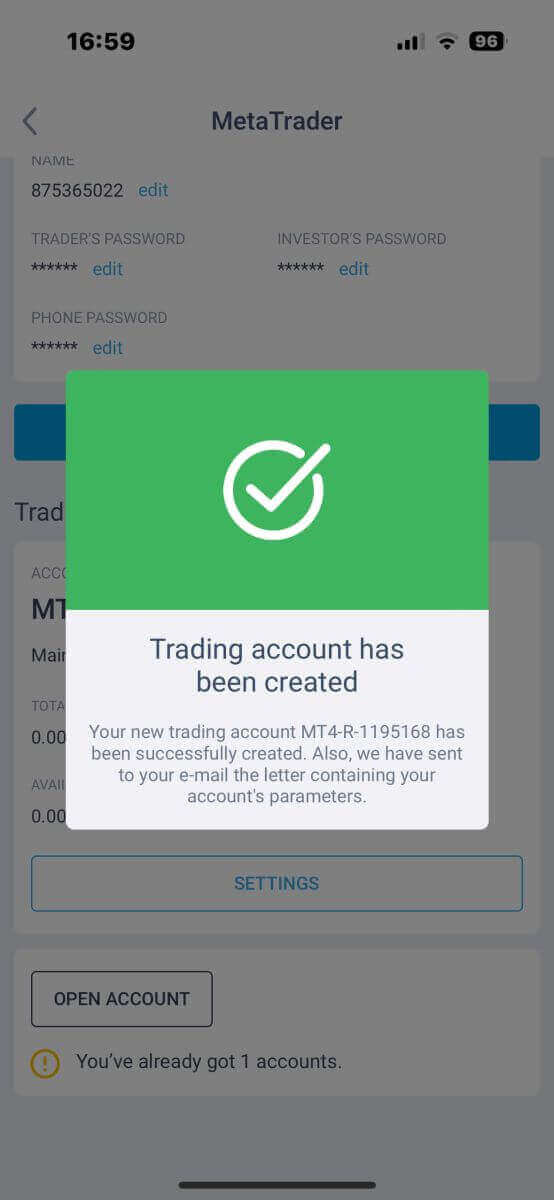
You have successfully created a trading account! Your new trading account will show up below and remember to set one of them to be your main account.
Embark on Your Trading Journey with Confidence
In conclusion, signing up on LiteFinance is your gateway to a seamless and secure trading experience. With a straightforward registration process, cutting-edge security measures, and a user-friendly interface, LiteFinance empowers you to embark on your trading journey with confidence. Join LiteFinance today and unlock a world of financial possibilities, where innovation meets reliability, ensuring you a smooth path to your financial goals. FAQs
You need a valid email, phone number, full name, date of birth, residential address and a government ID or passport for later KYC; you'll also choose account type, base currency and set a secure password during sign up.
Register on the web or mobile app, enter your contact details, choose account type and password, then click the confirmation link sent to your email or enter the SMS code. If prompted, upload ID and proof of address to finish verification so deposits and live trading are enabled.
First verify you typed your email correctly and check spam, promotions or blocked folders. Try requesting a new confirmation link, use a personal email if corporate filters block messages, and if it still fails contact support with your registered address and sign‑up time.
Many jurisdictions are supported but regulatory restrictions may block some countries; you must meet the legal age in your location (typically 18) and provide government‑issued photo ID plus proof of address for KYC. The platform will notify you if your country is restricted.
Basic sign up and email confirmation take a few minutes and demo trading is available immediately; live trading requires KYC and funding, with identity checks typically completing within hours to a couple of business days depending on document quality and queue.