LiteFinance Contact
Writen By

Online Trading Platform Researcher and Guide Writer
Researches broker platforms and trading account Systems.
When you encounter problems with account access, deposits, withdrawals or trade execution, getting a timely reply from support is critical. Fast, clear communication reduces the risk of delayed payouts, charting mistakes or temporary account holds that can interrupt positions. Many users lose time by contacting the wrong channel or omitting transaction details, so preparing the right evidence before you reach out shortens resolution and protects your account.
Use the broker's live chat for urgent questions, the client cabinet ticket system for documented requests, and email or phone for payment disputes or regulatory queries. Before contacting support, collect your account ID, transaction references, timestamps, platform logs and screenshots, and summarize the sequence of events. Also verify you are contacting official channels and never share passwords. Expect live chat replies within minutes, ticket responses within 24 hours, and longer investigations if compliance checks or third-party payment providers are involved.
Use the broker's live chat for urgent questions, the client cabinet ticket system for documented requests, and email or phone for payment disputes or regulatory queries. Before contacting support, collect your account ID, transaction references, timestamps, platform logs and screenshots, and summarize the sequence of events. Also verify you are contacting official channels and never share passwords. Expect live chat replies within minutes, ticket responses within 24 hours, and longer investigations if compliance checks or third-party payment providers are involved.
LiteFinance Online Chat
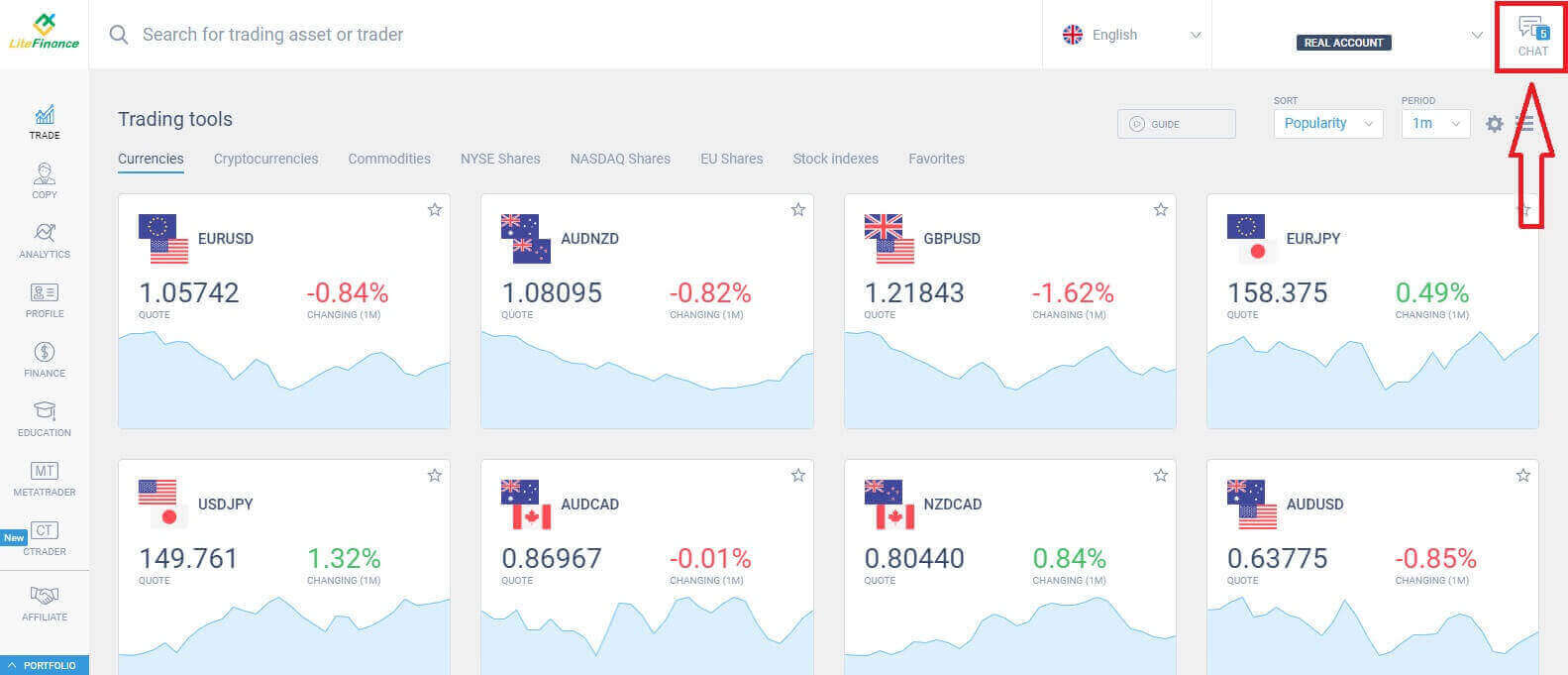
To get in touch with the online support team, you simply need to select the "Chat" icon at the top-right corner of the screen after logging in.If you don’t have a registered account or are unsure about how to log in, please refer to this article for more detailed instructions: How to Login to LiteFinance
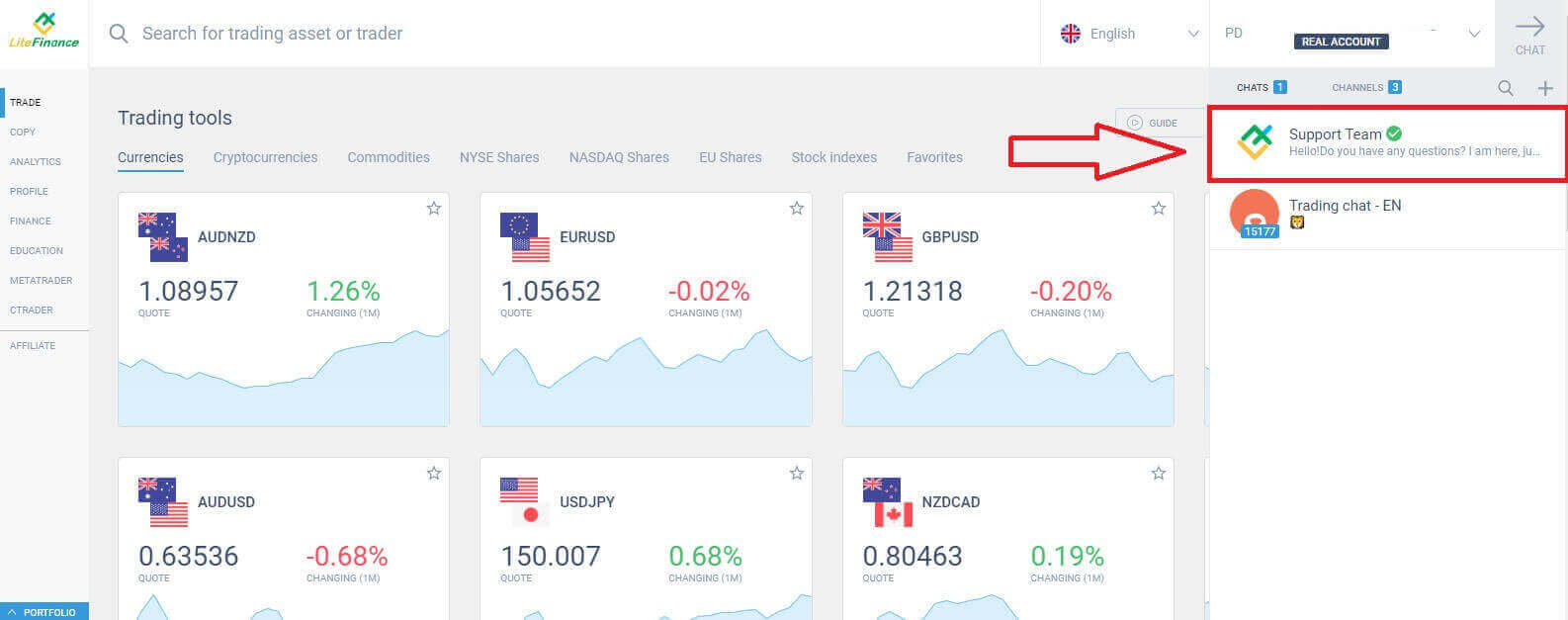
Continue by selecting the chat option "Support Team" with the green checkmark to initiate a chat with the support team.
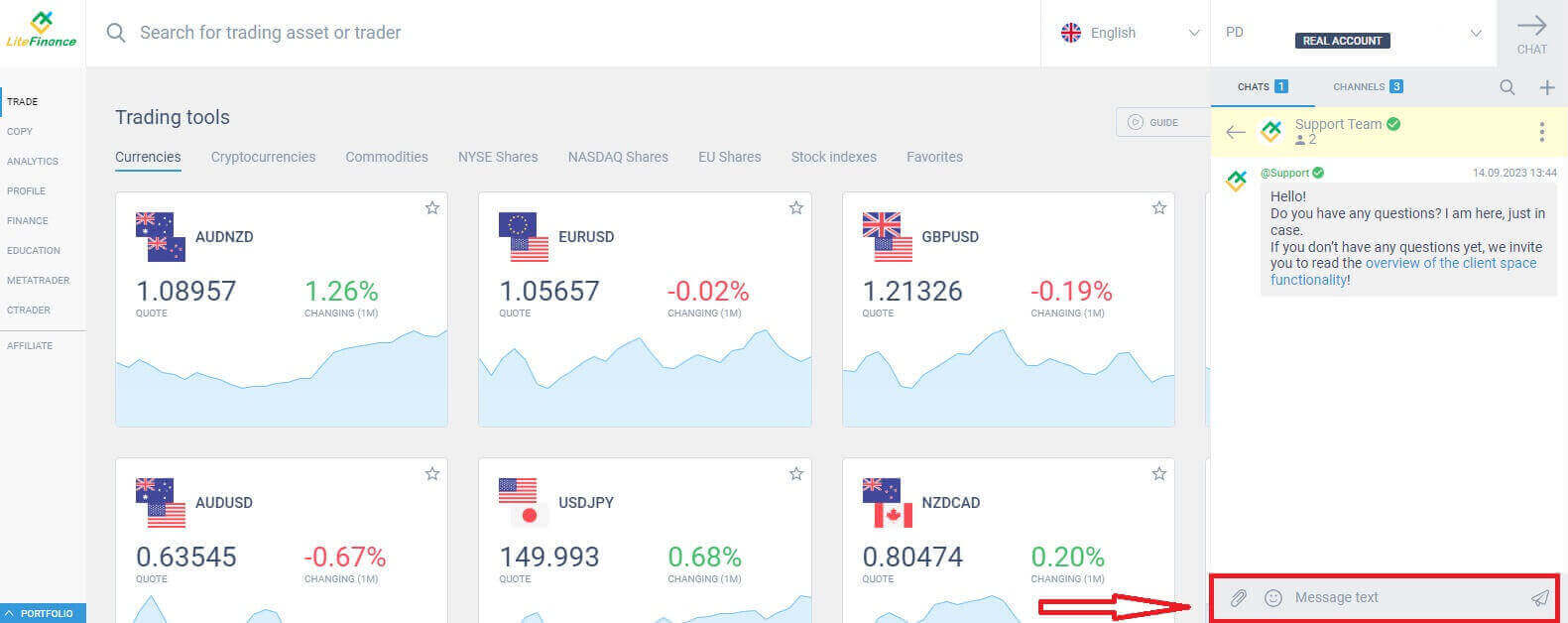
Compose a message in the message box (shown in the image below) to receive quick and enthusiastic support from LiteFinance.
LiteFinance Assistance by email/ phone number
Here are some ways to contact and inquire about LiteFinance, the official source:
- Working hours: 24/5 - from 00:00, Monday till 23:59, Friday (GMT+2).
- Email: [email protected].
- Skype: liteforex.support
- Telegram: LiteFinanceSupport.
- Phone numbers: +447520644437.
LiteFinance Assistance by Community
In addition to the above methods, you can also ask questions and discuss various LiteFinance-related issues, as well as find more useful information on LiteFinance’s official social media channels below:
- Facebook: LiteFinance
- Twitter: LiteFinance Official
- Instagram: litefinancebroker
- Linkedln: LiteFinance Official
- Youtube: Forex Broker LiteFinance
LiteFinance Direct Assistance at LiteFinance Help Centers
Did you know that you can even receive direct support by visiting the official offices and headquarters of LiteFinance in various countries all around the world?
Please access the link below to find the LiteFinance office nearest to you: https://www.litefinance.org/contacts/.
LiteFinance - Seamless Communication for Your Convenience
LiteFinance places great emphasis on providing convenience and ease for its users when it comes to contacting their support. Whether it’s through their live chat, email, or official social media channels, they ensure that help is just a message away. The variety of options caters to different needs, from quick inquiries to more detailed discussions, making the support process as straightforward and accessible as possible. LiteFinance’s commitment to ensuring users have a seamless experience extends to their support services, reflecting their dedication to customer satisfaction. FAQs
Live chat inside the client cabinet and the phone helpline are the quickest options for urgent issues; email and the ticket system are better for detailed or document-heavy disputes. Response times vary by channel and workload, with chat usually fastest and tickets preserving a formal record.
Log into your client cabinet, go to Support or Tickets, choose the payment category, attach screenshots and the transaction reference, state the amount and currency, and provide a concise timeline. Include your account ID and expected resolution preference to help agents route the case faster.
First check your internet connection and browser settings, disable ad blockers or VPNs that may block scripts, and try the client cabinet on another device. If chat remains unavailable, send a ticket with screenshots, note local time and error messages, and use the listed phone numbers for urgent payout holds.
Yes—KYC verification is typically required for withdrawals and many security investigations. Prepare ID, proof of address, and source-of-funds documents; support can outline required files in a ticket, but payouts may be delayed until verification and third-party payment checks are complete.
Verify sender domains and official phone numbers in your client cabinet, never disclose passwords or full authentication codes, and confirm ticket IDs with support before following payment-related instructions. When in doubt, initiate contact through the client portal rather than replying to unsolicited messages.