LiteFinance Open Account
Writen By

Online Trading Platform Researcher and Guide Writer
Researches broker platforms and trading account Systems.
Want to start trading but unsure which account to pick and what slows activation? Many new traders get stuck choosing between account types, preparing ID and proof of address, and deciding when to fund the account. That initial friction can delay access to platforms and markets; focusing on the right documents and a simple funding plan usually clears most hold-ups and gets your trading setup ready faster.
This article breaks down the onboarding workflow from registration to account activation: choosing a live account type, the verification checklist, common payment options for funding, and practical tips to avoid delays or rejected documents. It also highlights basic security and readiness checks so you can move from signup to placing your first trades with confidence and compliance.
This article breaks down the onboarding workflow from registration to account activation: choosing a live account type, the verification checklist, common payment options for funding, and practical tips to avoid delays or rejected documents. It also highlights basic security and readiness checks so you can move from signup to placing your first trades with confidence and compliance.

How to Open a LiteFinance account on the Web app
How to sign up for an account
Access the LiteFinance Website and click the button "Registration" in the upper right corner.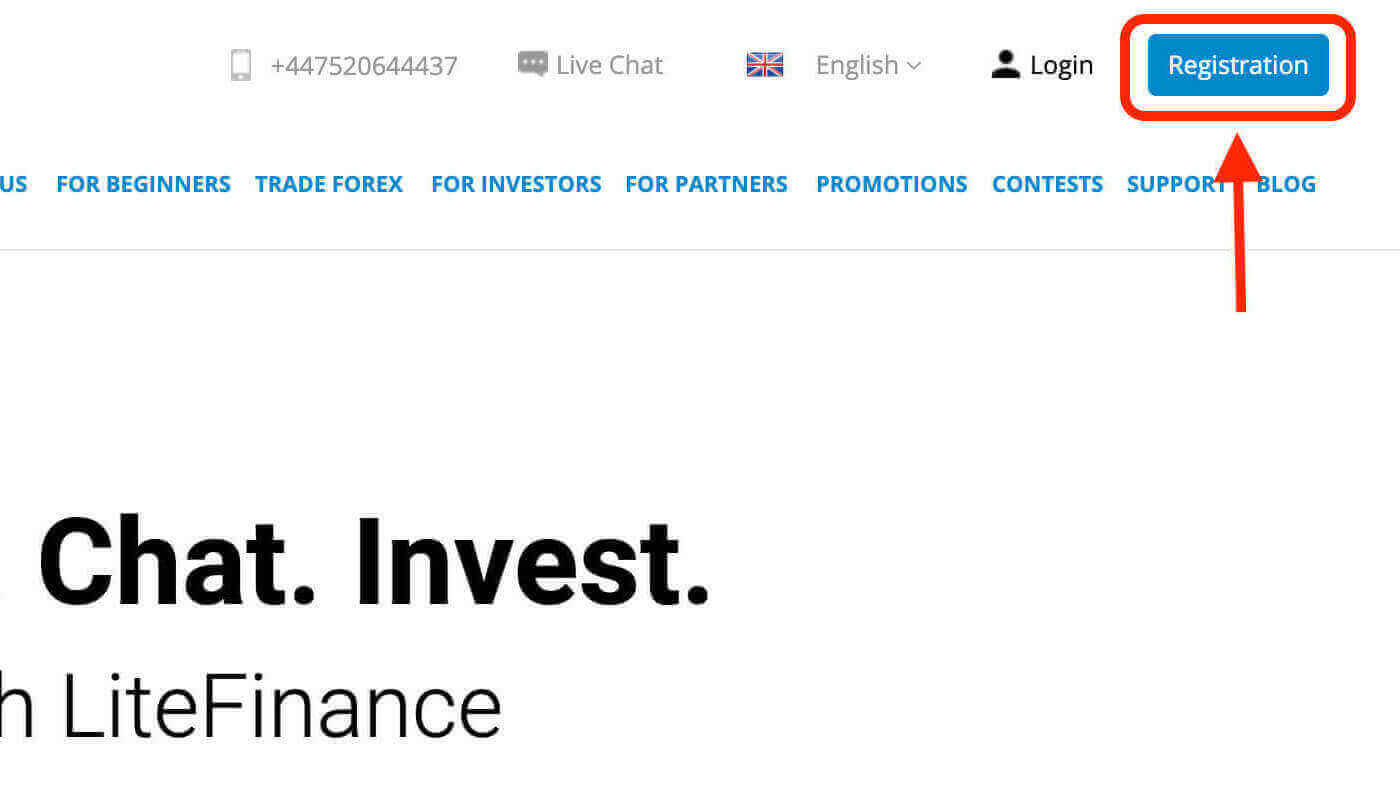
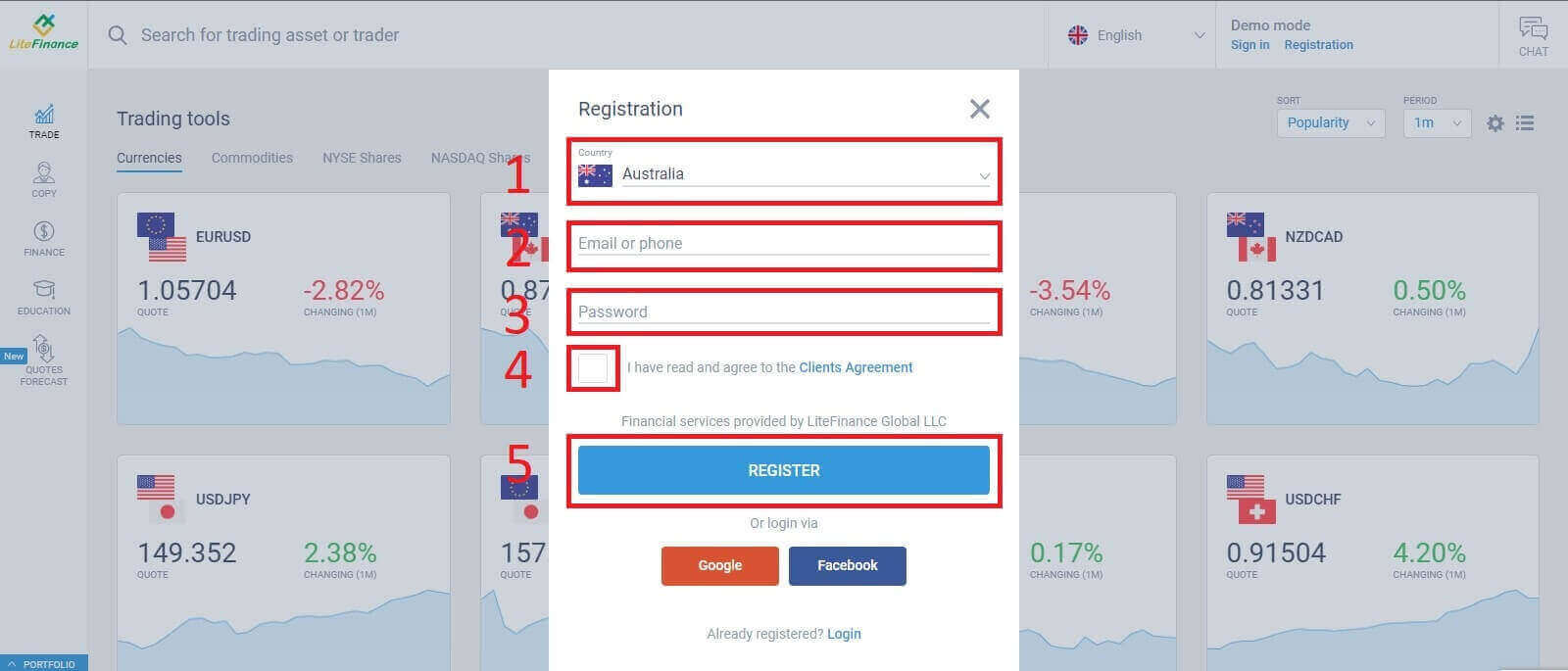
On the registration page, you will be asked to fill in the necessary information for the account opening :
- Select your country of residence.
- Enter your email address/ phone number.
- Create a password for your LiteFinance account.
- Tick the box declaring you have read and agree to the LiteFinance’s Clients Agreement.
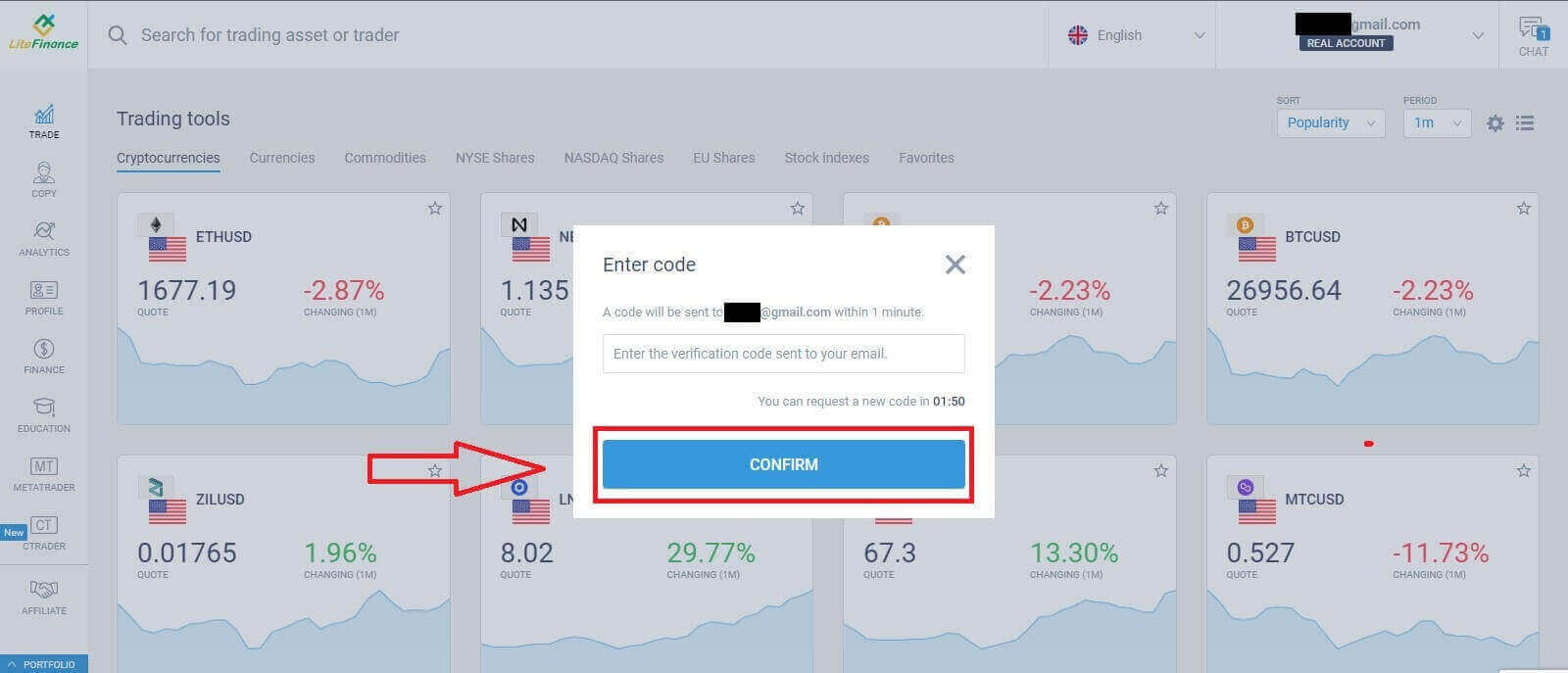
Within a minute, an announcement will appear to inform you that the verification code has been sent to your email/phone number.
Please check your email/phone message to enter the code to the announcement and click "CONFIRM". Having finished this step, you registered successfully the first step to create a LiteFinance account.
How to verify your profile on LiteFinance
Having registered a LiteFinance account, you will immediately see the user interface next to the chat box in the upper right corner. Drag the mouse there and select "My profile".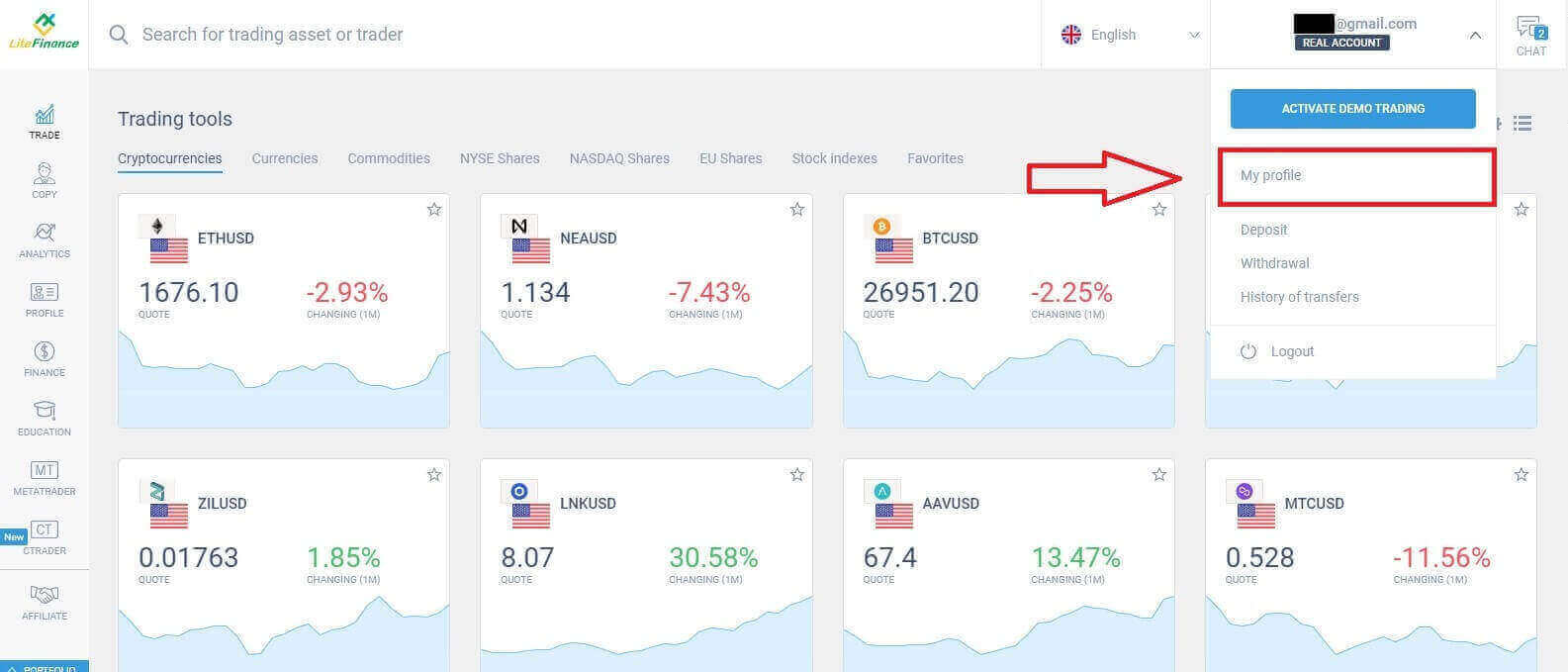
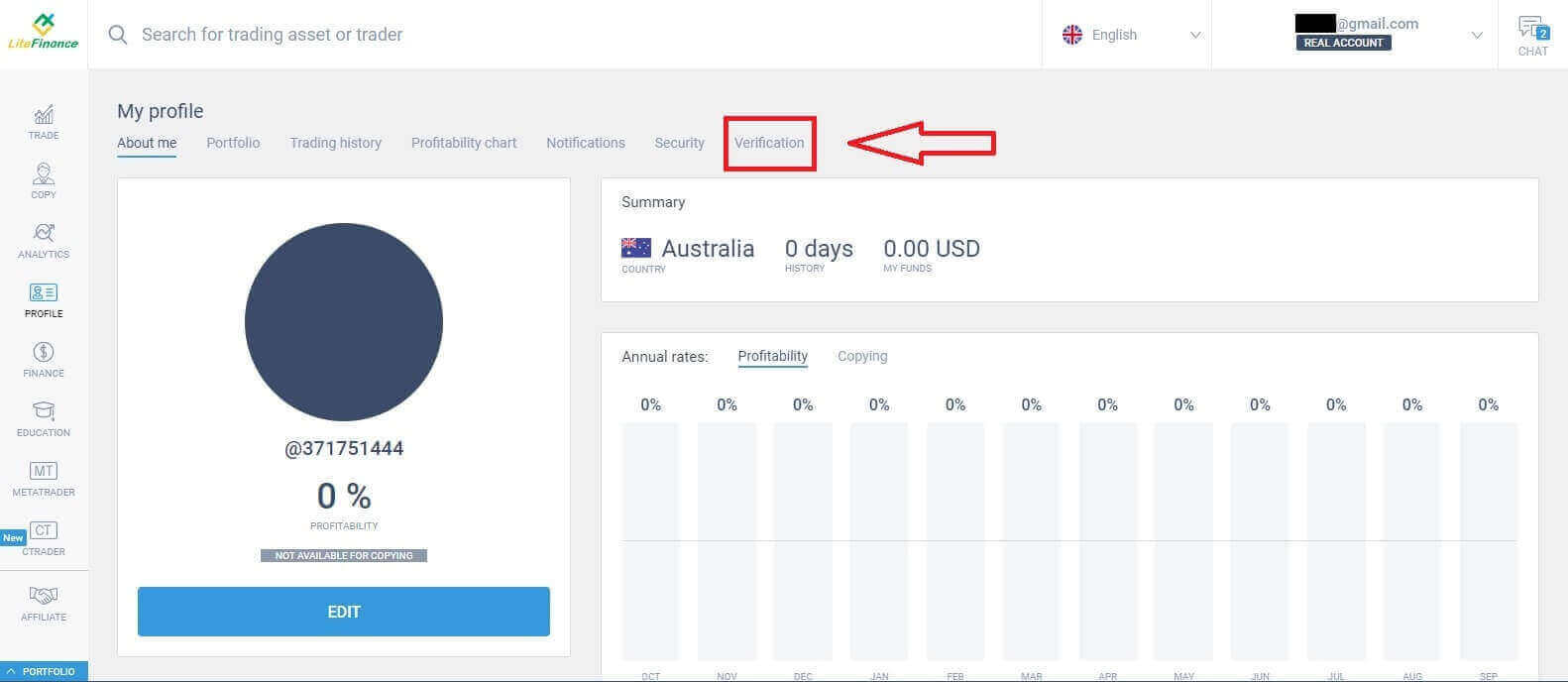
Click on the "Verification" button.
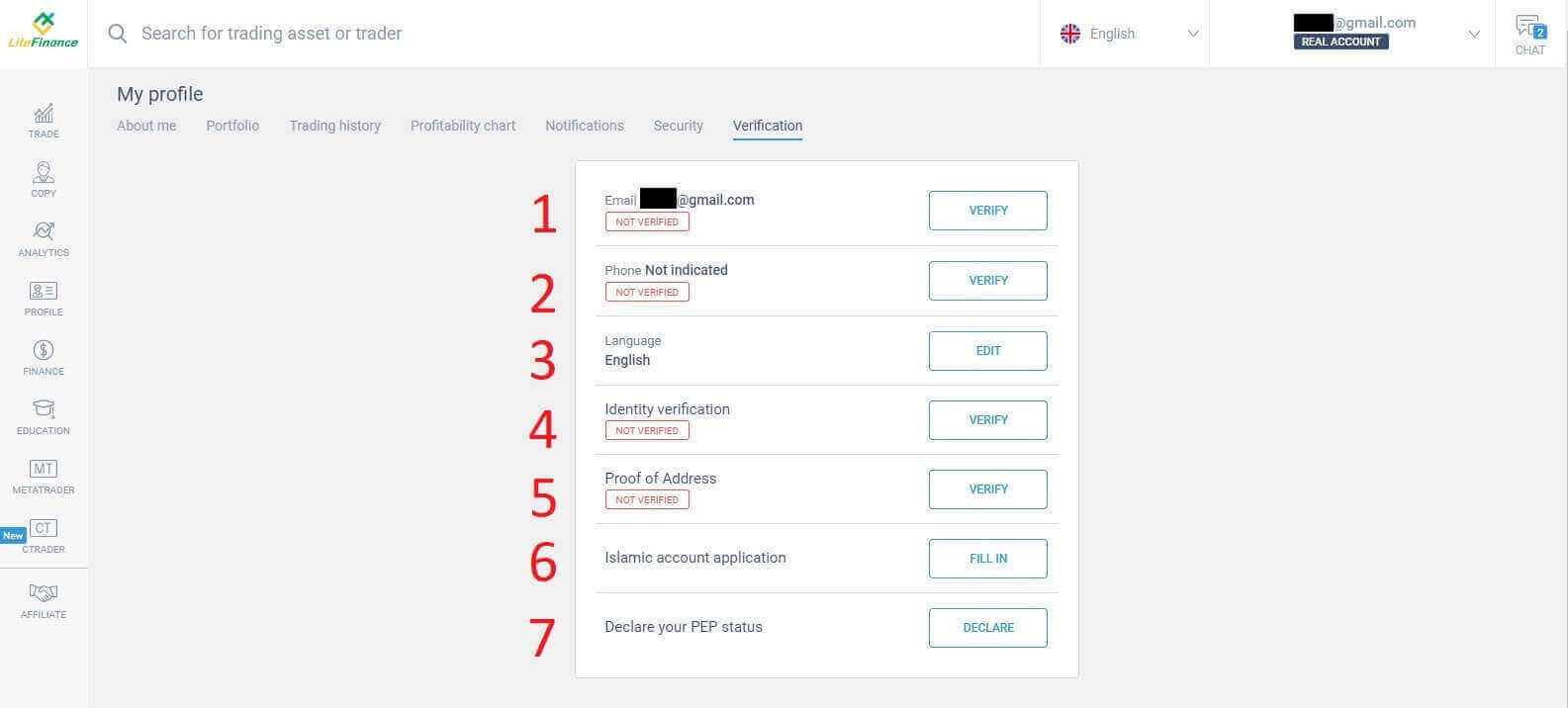
The screen will display a form for you to verify your information such as:
- Email.
- Phone number.
- Language.
- Identity verification including your full name, gender, and date of birth.
- Proof of Address (Country, region, city, address and postcode).
- Islamic account application.
- Your PEP status ( you just need to tick the box declaring you a PEP - Politically Exposed Person).
How to create a new LiteFinance trading account
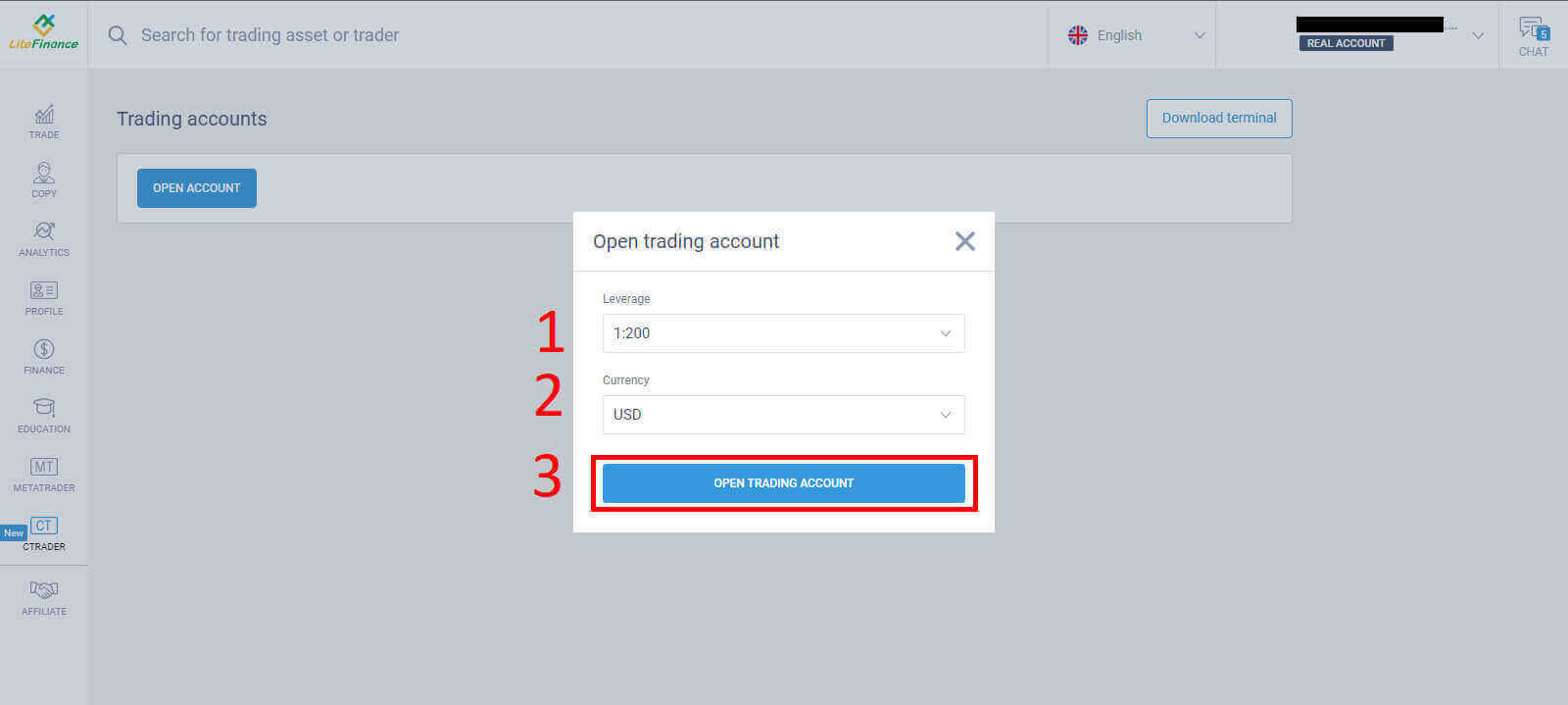
Click on the "CTRADER" symbol on your left.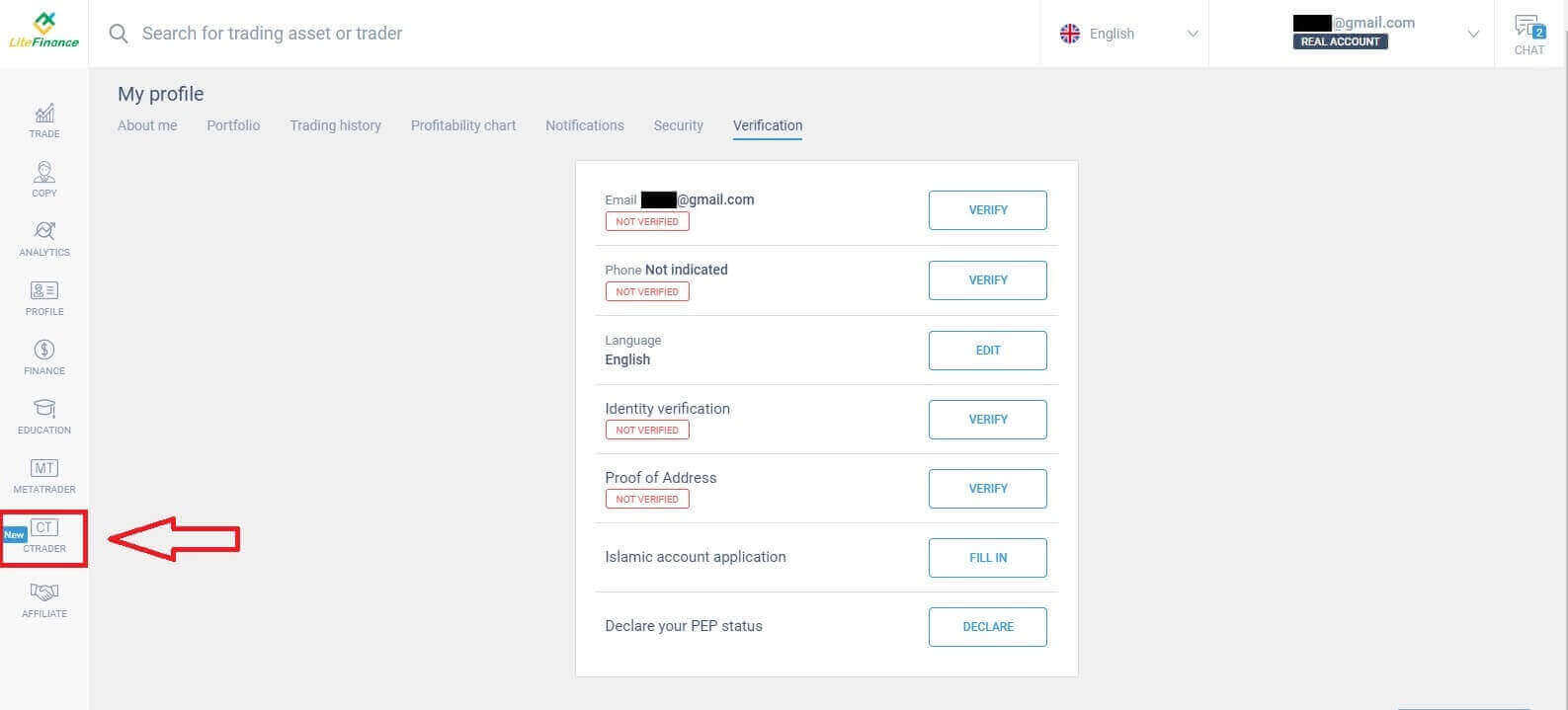 Click the "OPEN ACCOUNT" button.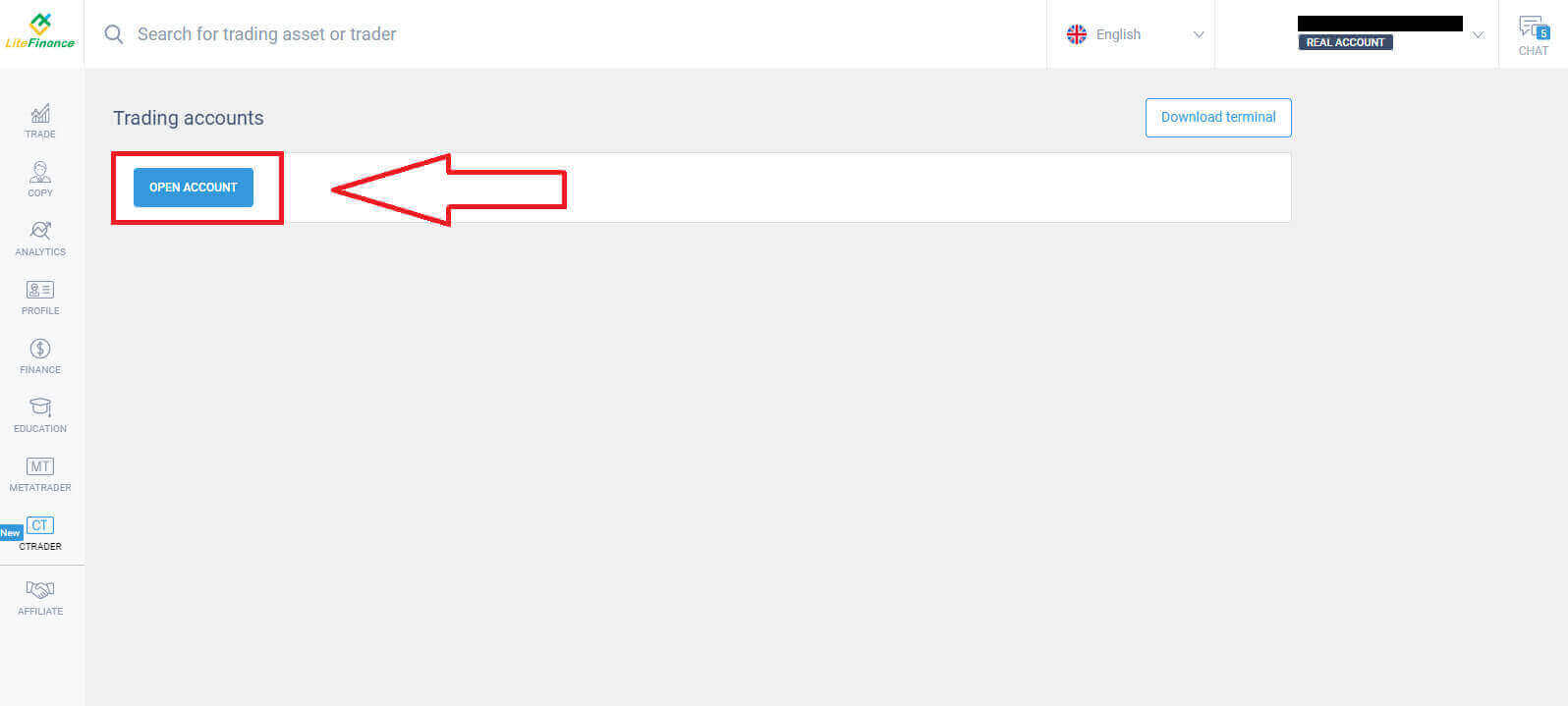
After that, you will select your leverage and currency in the "Open trading account" form. Then click on the "OPEN TRADING ACCOUNT" button.
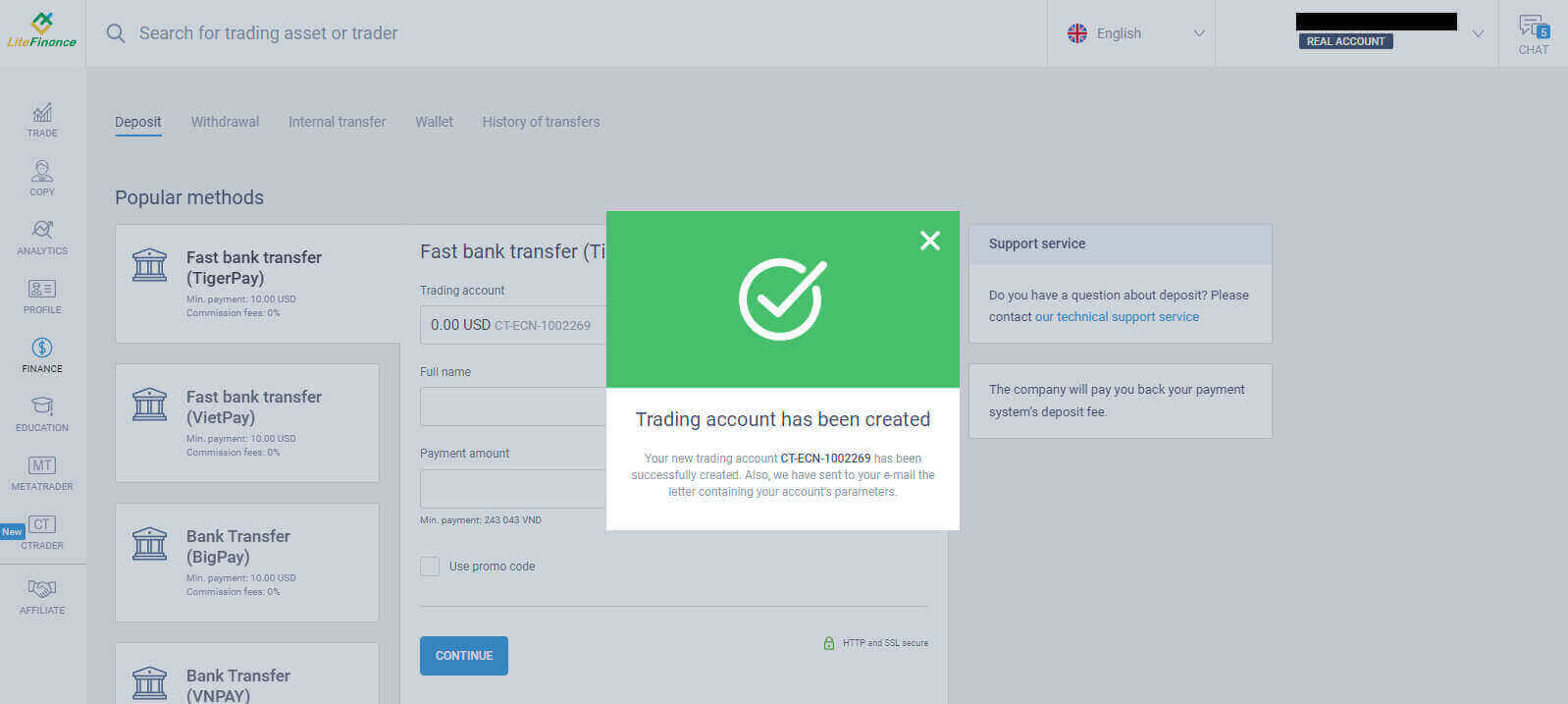
An email announcement will be sent immediately to inform you that your trading account has been successfully created.
How to Open a LiteFinance account on the LiteForex app
Download the LiteForex app and sign up for an account
- Download the LiteForex mobile trading app from the App Store or Google Play.
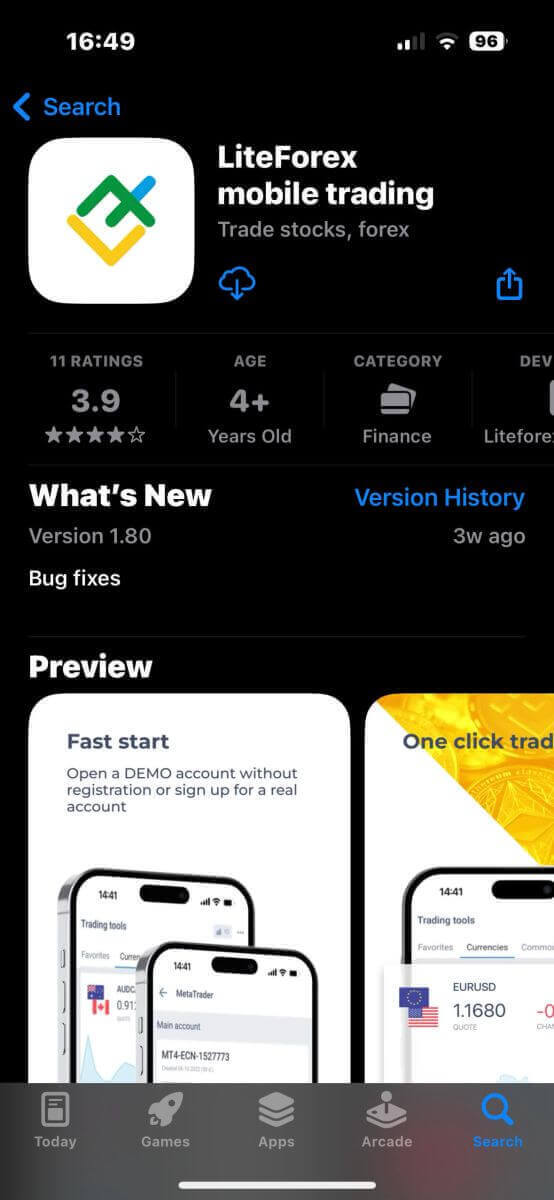
- Install and run the LiteForex mobile trading app.
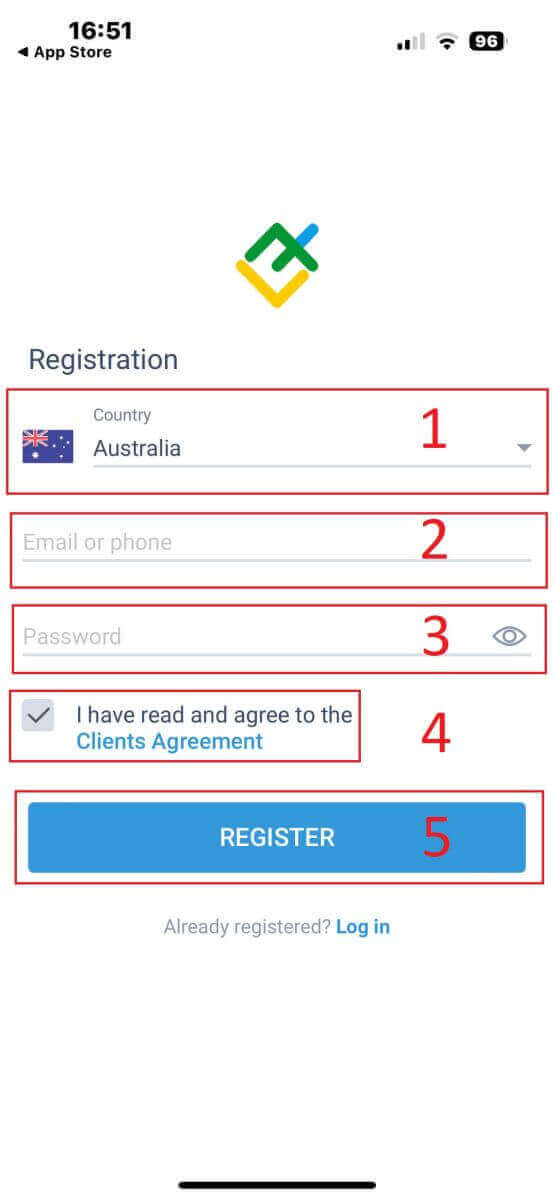
- Tap "Registration".
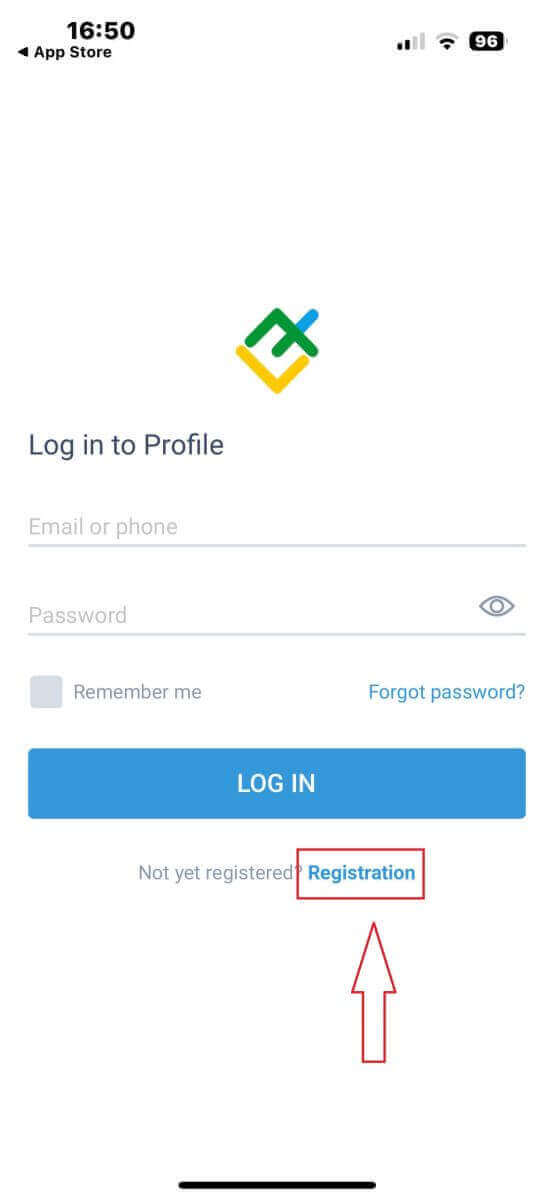
- In the registration form, you will be required to provide some information:
- Select your country.
- Enter your phone number/email address.
- Create a password.
- Tick the box declaring you you have read and agree to the LiteFinance’s Clients Agreement.
- Tap "REGISTER"
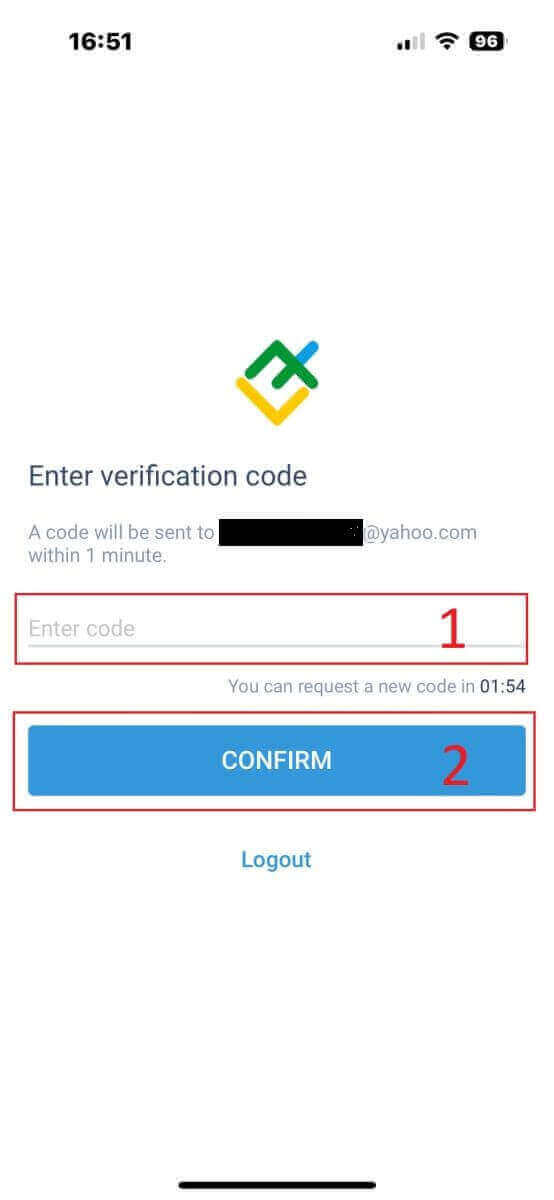
- A verification code will be sent to your email address/ phone number within a minute. You just need to check your email/ your phone’s message box and enter the 6-digit code.
- Tap "CONFIRM". Besides that, you can also tap "RESEND" every 2 minutes.
- This is an optional step, you can create your own PIN code which is a 6-digit code and this must be completed before you enter the homepage.
How to verify your profile on the LiteFinance app
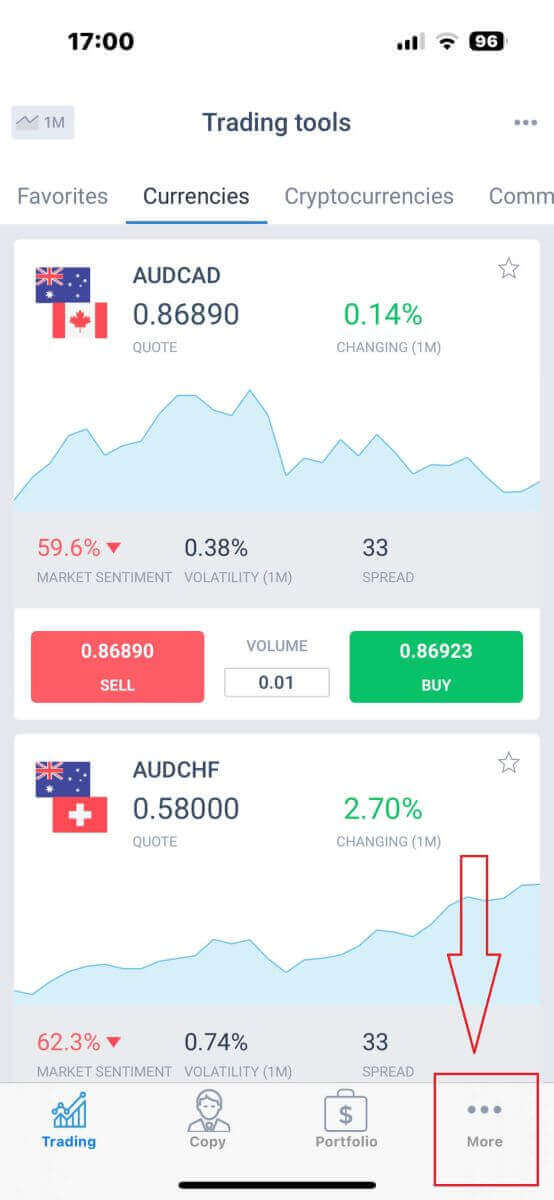
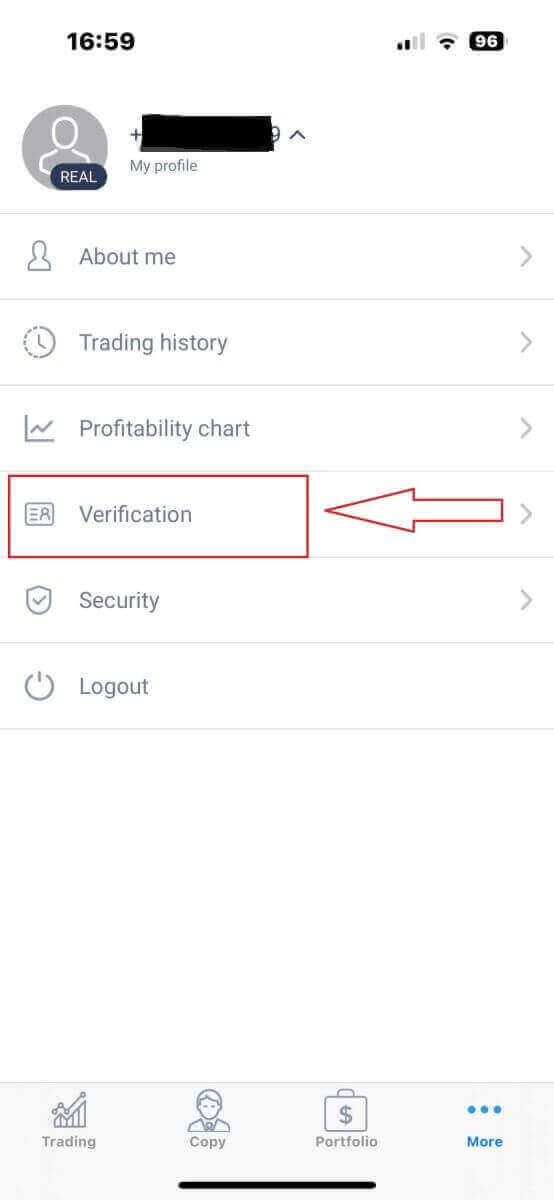
- At the homepage, tap "More" at the bottom right corner.
- Tap on the dropdown menu next to your phone number/ email address on the first tab.
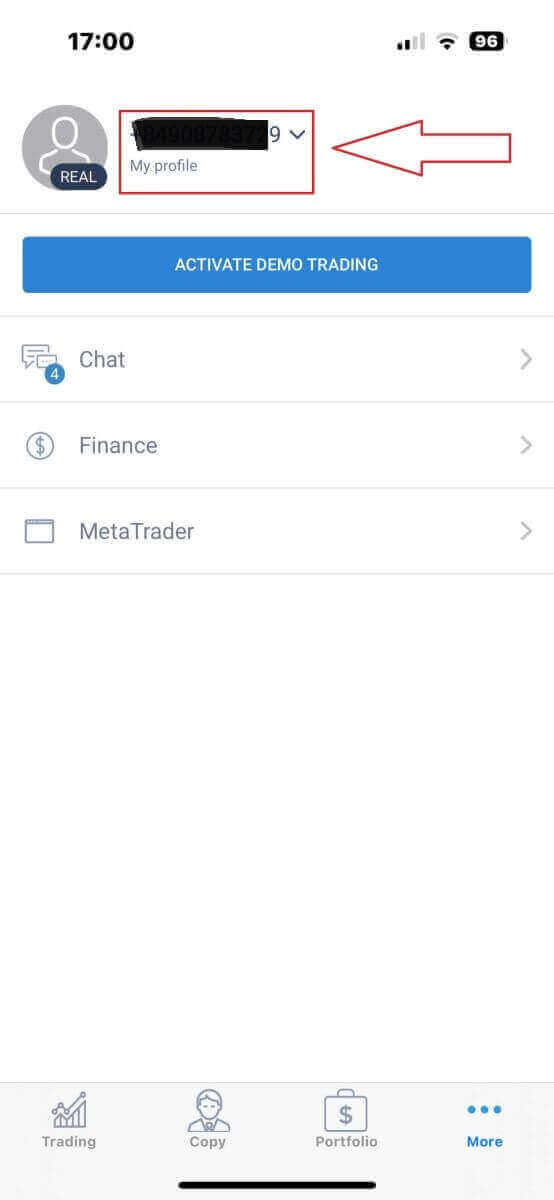
- Tap " Verification"
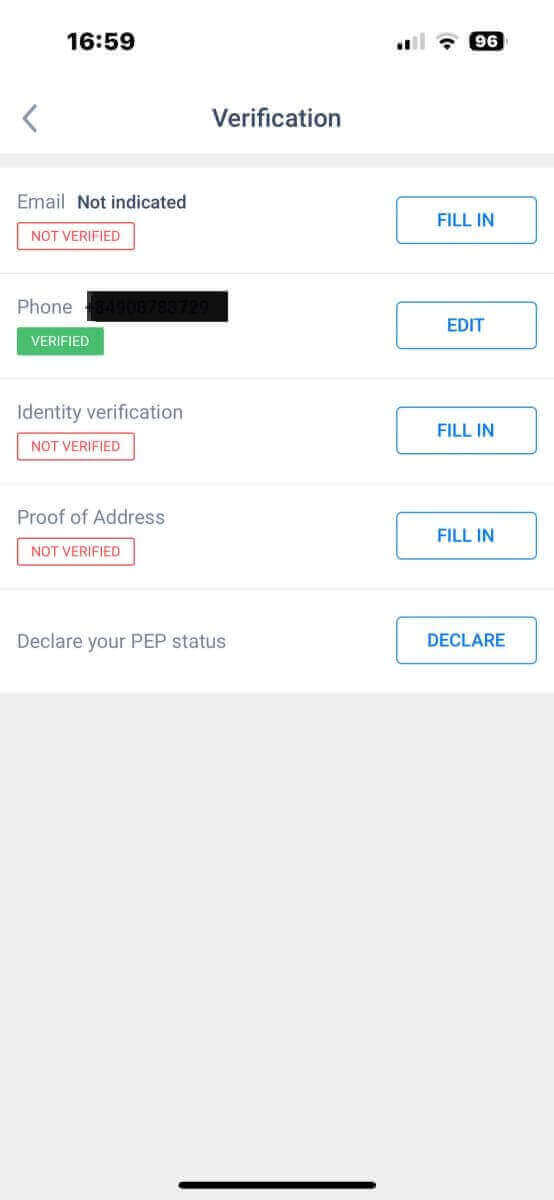
- On the verification page, you will be required to fill in and verify some information:
- Email address.
- Phone number.
- Identity verification.
- Proof of Address.
- Declare your PEP status.
How to create a new trading account on the LiteFinance app
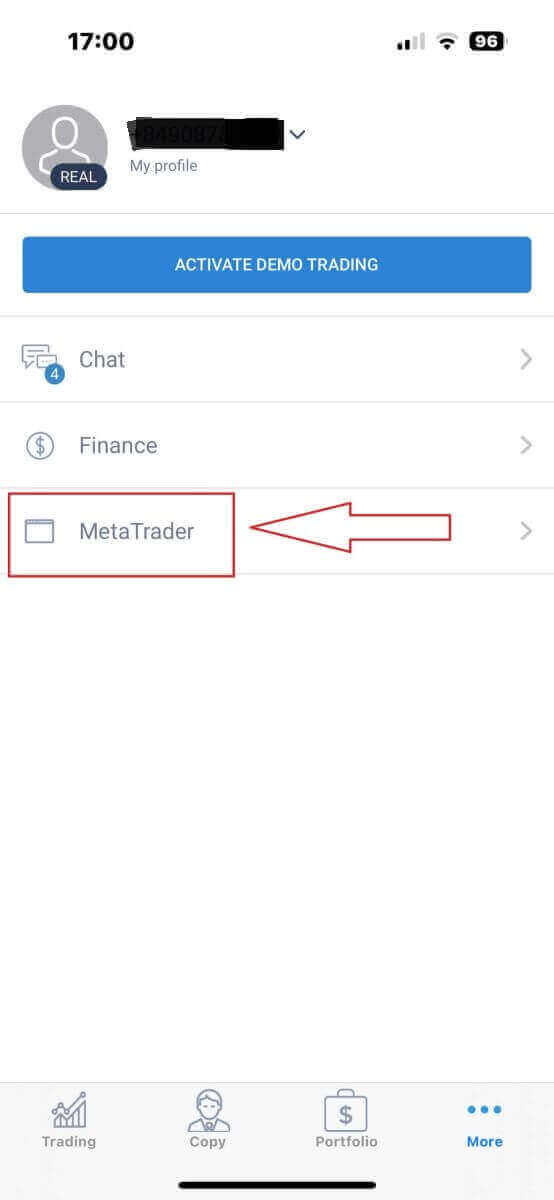
- Return to your "More" interface.
- Tap on the "MetaTrader" symbol.
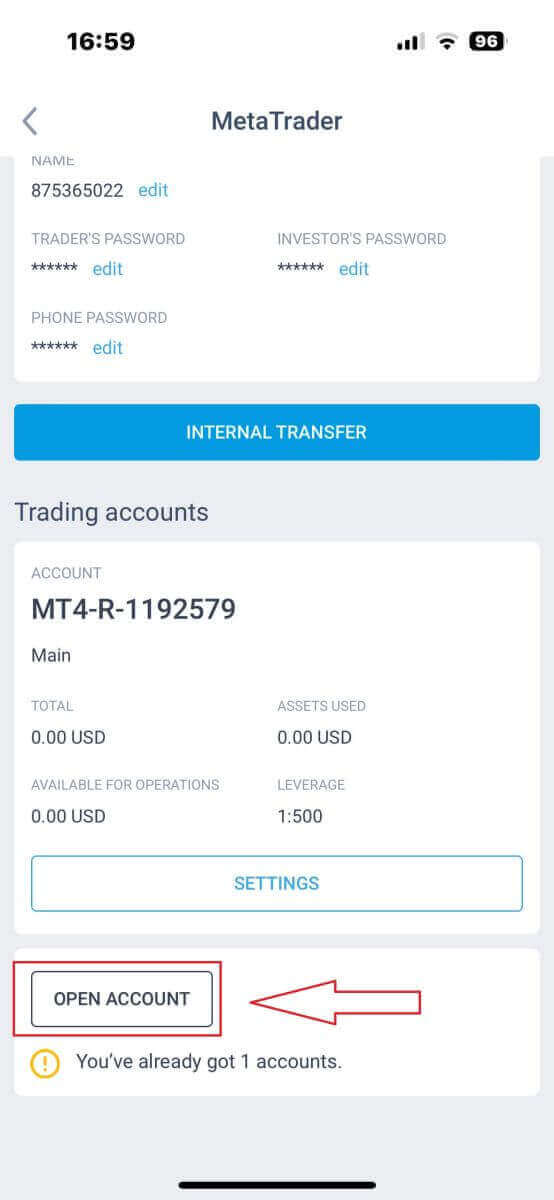
- Scroll down until you see the "OPEN ACCOUNT" button and tap it.
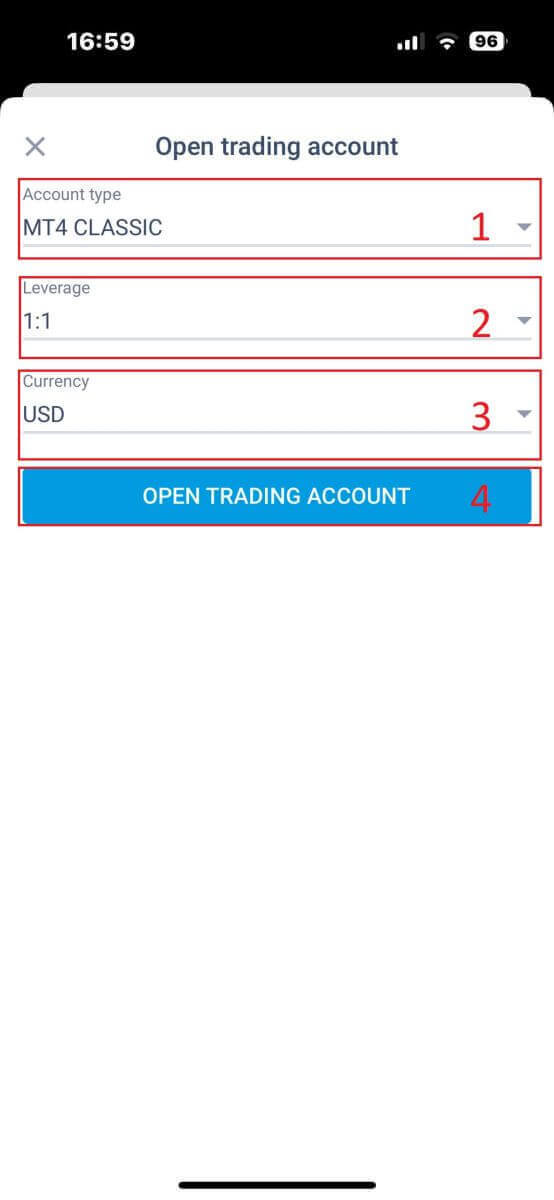
- In the "Open trading account" form, please set your account type, leverage, and currency.
- Tap the "OPEN TRADING ACCOUNT" button.
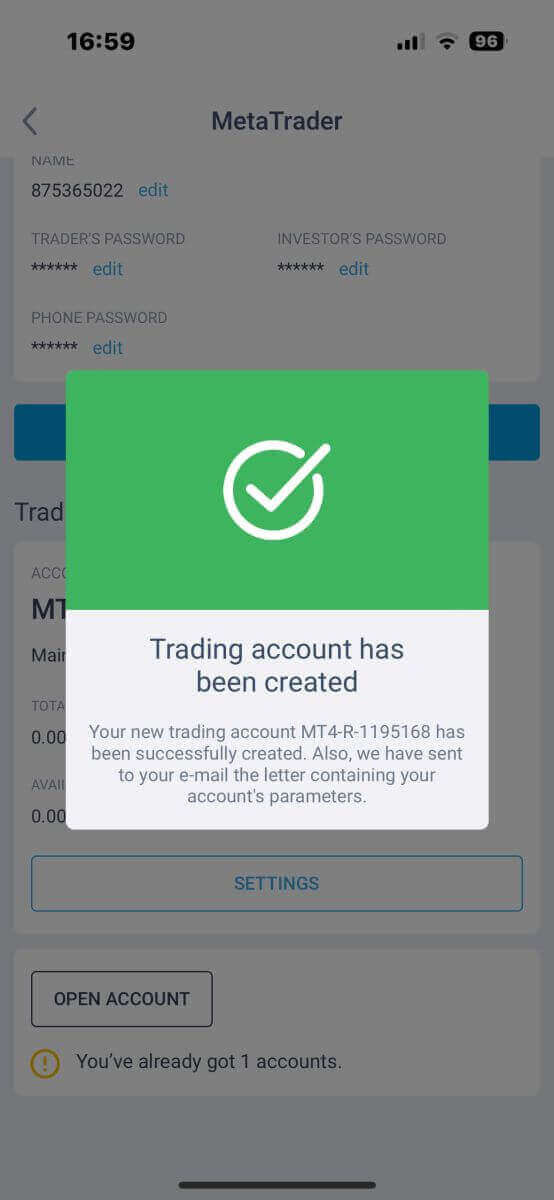
You have successfully created a trading account! Your new trading account will show up below and remember to set one of them to be your main account.
Conclusion: Opening a trading account on LiteFinance is a straightforward process
With these simple steps to sign up and open a trading account, it no longer takes investors a lot of time for this beginning process. Instead, investors could focus on enjoying LiteFinance’s wonderful services and maximizing their own profit.
LiteFinance - a potential, ideal, reliable, and user-friendly playground for both freshmen and experts, which is accompanied by preferential programs that are waiting for you to achieve your online trading goals. Create an account today and experience the benefits of trading with LiteFinance!
FAQs
Register with your email, choose the account type that fits your strategy, complete the personal details and trading profile, then upload identity and address documents for verification. After approval, add funds via your preferred payment method and download the trading platform. Some payment methods allow faster funding, but verification may be required before withdrawals.
You typically need a government-issued photo ID (passport or national ID), a recent proof of address such as a utility bill or bank statement dated within a few months, and sometimes a selfie or card proof when using card payments. Documents must be clear, unexpired, and match your registration data.
Delays often come from unclear scans, mismatched names or addresses, expired documents, or higher-risk checks during manual KYC review. Check your email and account dashboard for requests to resubmit specific files, upload high-resolution scans, and ensure names match exactly. If review exceeds a couple business days, contact support with your reference number; keep sensitive files secure when transmitting.
Individuals of legal trading age with valid ID can register, but some jurisdictions are restricted due to local regulation. Corporate accounts may require additional incorporation documents. If your country is restricted you won’t be able to complete activation—verify eligibility during signup or ask support before submitting documents.
Minimum funding requirements depend on the account type and payment method you choose; some entry-level accounts accept modest amounts while premium accounts require more capital. Check the account comparison during signup or the funding section in your dashboard for exact minimums and currency options before transferring funds.