LiteFinance Login: Secure Account Access and Troubleshooting

Regaining fast, reliable access to your trading workspace matters when markets move and positions need monitoring. Forgotten passwords, device authentication prompts, browser session timeouts and mixing up demo versus live credentials are common causes of delay. This page walks through signing into LiteFinance across the web terminal, MetaTrader apps and the mobile trading app, explains the differences between account number, login password and investor password, and outlines how two-factor checks and device recognition affect immediate access.

Expect step-by-step troubleshooting for locked accounts, failed SMS or email codes and rejected credentials, plus practical checks such as clearing cache, testing alternate devices, and verifying account activation status before attempting a password reset. There’s also guidance on enabling biometric login where supported, best practices for storing credentials, and when to contact LiteFinance support or submit verification documents if access remains blocked. Follow these precautions to restore access promptly while keeping account security intact.
LiteFinance Login: Secure Account Access and Troubleshooting

How to Login to LiteFinance on the Web app

How to Login to LiteFinance with a Registered Account

If you don’t have a registered account, watch this post: How to Register Account on LiteFinance.

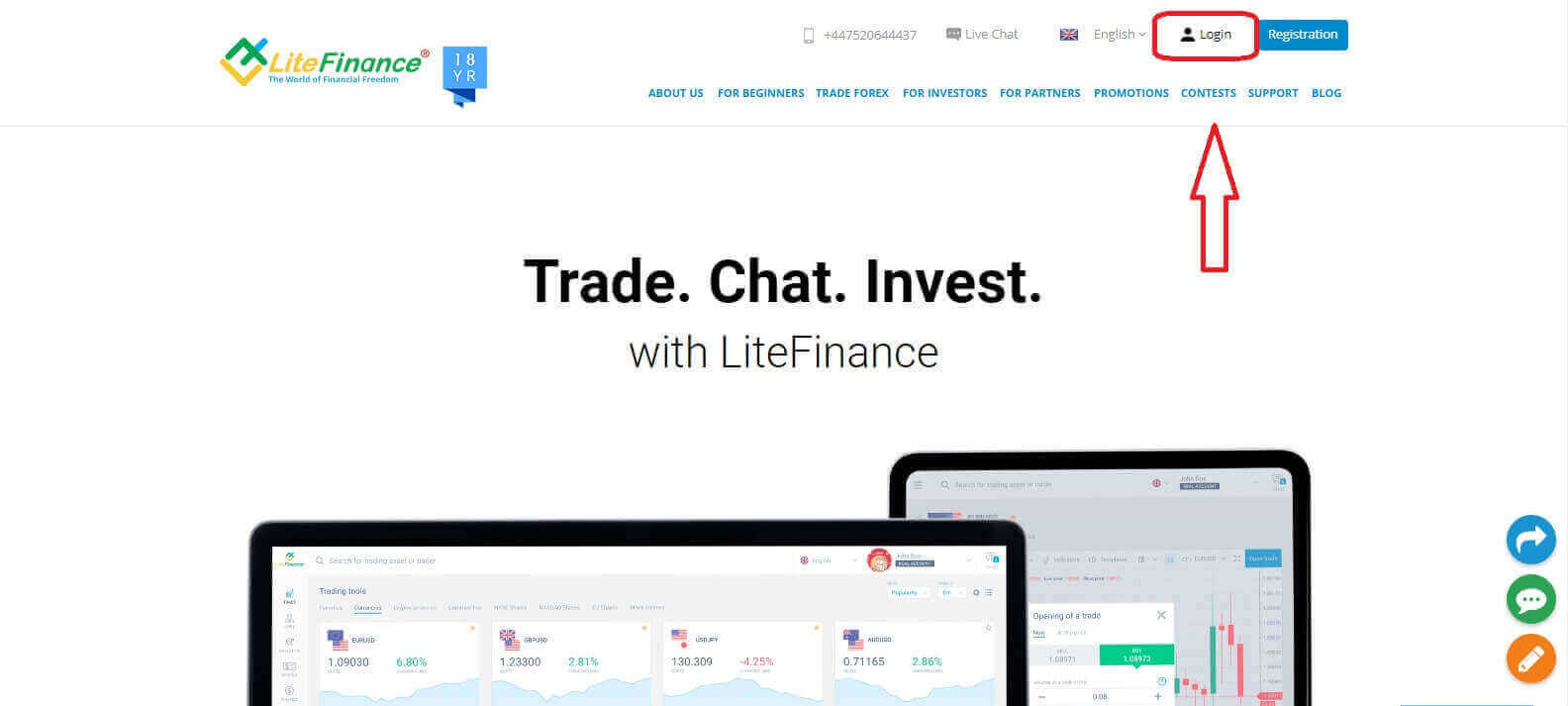
Visit the LiteFinance homepage and click on the "Login" button.
LiteFinance Login: Secure Account Access and Troubleshooting
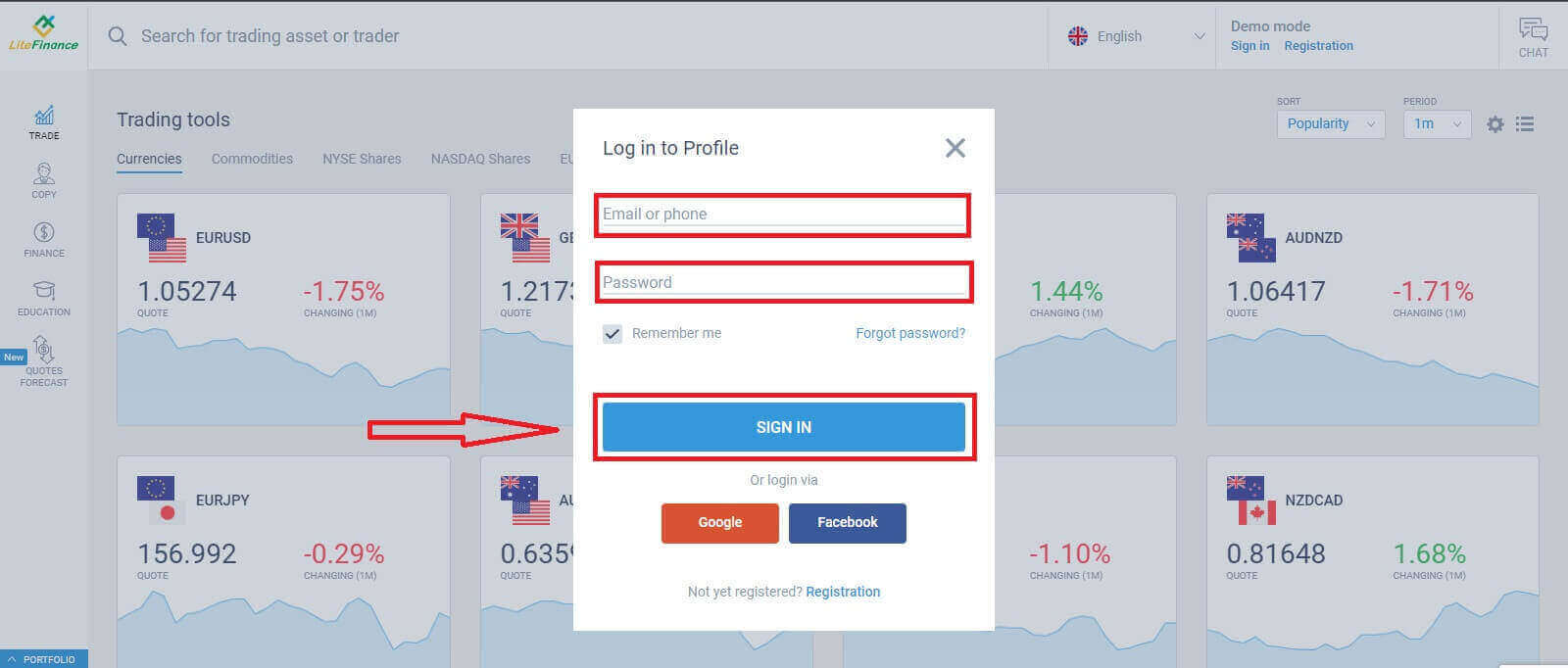
Click "SIGN IN" after entering your registered email address and password to access your account.
LiteFinance Login: Secure Account Access and Troubleshooting

 Login to LiteFinance via Google

On the registration page, in the "Log in to Profile" form, choose the Google button.
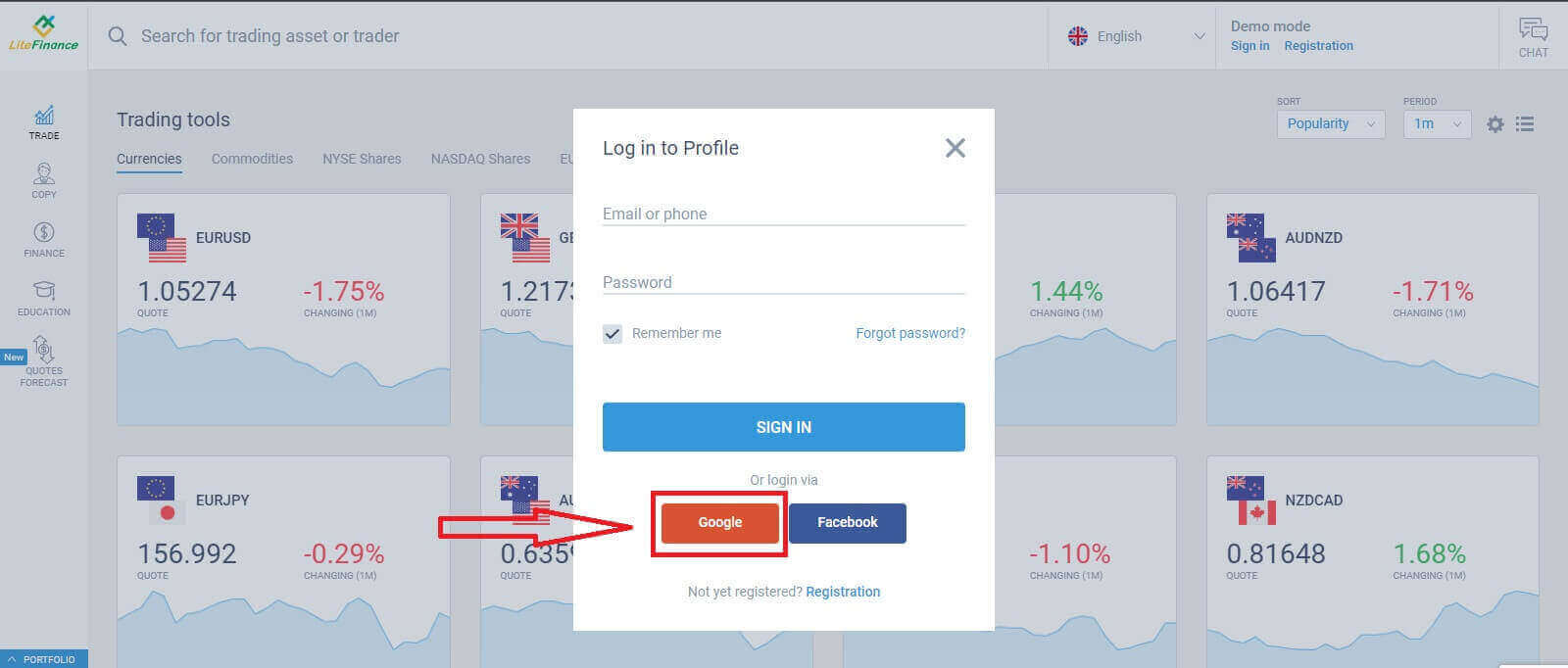
LiteFinance Login: Secure Account Access and Troubleshooting
A new pop-up window will appear. On the first page, you need to enter your email address/ phone number then click "Next"
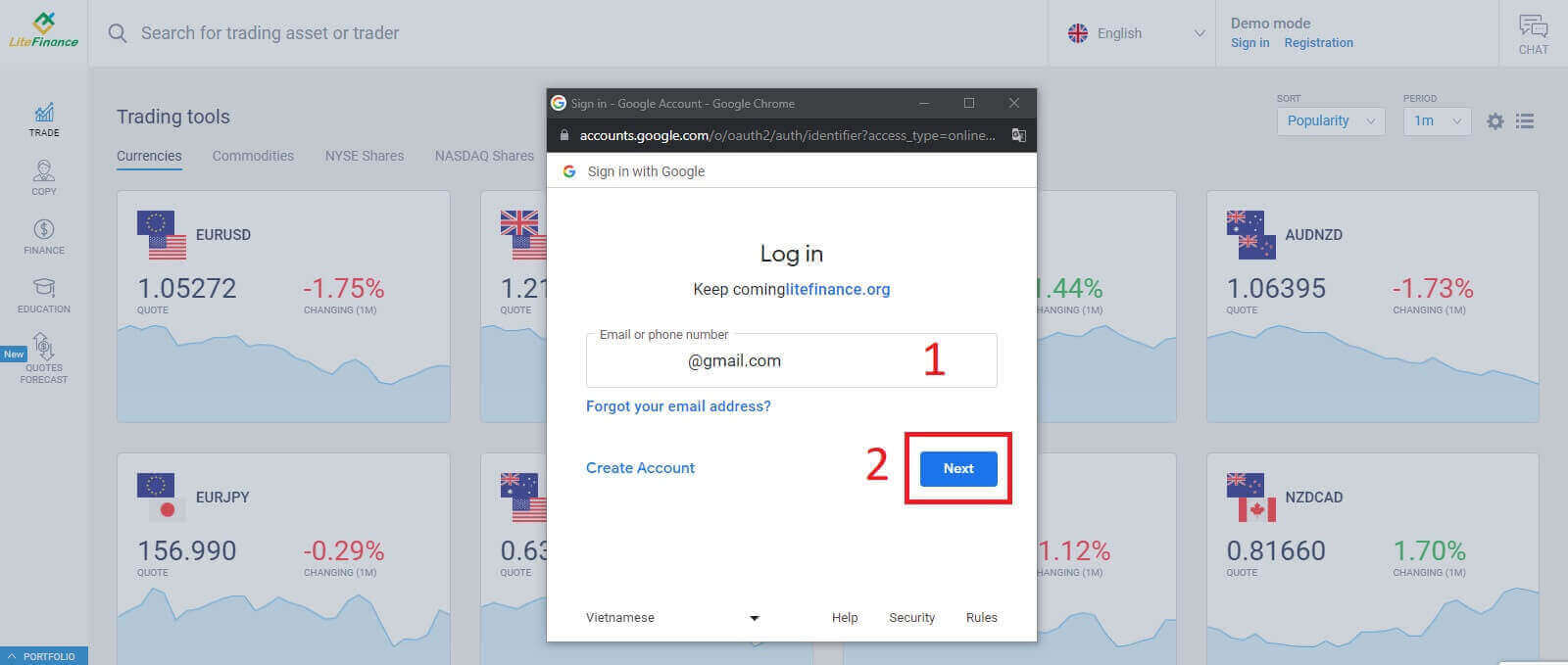
LiteFinance Login: Secure Account Access and Troubleshooting
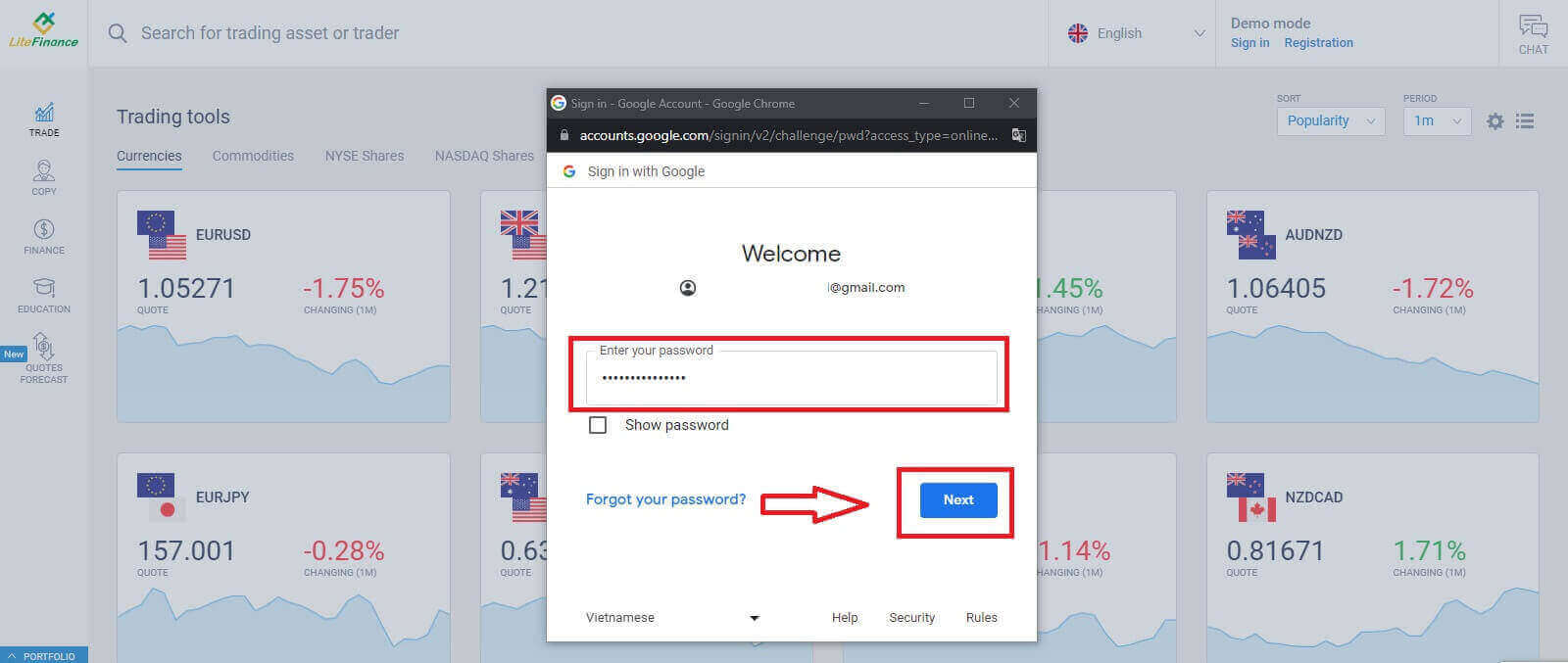
Enter your Google account’s password on the next page and click "Next"
LiteFinance Login: Secure Account Access and Troubleshooting

Login to LiteFinance with Facebook

Select the Facebook button on the registration page’s "Log in to Profile" form.
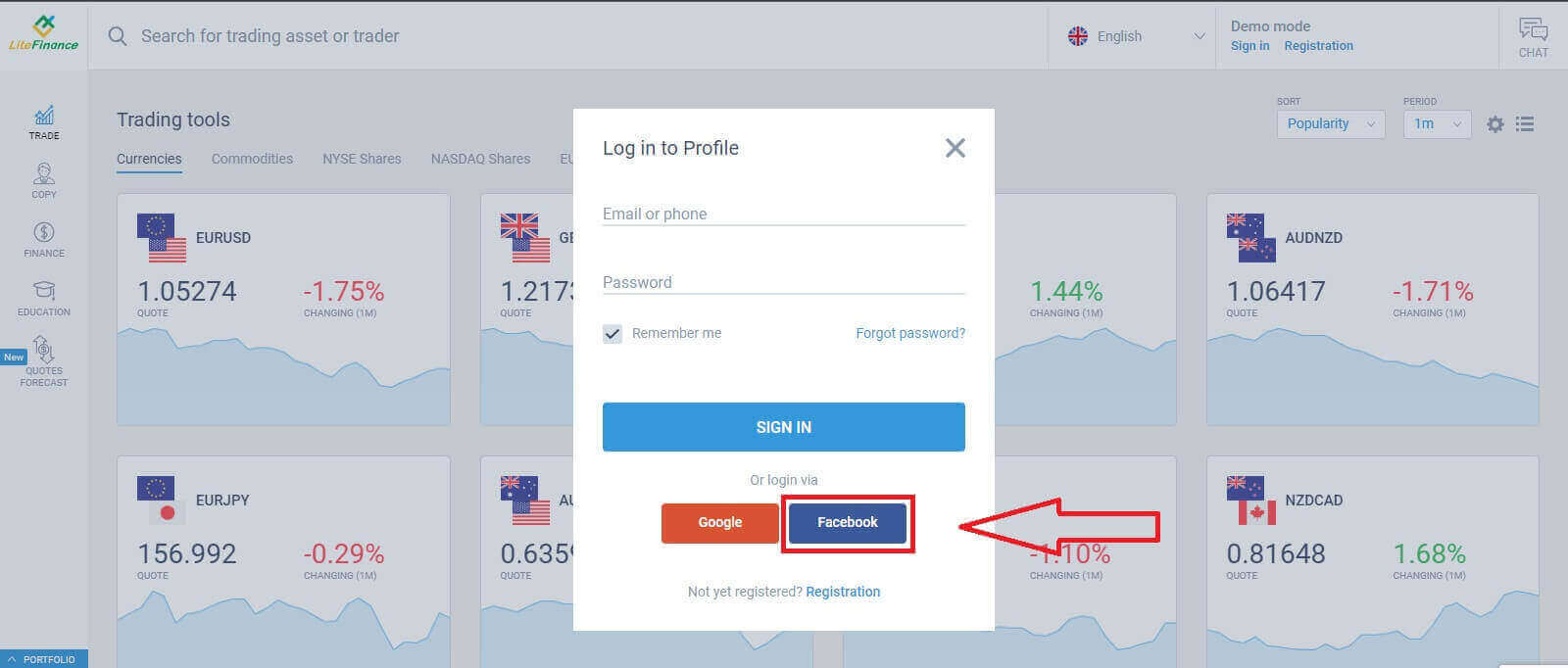
LiteFinance Login: Secure Account Access and Troubleshooting
At the first pop-up window, enter your Facebook’s email address/ phone number and password. After that, click "Log in".
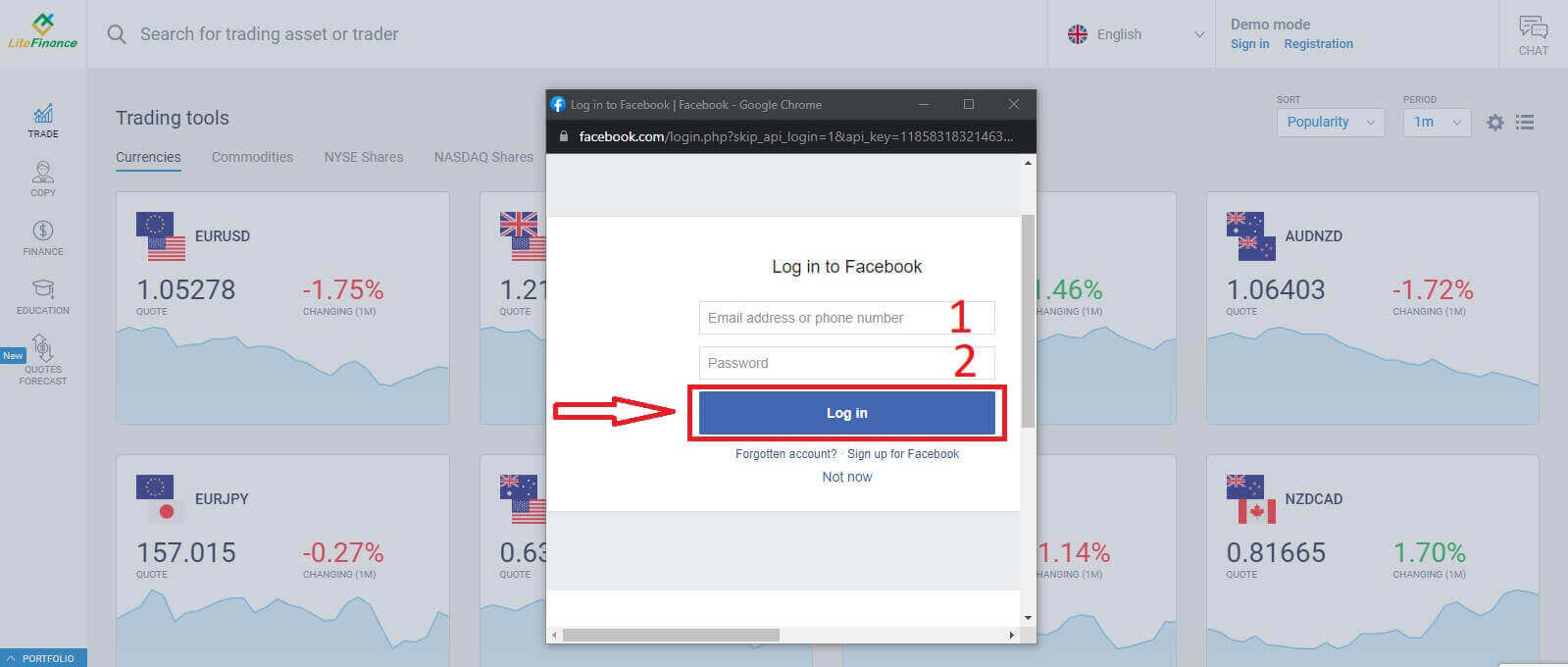
LiteFinance Login: Secure Account Access and Troubleshooting
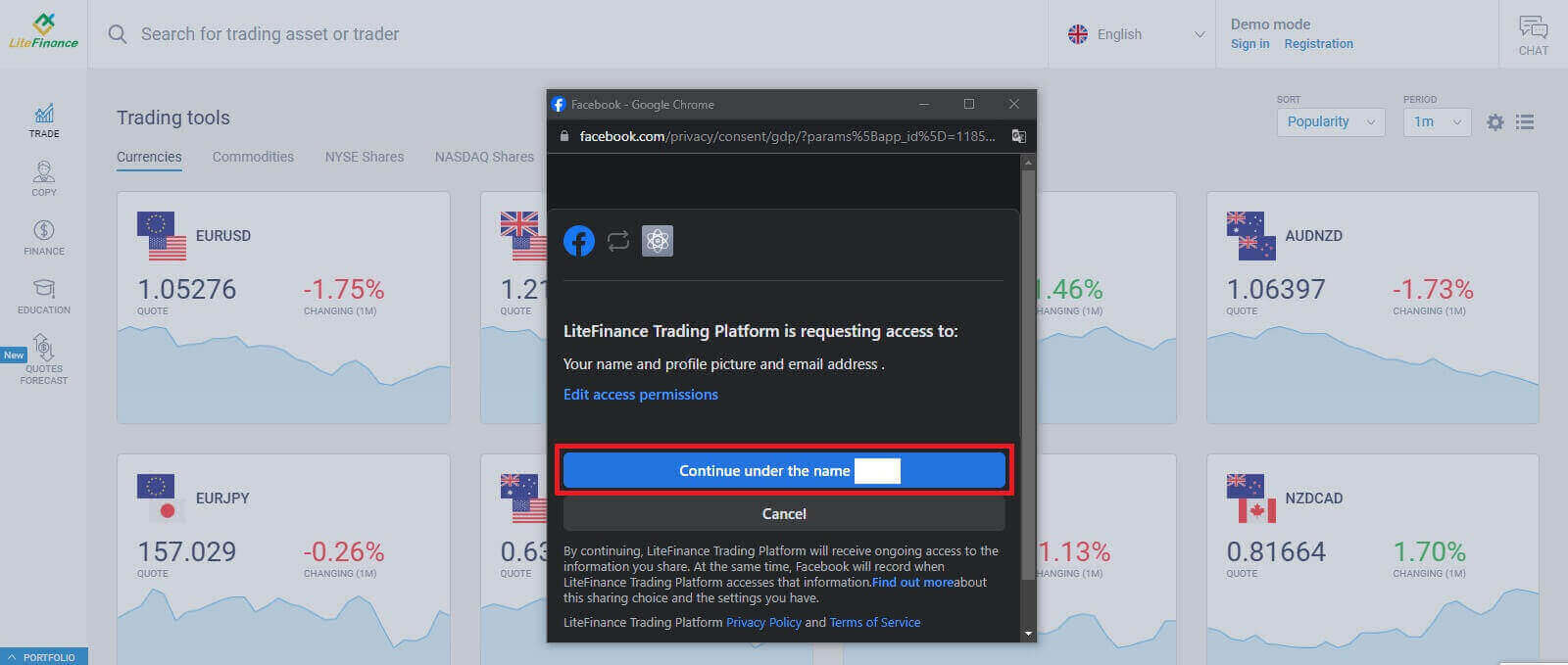
Choose the "Continue under the name..." button on the second one.
LiteFinance Login: Secure Account Access and Troubleshooting

How to Recover your LiteFinance password

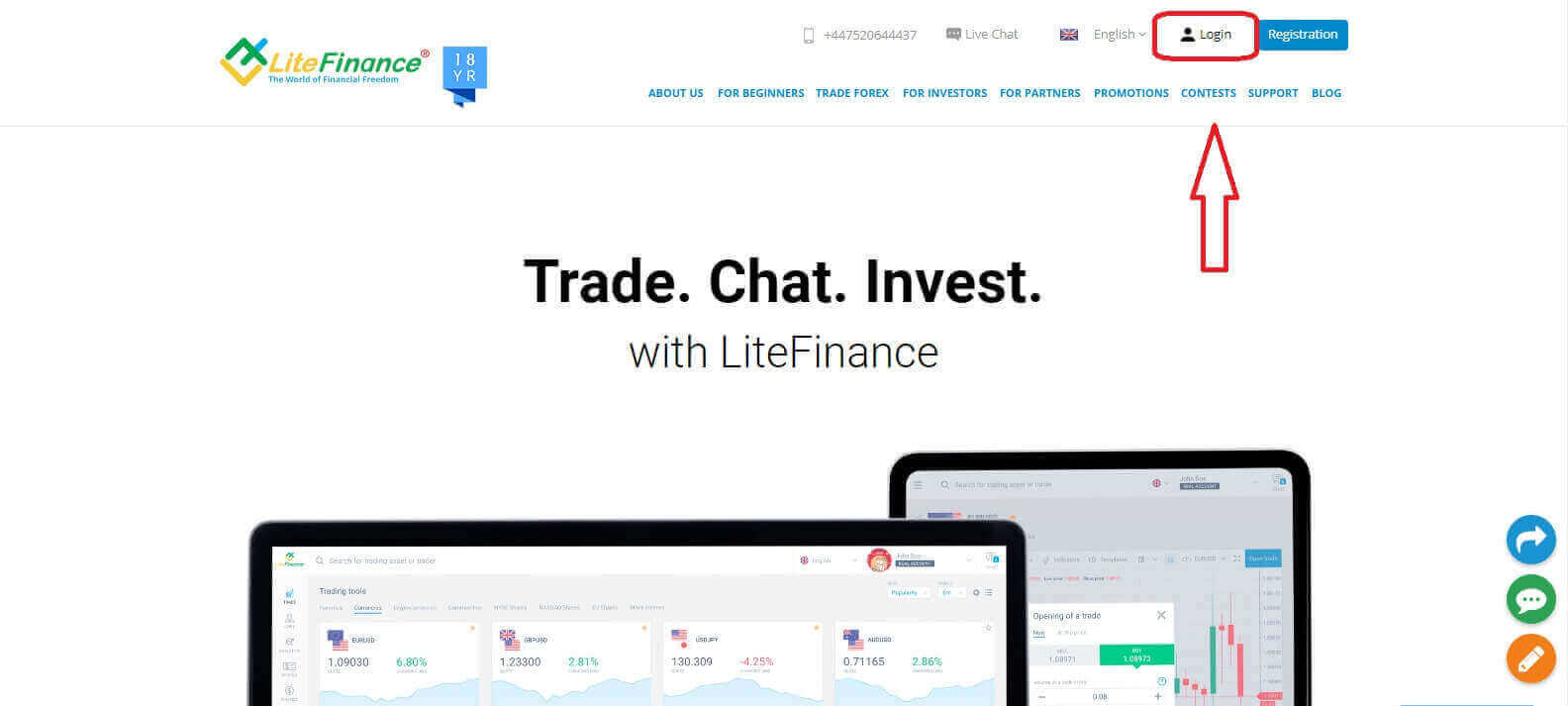
Access the LiteFinance homepage and click on the "Login" button.
LiteFinance Login: Secure Account Access and Troubleshooting
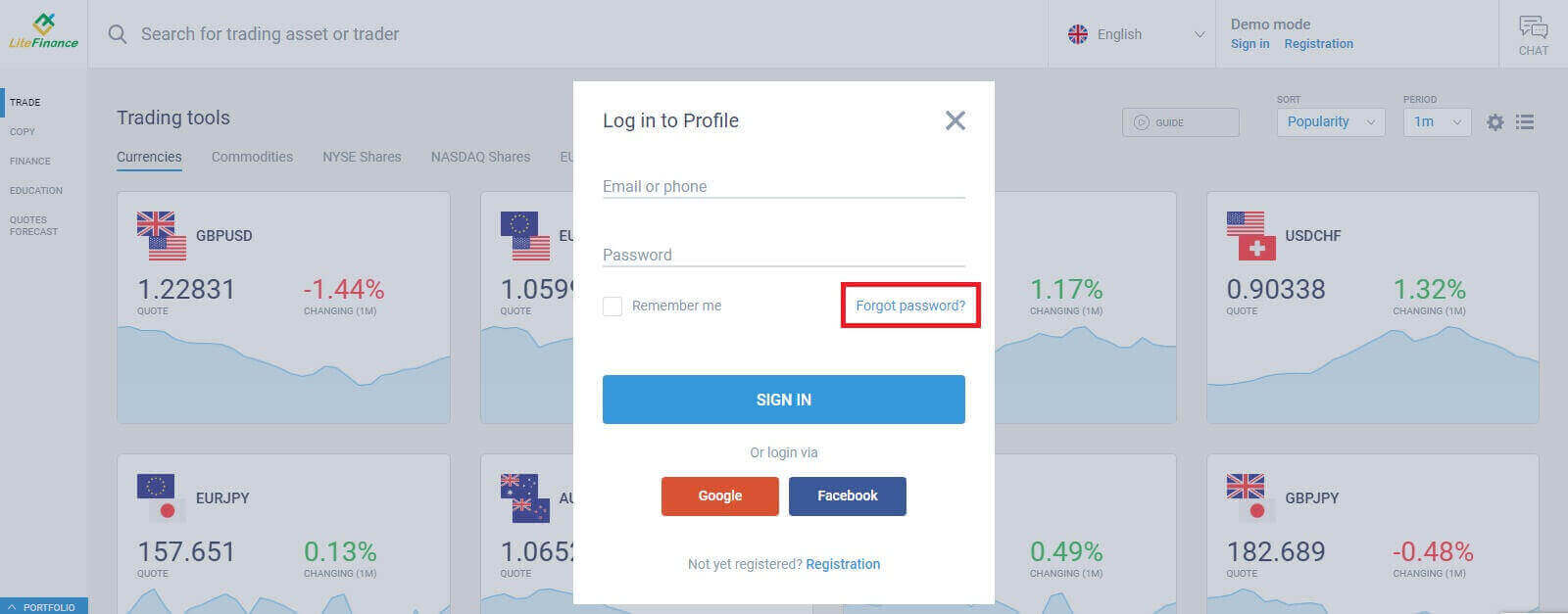
At the login page, choose "Forgot password".
LiteFinance Login: Secure Account Access and Troubleshooting
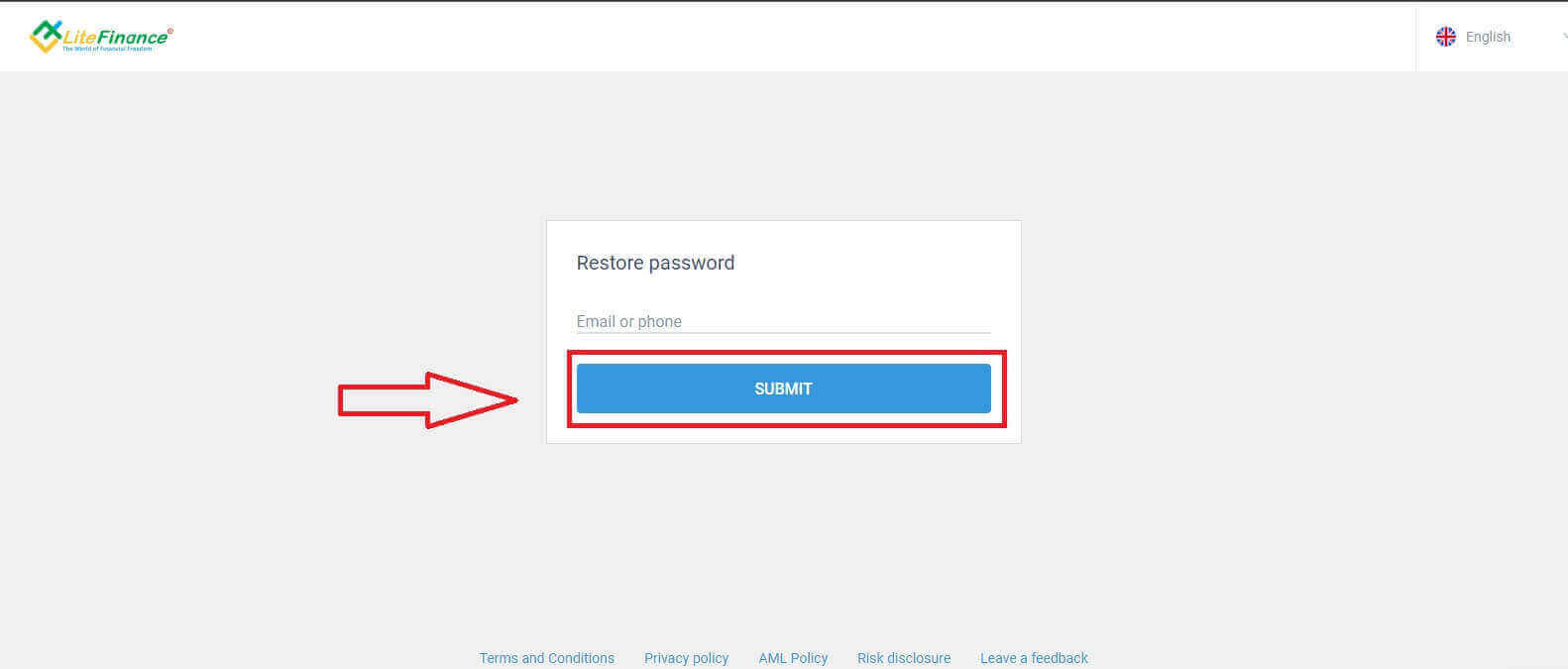
Enter the email/ phone number of the account that you want to reset the password in the form, then click "SUBMIT". Within a minute, you will receive an 8-digit verification code so please check your inbox carefully.
LiteFinance Login: Secure Account Access and Troubleshooting
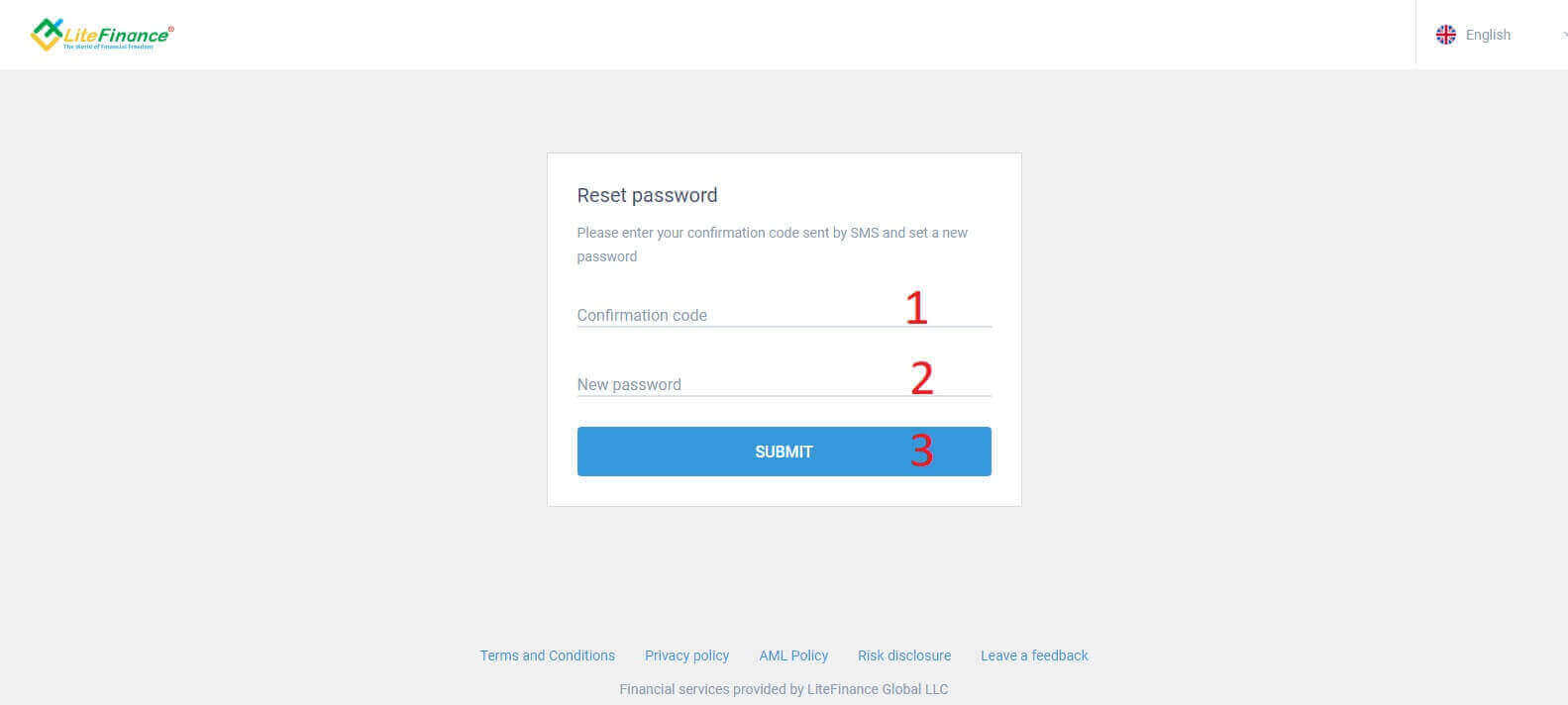
Finally, in the next form, you will need to fill in your verification code into the form and create a new password. To finish resetting your password, click "SUBMIT".
LiteFinance Login: Secure Account Access and Troubleshooting

How to Login to LiteFinance on the LiteFinance Mobile app

Logining into LiteFinance Using a Registered Account

Currently, neither login via Google nor Facebook is available on the LiteFinance mobile trading app. If you don’t have a registered account, watch this post: How to Register Account on LiteFinance.

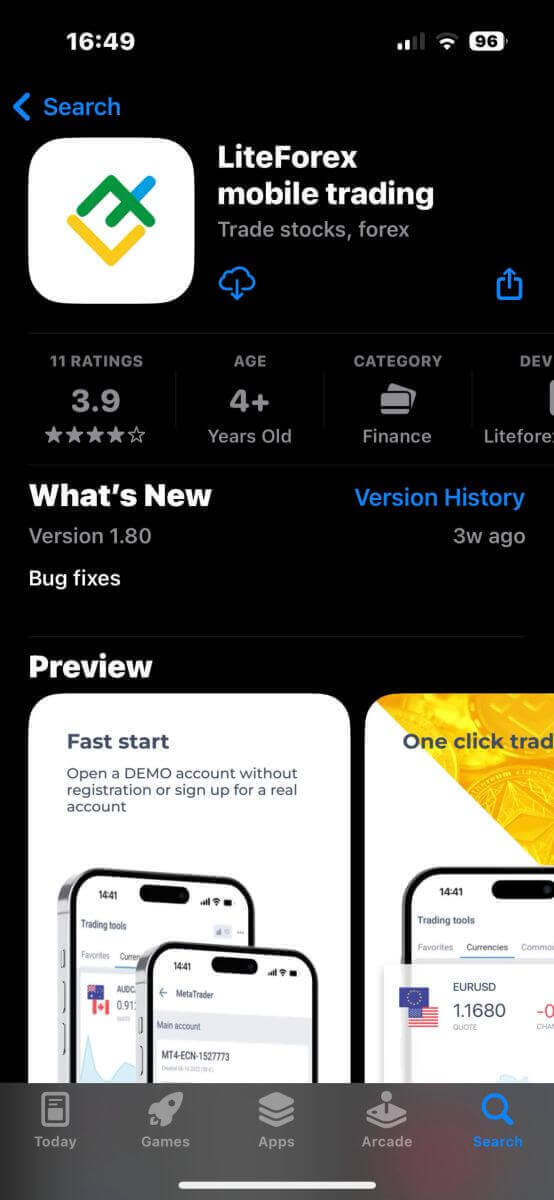
Install the LiteFinance mobile trading app on your phone.
LiteFinance Login: Secure Account Access and Troubleshooting
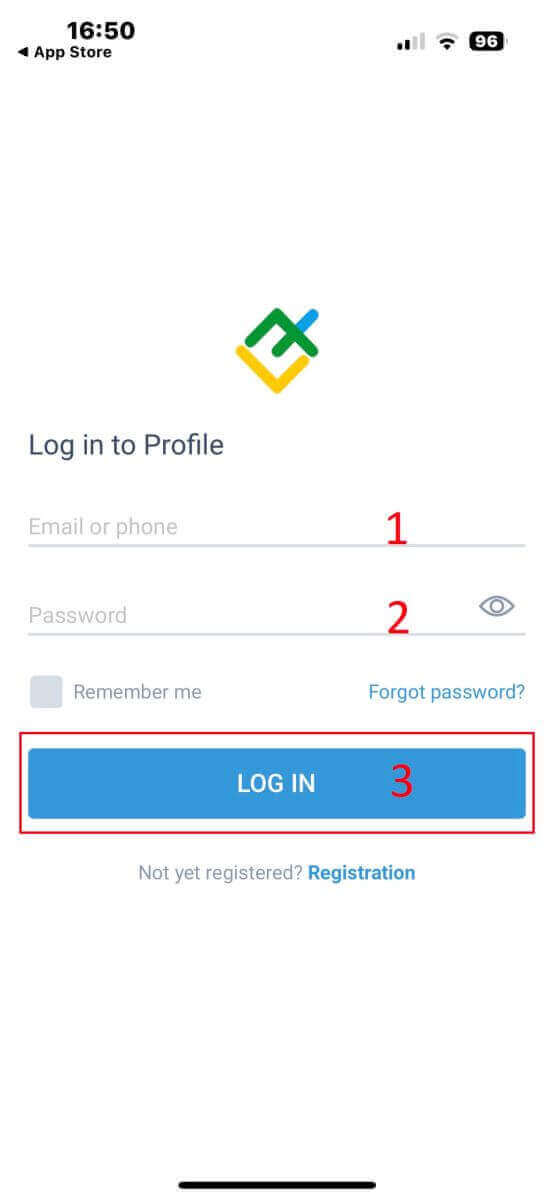
Open the LiteFinance mobile trading app, enter your registered account details, and then click "LOG IN" to continue.
LiteFinance Login: Secure Account Access and Troubleshooting

How to Recover your Litefinance password

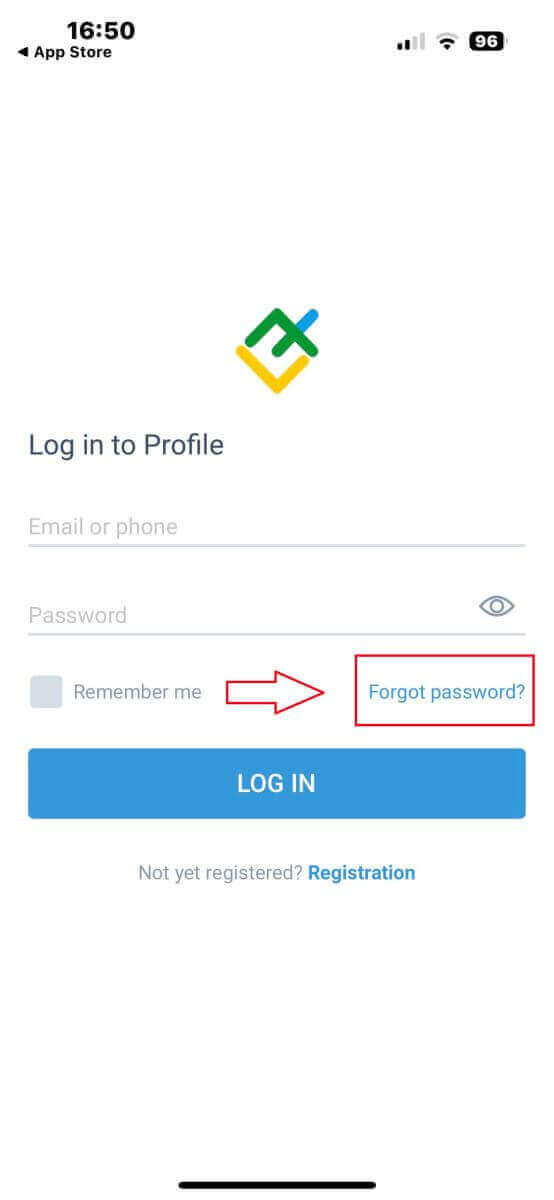
At the login interface of the app, choose "Forgot password".
LiteFinance Login: Secure Account Access and Troubleshooting
Enter the email address/ phone number of the account that you would like to reset the password to and tap "SEND".
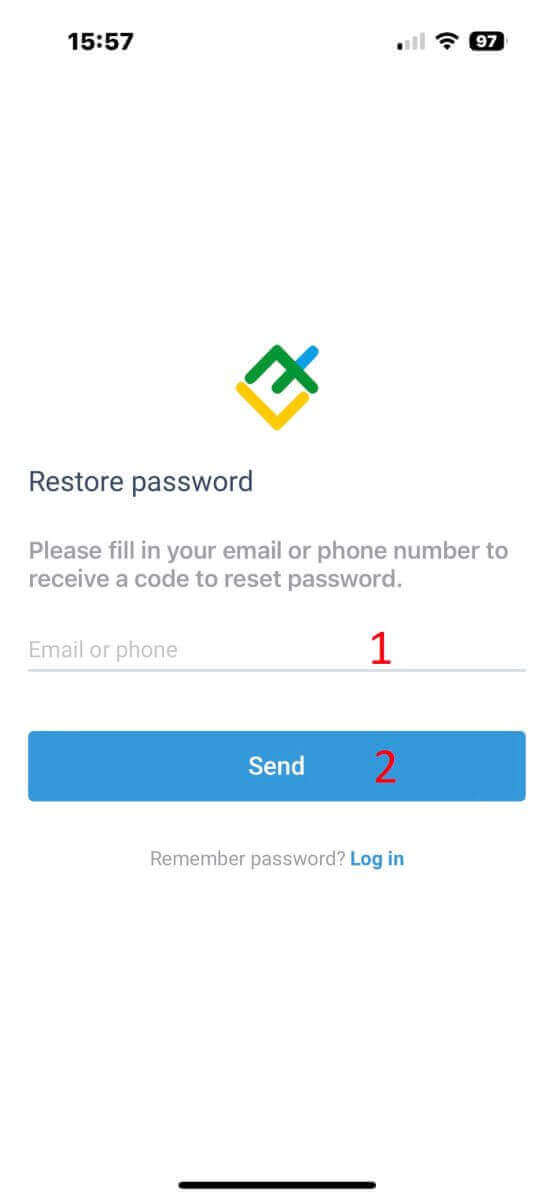
LiteFinance Login: Secure Account Access and Troubleshooting
Within 1 minute, you will receive an 8-digit verification code. After that, enter the verification code, and your new password.

Click "Confirm" and you’ll successfully reset your password.
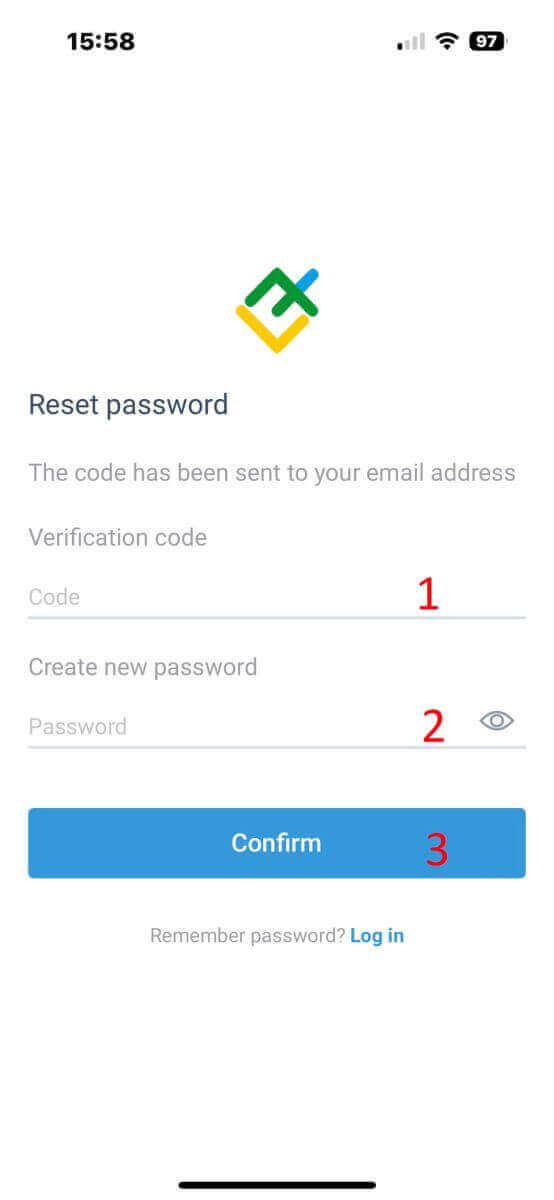
LiteFinance Login: Secure Account Access and Troubleshooting

Login to LiteFinance - one step closer to the global trading market

By logging into LiteFinance, you take a significant step towards accessing the global trading market. Your journey towards international financial opportunities and trading success is just one login away. The streamlined sign-up process ensures that investors can swiftly embark on their trading journey without excessive time investment. This efficiency allows investors to redirect their focus toward availing themselves of LiteFinance’s exceptional services and optimizing their profits.

LiteFinance, an accessible and dependable platform, caters to traders of all levels, from beginners to seasoned experts. It offers a range of advantageous programs that await your exploration, designed to help you attain your online trading objectives. Start your journey today and relish the advantages of trading with LiteFinance!

FAQs
Use your account number or registered email and the trading password to sign in on the web terminal, MetaTrader 4/5 clients or the LiteFinance mobile app. On desktop choose the correct server (live or demo) and enter the matching password; on mobile enable biometric or Remember only on personal devices. If two-factor authentication is enabled, provide the SMS or authenticator code when prompted. Use the investor password for read-only access; the main trading password is required to place orders.
Common causes include using the wrong password type (investor vs trading), selecting the wrong server (demo vs live), Caps Lock, or entering your email where an account number is required. Repeated failed attempts can temporarily lock access. Clear browser cache, try another device or the MT4/MT5 client, and confirm you’re using the latest app version. If problems persist, perform a password reset or contact support with your account number for further checks.
First, wait the short lockout period and avoid repeated guesses. Use the platform’s Forgot Password flow to request a reset email and check spam folders. If reset links fail or the account remains blocked, prepare proof of identity (ID and proof of address) and contact LiteFinance support—they may require verification to confirm ownership before restoring access. Avoid sharing credentials or responding to unsolicited messages; support will never ask for your full password.
Login access can be influenced by two-factor authentication, unverified KYC status, device recognition, and suspicious activity flagged by IP or geolocation checks. Unverified accounts may be limited from certain actions until documents are approved. Session timeouts and automatic logouts protect accounts on shared devices. Keep a strong unique password, enable 2FA, and complete required verification to reduce the chance of access restrictions.
The trading web terminal and mobile apps support common desktop and mobile OS versions, but very old devices may not be compatible. Regional or regulatory restrictions can prevent access from certain countries, and some payment or SMS providers may not deliver codes to all regions. Disable VPNs that change your apparent country and contact support if you suspect a regional block or compatibility issue.